Rebuild Priority
In the event of a physical drive failure and replacement, the Rebuild Priority feature
allows users to control the priority of the volume recovery (rebuild) process.
Normal: This is the default setting for volume recovery. The recovery
process will automatically reduce the speed of the process in order to
accommodate client bandwidth needs.
High: This setting causes the recovery process to maintain high priority
regardless of client bandwidth needs.
Note: This setting can cause dropped frames during playback and other
bandwidth related issues for clients. Do not enable the ‘High’ setting
during periods of high client usage.
Paused: This setting stops the recovery process for 2 hours. Recovery
can be manually resumed by selecting ‘Normal’ or ‘High’. After the 2
hour pause, recovery will begin under the default ‘Normal’ mode.
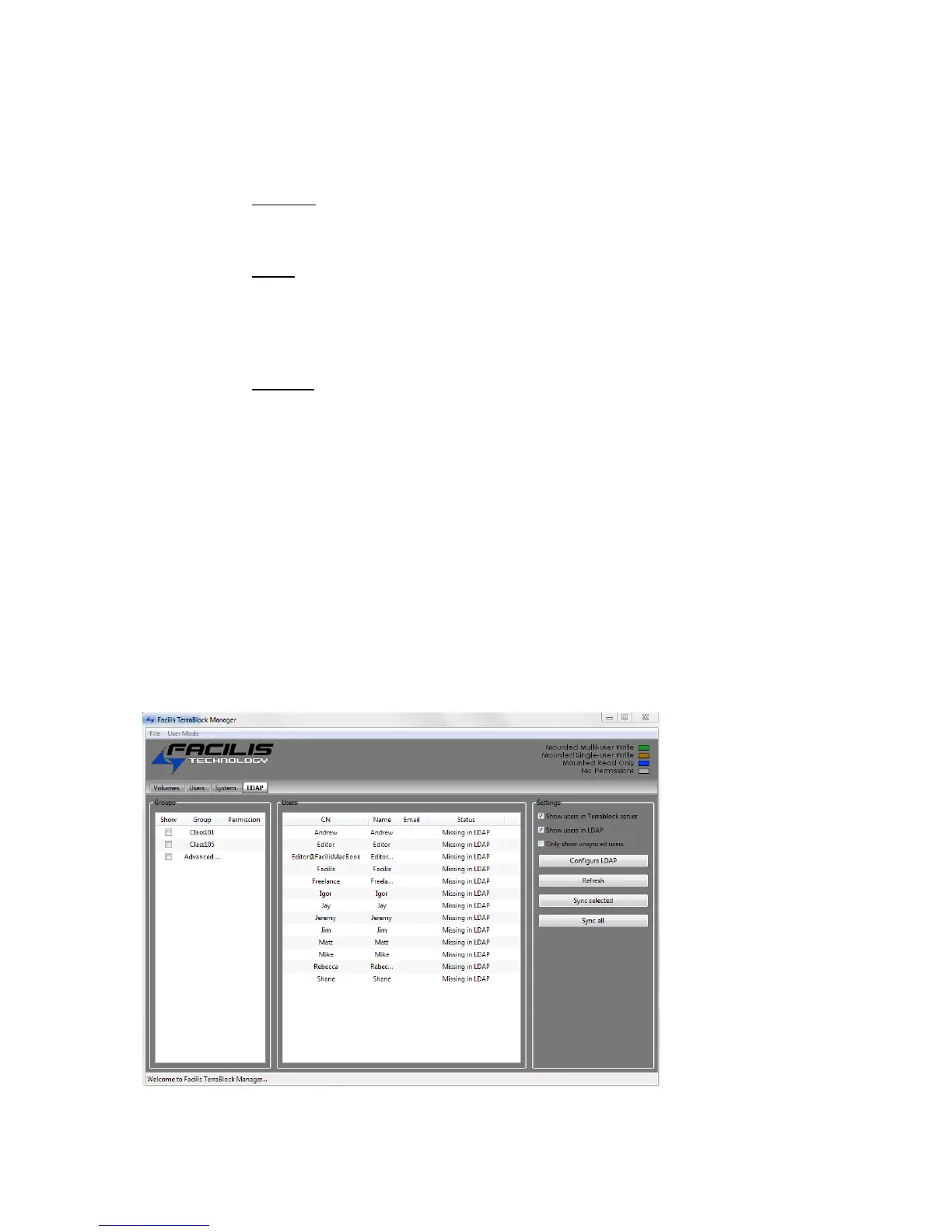
Enable LDAP administration
This feature enables the TerraBlock Server to connect with an LDAP or Active
Directory server. Once this option is enabled, an additional tab will be displayed in
the TerraBlock Manager on the server itself, as well as any client with Admin
privileges. Users from the LDAP or Active Directory server can then be synced or
pulled to the TerraBlock server to become a TerraBlock user.
LDAP Tab
The LDAP tab will only be displayed once the feature is enabled from the Admin
Settings tab. Launching the TerraBlock Manager on the TerraBlock Server itself or
from a client that has logged in with a user with Admin privileges, will now display
this additional tab.



 To Next Page