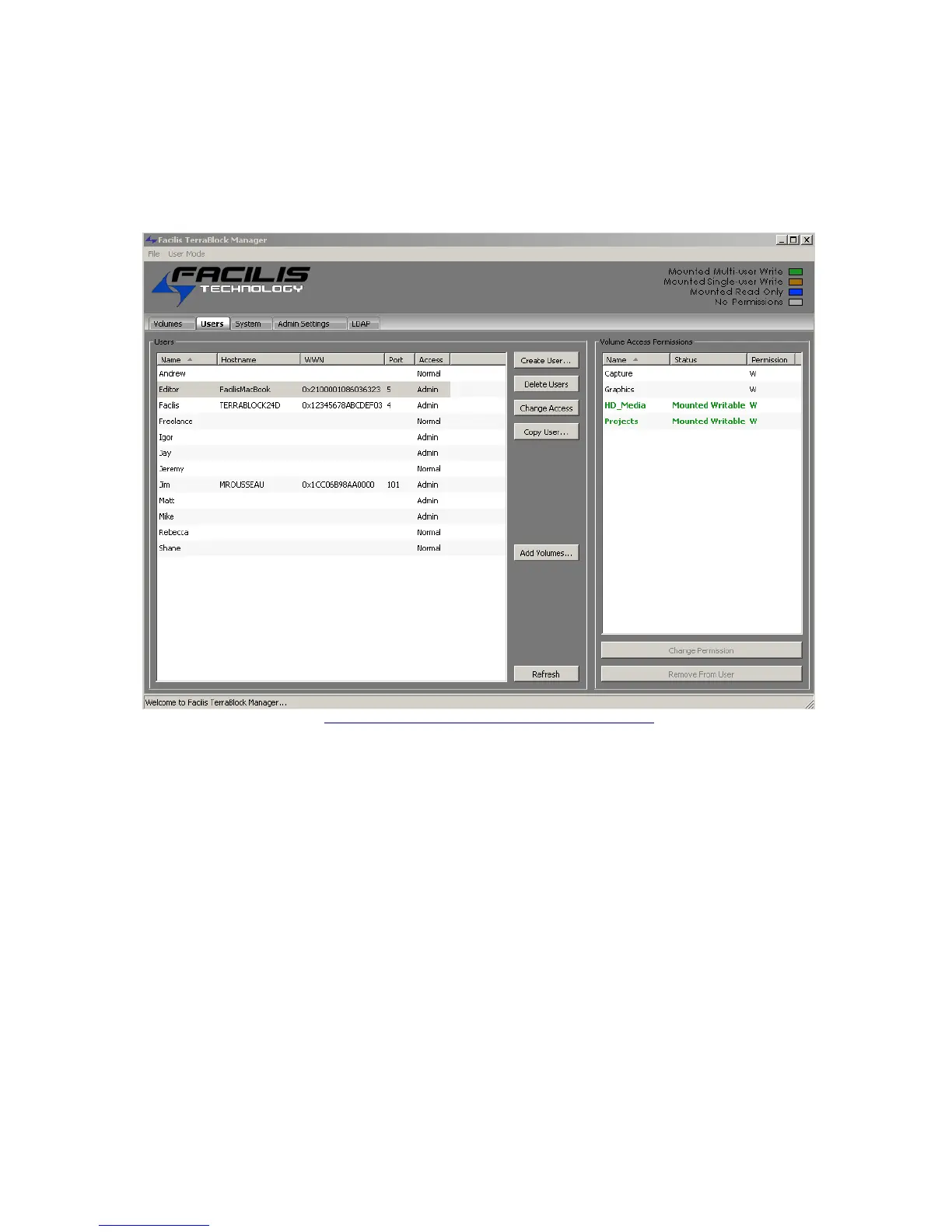
Creating and Managing Users
From the Users tab, TerraBlock Administrators can create users, manage the users’
access to volumes and determine which users can be given access to administrative
functions. The administrator may also determine which volumes a user currently has
mounted, and with what type of access, read or write.
TerraBlock Manager Users Tab– Server Administration Mode
In the example above, you see user Name (Editor); user’s computer Hostname
(FacilisMacBook); World-Wide Name of the fibre card in the host; Port designation on
the TerraBlock Server, and user Access privilege.
In the Users Tab, users may show up with the name “Unknown
(xx)” - you may disregard these users.
The most efficient method of creating users on the TerraBlock manager if not
using User and Password Authentication is to allow client stations to send
their user information to the server. Login with the local user account (Mac or
Window OS user) and launch the TerraBlock Manger.
When the connection is successful, the local user account name will be sent to
the server automatically. The User tab will reflect the new Facilis User
account, and a TerraBlock Administrator may assign volumes and access level
to that user.
With User and Password Authentication enabled the TerraBlock user can be
created from a client system or from the TerraBlock server.



 To Next Page