Chapter 7 – Facilis Project Manager / Viewer
Facilis Project Manager Overview
The Facilis Project Manager application allows Administrators to manage Final Cut Pro and
Adobe Premiere Pro project ownership. Once a user has taken ownership of a project, that
user alone will have write access to the project. All other users will have read-only access
to the project.
Because Facilis Project Manager can be used to manipulate Final Cut Pro
and Adobe Premiere Pro Project ownership, it is recommended that the
Facilis Project Manager application be used by site Administrators only.
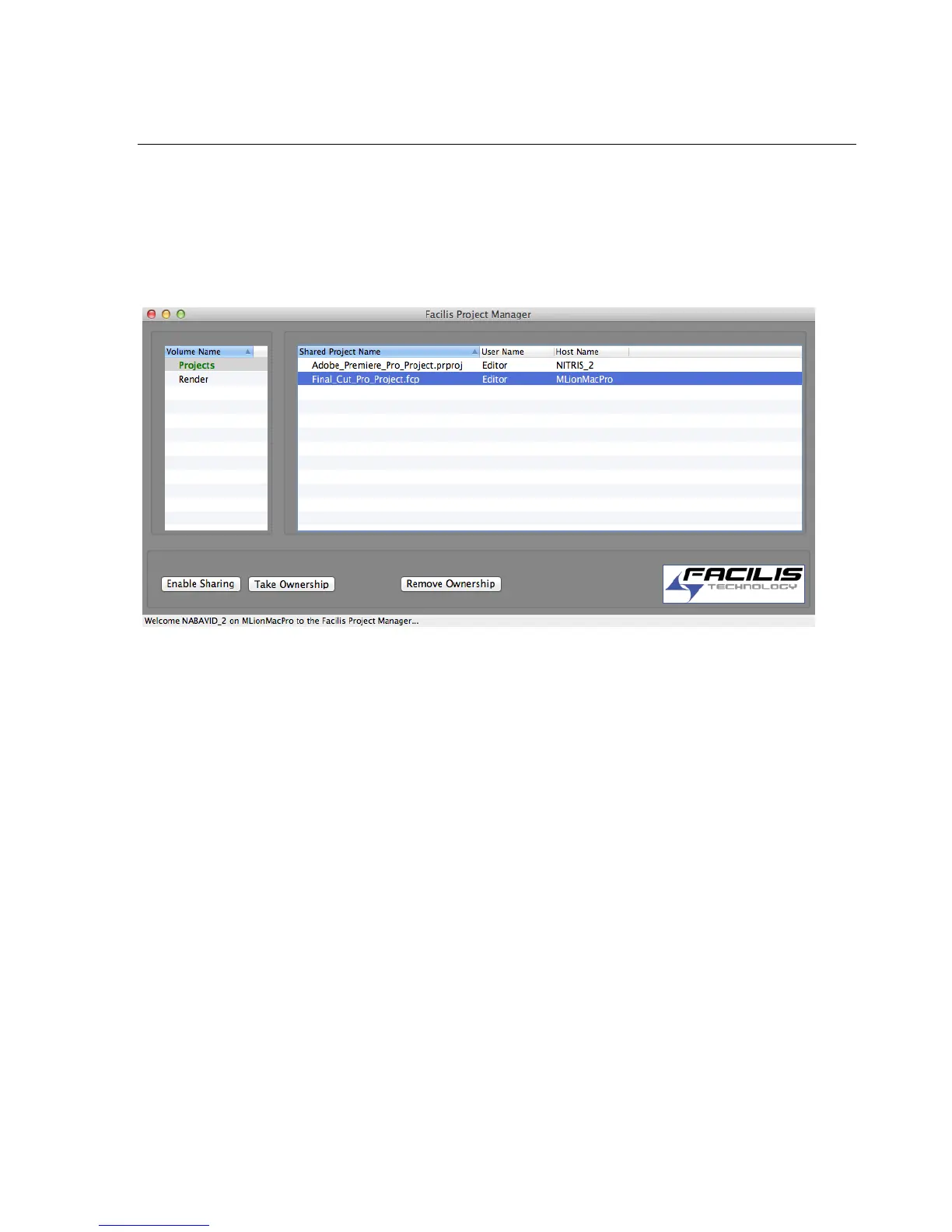
Upon launching the Facilis Project Manager, the user will be presented with the Facilis
Project Manager Window.
The Facilis Project Manager window is split into two panes, the Volume Name Pane and
the Project List Pane.
The Volume Name Pane will list any volumes that were mounted at the time the
application was launched. If a volume is mounted after the Facilis Project Manager has
been opened, quit and re-launch the Facilis Project Manager to see the recently mounted
volume in the list.
The Project List Pane will list any shared Final Cut Pro or Adobe Premiere Pro projects
located on the volume selected in the Volume Name Pane.
The Project List Pane contains three columns: ‘Shared Project Name’, ‘User Name’ and
‘Host Name’.
The Shared Project Name column lists any shared Final Cut Pro or Adobe Premiere
Pro projects that reside on the selected volume.
The User Name column lists Facilis users that currently have ownership of Final Cut
Pro or Adobe Premiere Pro projects.



 To Next Page