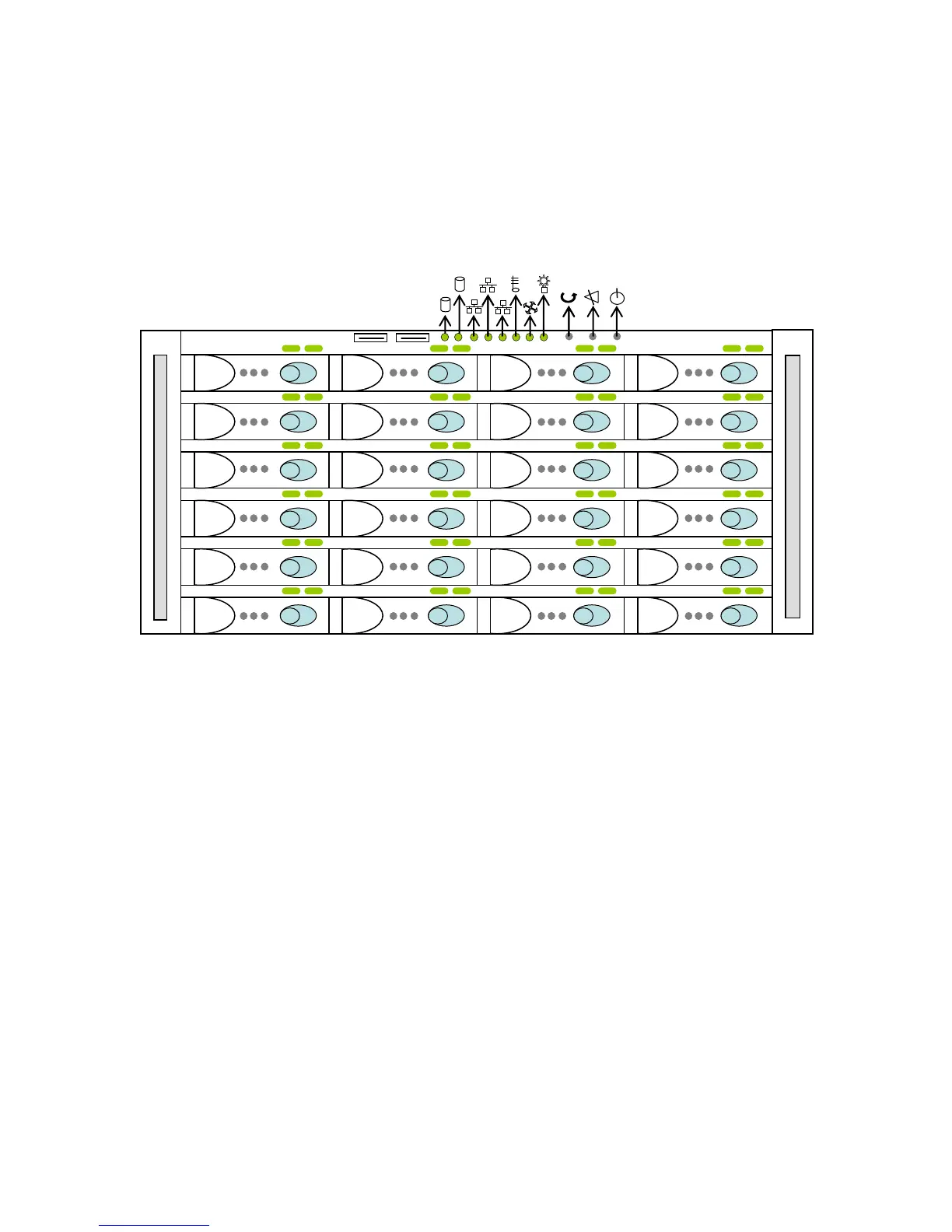
TerraBlock Enclosure Front Panel
The front panel of the TerraBlock system is used to start up and shut down the unit
and to monitor hard drive activity through LED indicators. The drive carriers are
inserted in the front of the unit during initial installation, or in the event of drive
replacement. Software updates can be loaded via USB drive in the front or rear of
the unit or by downloading from www.facilis.com/media. The 24D and 24EX front
panel is shown below.
LED indicators from left to right:
1. Internal System Disk Activity
Blinks amber when active, typically only LED 1 is used
2. Ethernet Activity
Blinks green when active, only LED’s 2 & 3 are used
3. Temperature Indicator
Green when OK
Flashing green on error with audible alarm
4. Fan speed Indicator
Green when OK
Flashing green on error with audible alarm
5. Power Indicator
Green when powered on
Flashing green when a power supply fails with audible alarm
Front panel buttons from left to right
1. Server Reset
Only use when instructed. Do not use to power cycle the unit
2. Alarm Mute
Silences the fan and temperature audible alarms
3. Power On/Off
Use to power on the unit or to initiate Windows shutdown



 To Next Page