Chapter 6 – Facilis File Migration Tool
The Facilis File Migration Tool enables the user to quickly copy data between local
storage or network storage and TerraBlock volumes.
Facilis File Migration Tool
The Facilis File Migration Tool is a cross-platform Mac and Windows copy file utility.
The tool is designed to reduce the bandwidth load on the Terrablock Server. The
standard drag and drop file copy in Mac OS X and Windows will copy files as fast as
possible. This is often not desirable since it impacts the performance of the
Terrablock Server, potentially resulting in performance issues for other clients. The
Facilis File Migration Tool governs the copy speed and prevents valuable bandwidth
from being used when copying and archiving. In addition, the tool copies files to
TerraBlock volumes in sequential order. This ensures optimal performance for file
based workflows.
The File Migration Tool should always be used when copying files for file
based workflows (DPX, RED, ARRI, etc.).
Setup and Usage
Using the Facilis File Migration Tool
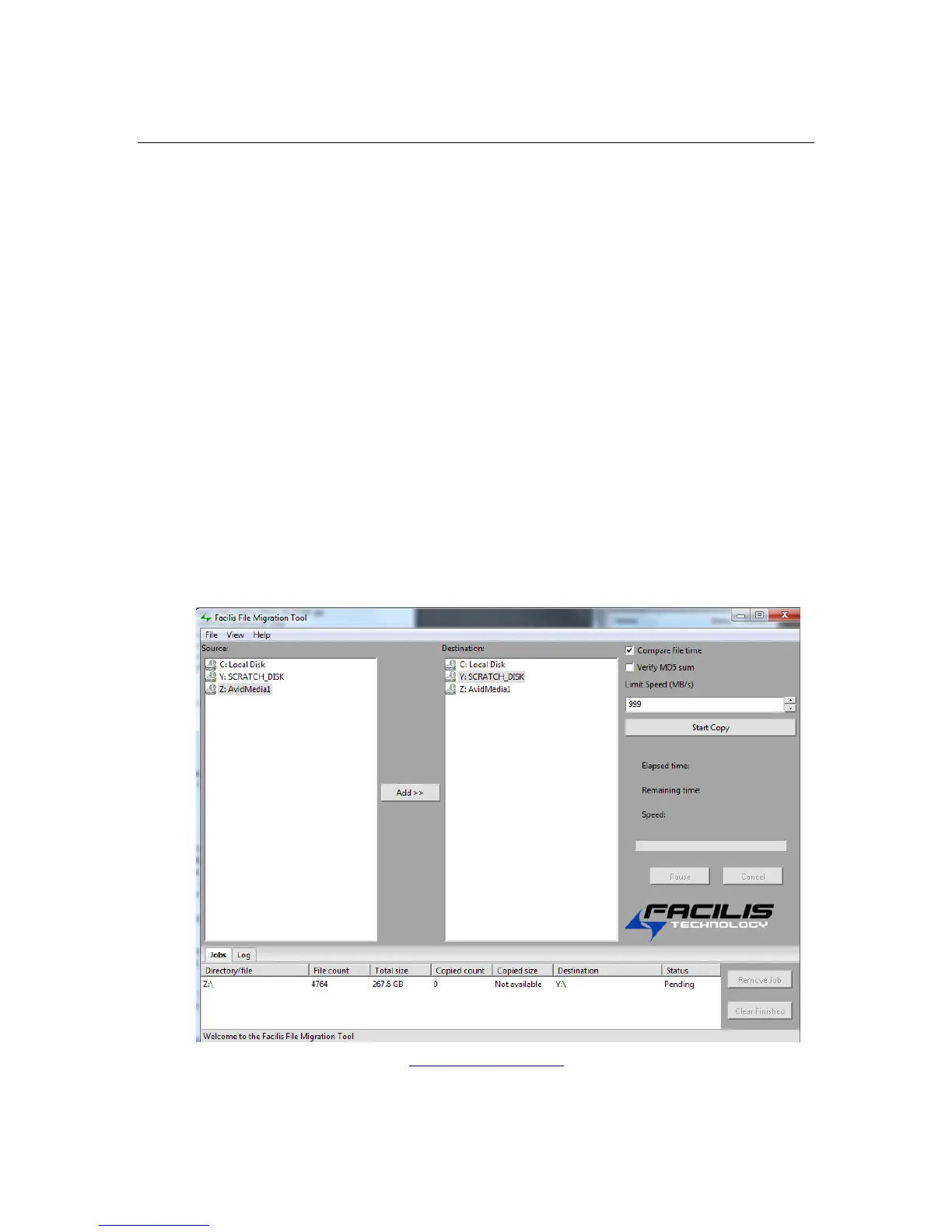
On the left pane of the Facilis File Migration Tool, you can select directories and files
to be copied. In the right pane, choose the destination volume or directory.
Facilis File Migration Tool UI



 To Next Page