Facilis recommends creating all volumes Tandem when applicable for optimal
performance.
External Tandem
When creating External Tandem Volumes, there are two options available: RAID50,
RAID51. External Tandems can be created across multiple TerraBlock Servers or
individual TerraBlock servers with an attached TX16 Expansion Chassis.
RAID50
RAID50 is supported on Windows 7 and Windows 10 TerraBlock Servers. When
creating a RAID50 volume, the volume must be created on the Windows TerraBlock
Server or a Windows 7/10 client.
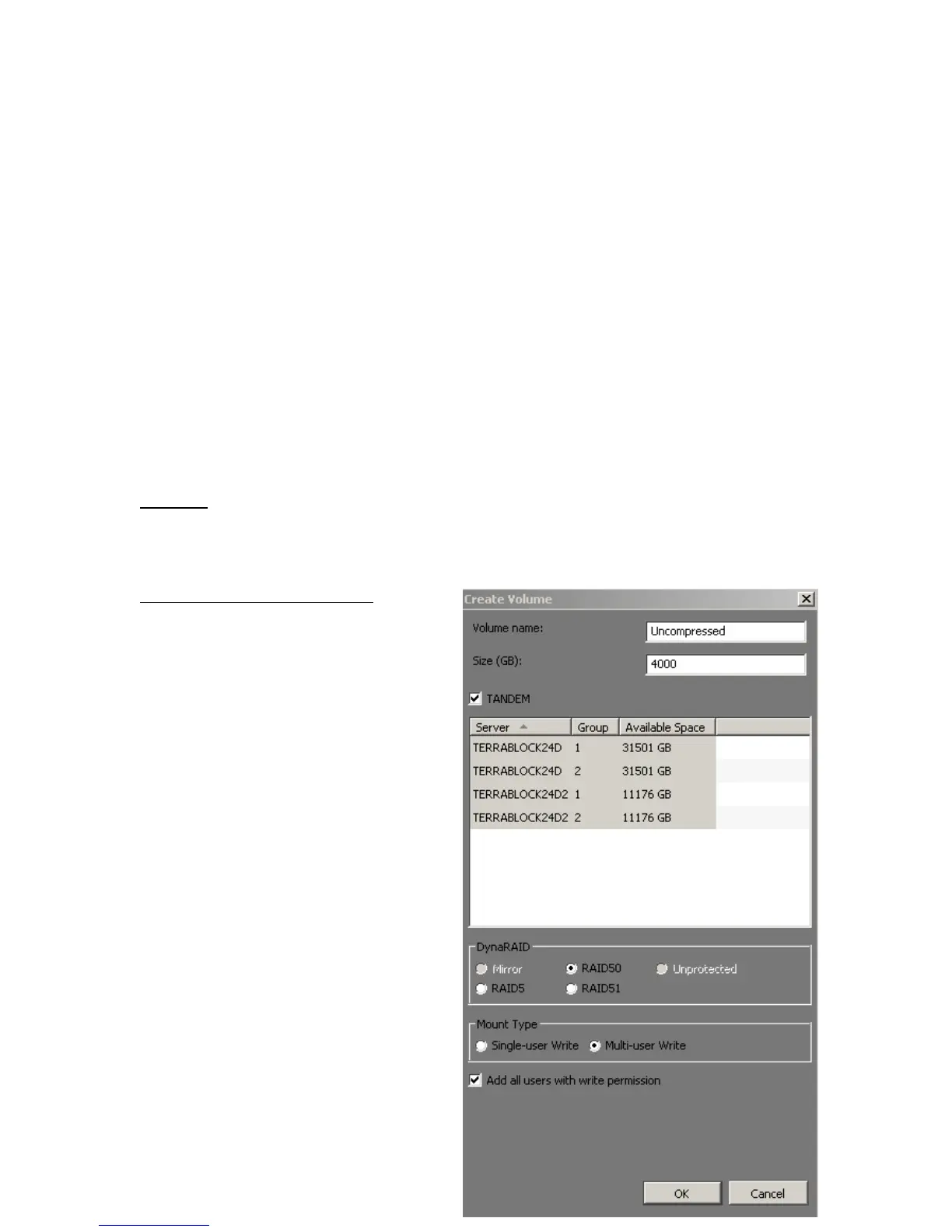
Creating the RAID50 Volume:
On the TerraBlock Server or Windows
client, open the TerraBlock Manager
and select the ‘Create Volume’ button.
After entering the Volume Name and
Size, select the ‘Tandem’ check box.
Select the desired drive groups from
your TerraBlock Servers or TX16
Expansion Chassis. In this example,
four drive groups are selected,
consisting of the multiple servers,
“TERRABLOCK24D” and
“TERRABLOCK24D2” in the server
column.
Select the ‘RAID50’ DynaRAID button.
Multi-user Write can also be selected.
With Multi-user Write chosen, after the
‘Ok’ button is selected a message will
appear allowing the Administrator to
choose which will be the primary
server to present the Multi-user Write
volume. The TerraBlock Server will
then create, format and mount the
RAID50 volume. The volume will be
mounted on the TerraBlock Server as
a Single-user Write volume, but set to
Multi-user.



 To Next Page