25
1
2
OK
1
+
+
+
3
1
2
4
7
5
6
8
9
English
EXITING THE PROGRAMMING PANELS
Before exiting the panels:
- press the OKkeytoconrmanychangesmadetothevalues;
- press the key to leave the values unchanged
16.Programmingowchart
CUSTOMER PROGRAMMING
PROGRAMMINGMENU
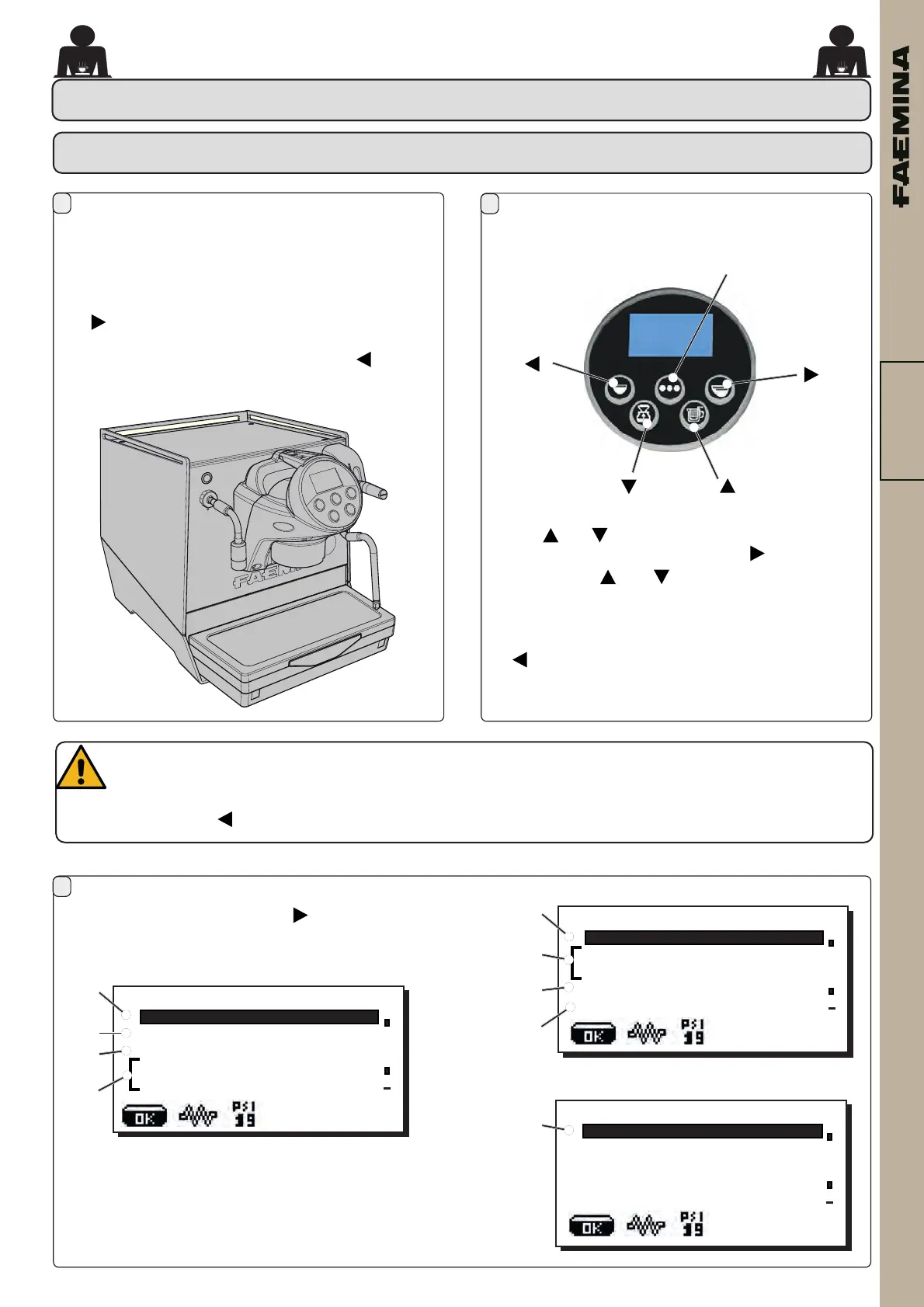
accessisgainedtocustomer programming pressing
theOKkeyfor5seconds.
To enter into the PROGRAMMING MENUS press the
key: .
Toreturntonormalworkingpressthekey: .
CUSTOMER PROGRAMMING
- then use the 5 keys for navigation
Usethe and keystopositionthecursor(whiteline)
onthedesiredlineandthenpressthe key.
Alwaysusethe and keystoaltervalues.Atthis
point,thereare2options:
1) ConrmthechangesbypressingOK
2) Exitthemenu,leavingthedataunchanged,bypressing
.
Tobeginprogramming,pressthe key;themessage
belowwillappearonthedisplayand,scrolling,thetwo
followingpages:
CUSTOMER PROG.
Coee
WATER
STEAM
Coeet. 194.0°F
Boilerpr.1.9PSI
CUSTOMER PROG.
WASHES
WATERCHANGE
LIGHTS
SELFLEARNING
DATAMENU
CUSTOMER PROG.
CUSTOMERPARAMETERS
02_FAEMINA_USA.indd 2502_FAEMINA_USA.indd 25 26/09/2022 15:09:3826/09/2022 15:09:38



 To Next Page