31
1
English
16.6. LIGHTS
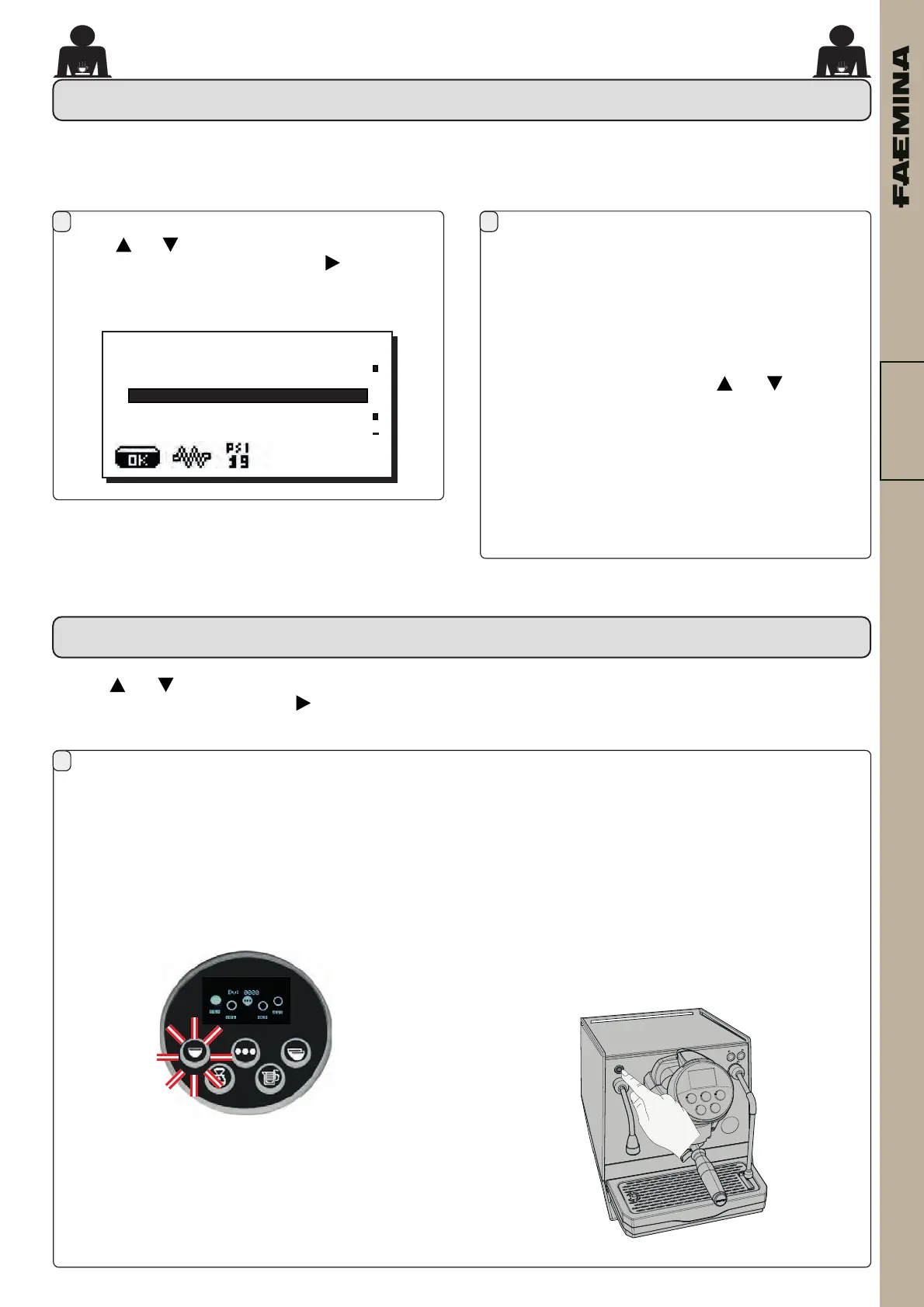
Usethe and keystopositionthecursor(whiteline)
onthedesiredlineandthenpressthe key.
Thefollowingmessagewillappearonthedisplay:
Themachinefeaturesredrearlightingwhichcanbeactivated
whenthemachineisstarted.
This menu allowsadjustment (percentage)of the
machinelights.Specically:
- Machine (rearlighting).
- 24 / 7 (permanentlighting).
- Group (grouplights).
Setthedesiredvaluesusingthe and keys.
Thechangeswillbeappliedafterthedataenteredis
conrmedwiththeOKkey.
Thepermanentlighting(24/7)isnotadjustable,and
theonlyoptionsareON (thelightingcomesonwhen
themachineisstartedup) or OFF.
1 2
+
LIGHTS
Machine 25%
24/7 NO
Groups 100%
Coee dose setting
1-Connectthelterholderwiththedoseofground
coeetotheunit.
2-Placethecuporcupsunderneaththenozzle(s)of
thelterholderandpressthekeytobeprogrammed.
Keep the key pressed until the desired level is
reachedinthecuporcups.
16.7. SELF LEARNING
Usethe and keystopositionthecursor(whiteline)on
thedesiredlineandthenpressthe key.
SELF-LEARNING
Duringthis phase,the value of the pulses of the
volumetric dispensing device (at the top of the
display)isincreased.Whenthebuttonisreleased,
thevaluereachedisrecordedandappearsunder
thekeyprogrammed(intheexample“0090”).
3-Continuetoprogrammeallthecoeekeys,repeating
thestepsfromnumber1.
At the end, conrm the changes made and exit the
menubypressingthehot-water-dispensingpushbutton:
02_FAEMINA_USA.indd 3102_FAEMINA_USA.indd 31 26/09/2022 15:09:5426/09/2022 15:09:54



 To Next Page