30
1
2
English
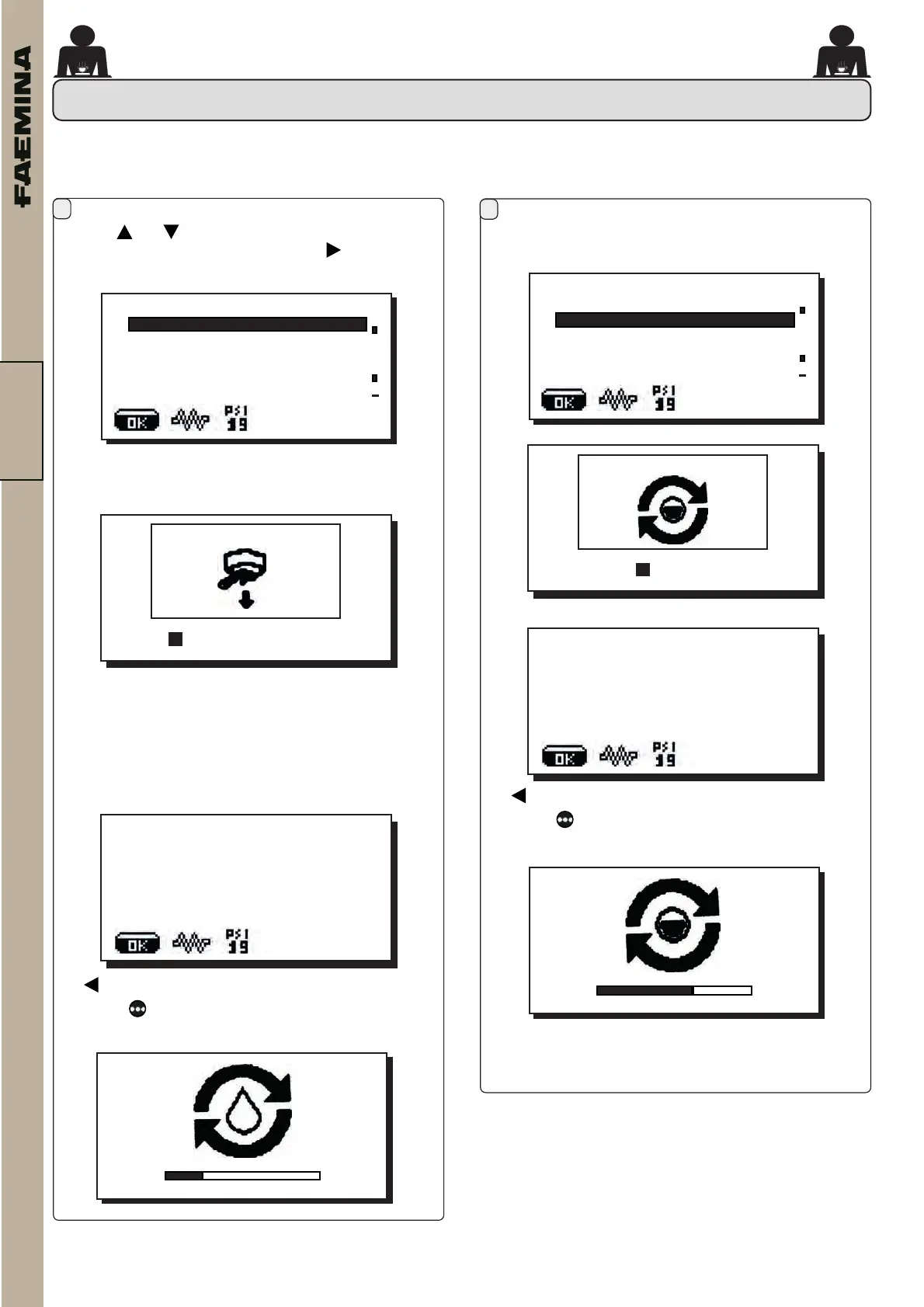
16.5. WASHING AND WATER CHANGE
Usethe and keystopositionthecursor(whiteline)
onthedesiredlineandthenpressthe key.
Entering the related Menu, the machine washing
operationsbegin.
Inthesamewaythewaterchangeoperationisstarted.
NOTE:Attheendoftheoperationsthesystemreturns
tothemainmenu.
N.B.rstyouareasked:
-toemptythebasin
-toinsertthelterholder
Alsocheckthatthetankislledtothemaximumlevel
withwater.
Thenthewashingbegins:
Washes
conrm
Replacementpart
conrm
7May2021
Friday16:02:14
WATERCHANGE
006 %
07MAY21
Friday15:59:03
GR1WASH
005 %
+
CUSTOMER PROG.
WASHES
WATERCHANGE
LIGHTS
SELFLEARNING
DATAMENU
+
CUSTOMER PROG.
WASHES
WATERCHANGE
LIGHTS
SELFLEARNING
DATAMENU
To wash use the one-way lter holder
the keymovesontothegraphicdisplay.
Pressthe keyandholdittoreturntotextmessage
mode.
the
keymovesontothegraphicdisplay.
Pressthe keyandholdittoreturntotextmessage
mode.
02_FAEMINA_USA.indd 3002_FAEMINA_USA.indd 30 26/09/2022 15:09:5326/09/2022 15:09:53



 To Next Page