Service Manual CHAPTER 6 - THE SX-48 CONFIGURATOR July 24, 2008
SX-48 Page 29
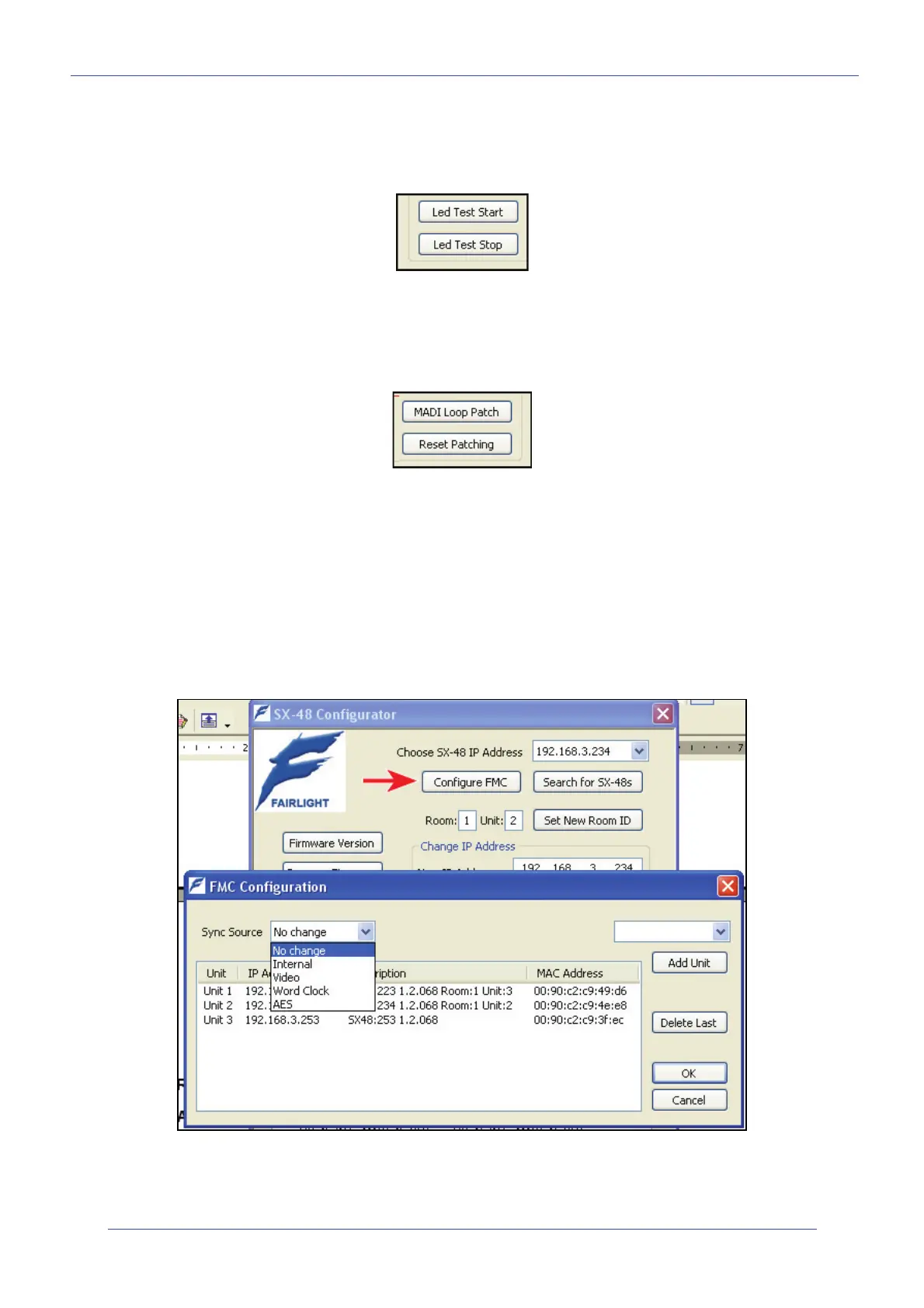
Led Test – Start and End
This runs through a LED test cycle for the front panel of the SX-48. This is mainly used here in Sydney
for production.
MADI Loop Patch and Reset Patching
This is used by production for MADI testing. This is rarely used in the field. Please note that this test
will switch the MADI ports of the SX-48 into 56 channel mode for CC-1 testing. If you use this feature
… please do not forget to use the <reset patching> button afterwards!
The Reset patching button may be used at any time to return the SX-48’s patching scheme to its
“default” state.
Note: If you patch the OSC to all 48 MADI streams then the Output LEDs will light up, not the Input
LEDs. This is because the Input and Output LEDs show the status of the Analog and Digital cards
inputs and outputs, not the MADI channels.
In MADI loopback there is no change as the I/O cards are still outputting so the Output LEDs are still
On. The Input LEDs also do not change as they always show the status of I/O card inputs not MADI.
Configure FMC - Required!!
The Configure FMC button is used to assign SX-48s found on the Network to FMC unit numbers. The
assignments are saved directly in the registry at:
HKEY_LOCAL_MACHINE\SOFTWARE\Fairlight ESP\FMC\SX-48


 To Next Page