Fancom 743 5. Function keys
34
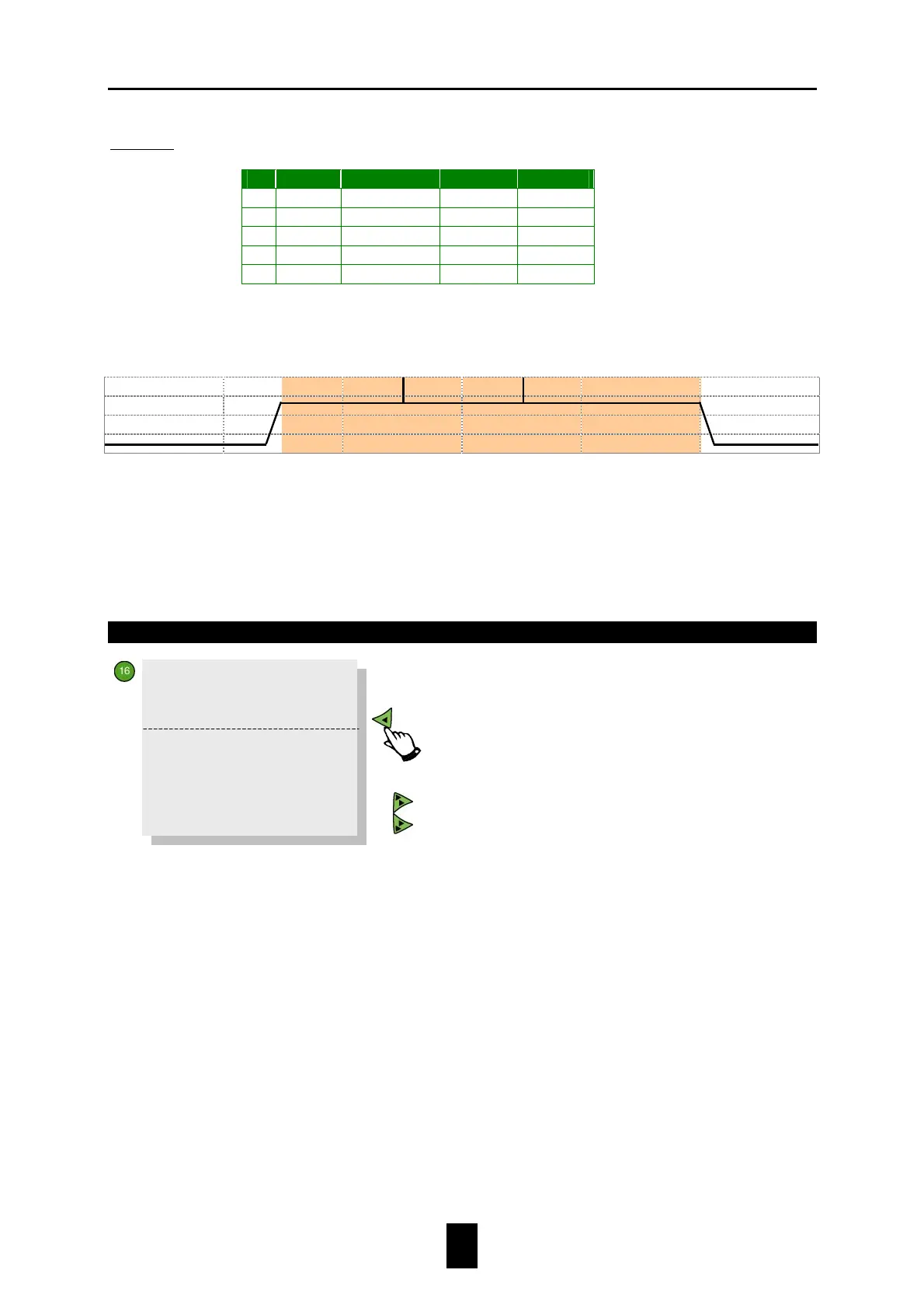
Example: A light schedule with stimulation peaks using several light levels.
On
OnOn
On
Run time
Run timeRun time
Run time
Off
OffOff
Off
High%
High%High%
High%
1 5:00
5:00:00
10:00
65%
2 10:00
0:00:30
10:00
100%
3 10:01
4:59:00
15:00
65%
4 15:00
0:00:30
15:00
100%
5 15:01
4:59:00
20:00
65%
This is shown in graph form below:
5.17 Time clock
Start RunT End
At
Start
enter the time at which the time clock should activate; at
Run
Time
how long (hours, minutes and seconds) the time clock must remain
active. The computer calculates the
End Time
(the time at which the time
clock should deactivate) using these two settings.
Status
FREE
Status
must be FREE to enable the time clock to activate.
BLOCKED The time clock will not activate if
Status
is BLOCKED.
SKIP If the time clock period, for whatever reason, is to be
omitted, set status to SKIP. As soon as the set run time has
elapsed, the computer will reset the status to FREE.
Copy to all
storage silos?
Set to YES to copy all settings made for this storage silo to the other
storage silos.
>>Time clock_1 1
Start RunT End
9:00 1:30: 0 10:30
>>
Status FREE
>>
Copy to all
storage silos?
next time clock (max. 24 times per storage silo)
previous time clock
0
25
50
75
0:00
04:00
08:00
12:00
16:00
20:00
24:00
100
Low% 10
Inc/dec 0:15


 To Next Page