FANTEC TV-LHD
WARNING
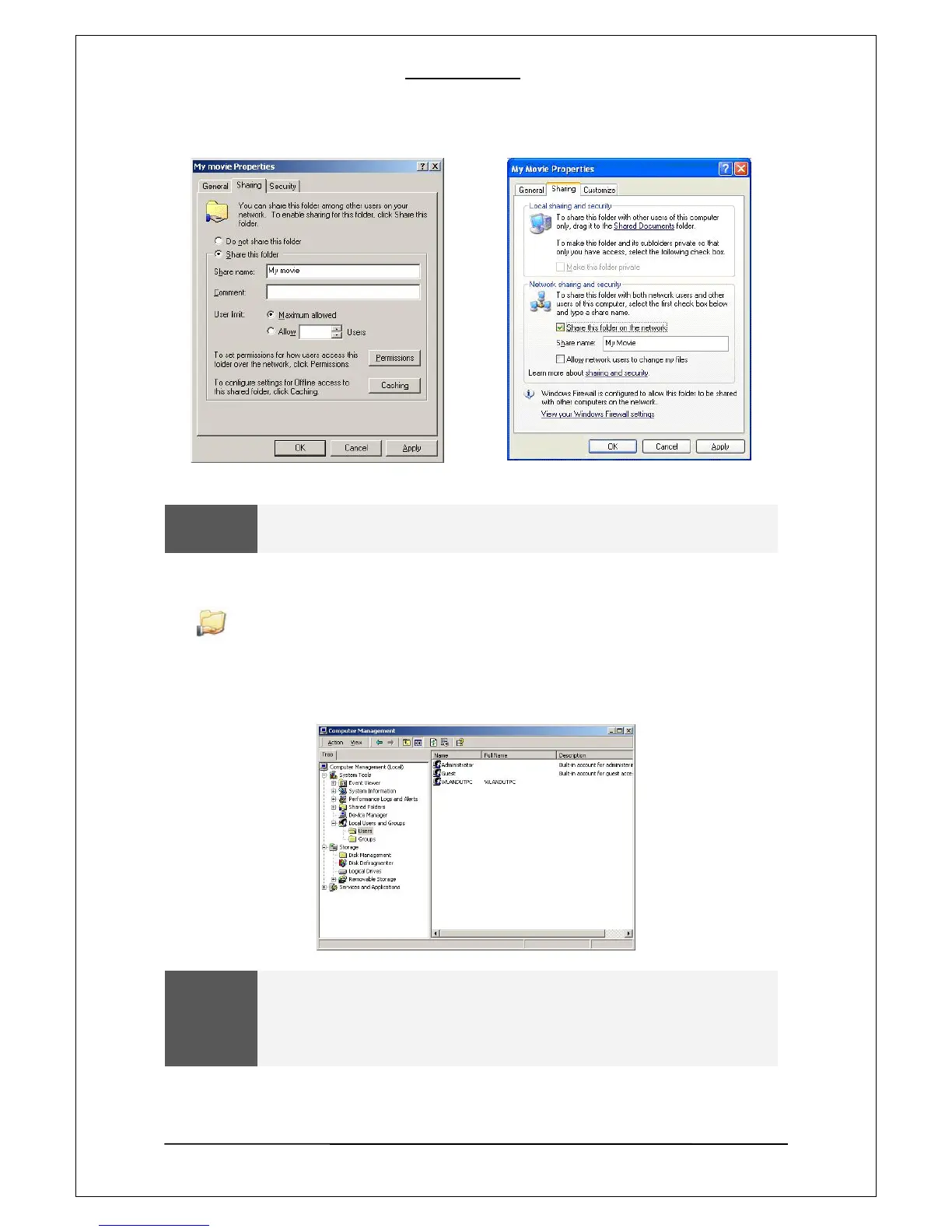
“Share Name” should be less than 12 letters.
[3]. If the folder is shared, you will see a hand mark on the folder icon
MY Movie
[4]. Go to “Control Panel –Administrative Tools –Computer Management –Local Users and Group ”
and, among the displayed items, double –click the Guest item.
WARNING
The permission setting is only required for Windows XP Pro users.
If you are an XP home user, go to “6” directly.
If you cannot see the “Administrative Tools”, click on “Switch to Classic view”
on the left corner.
17


 To Next Page
 Loading...











