FANTEC TV-LHD
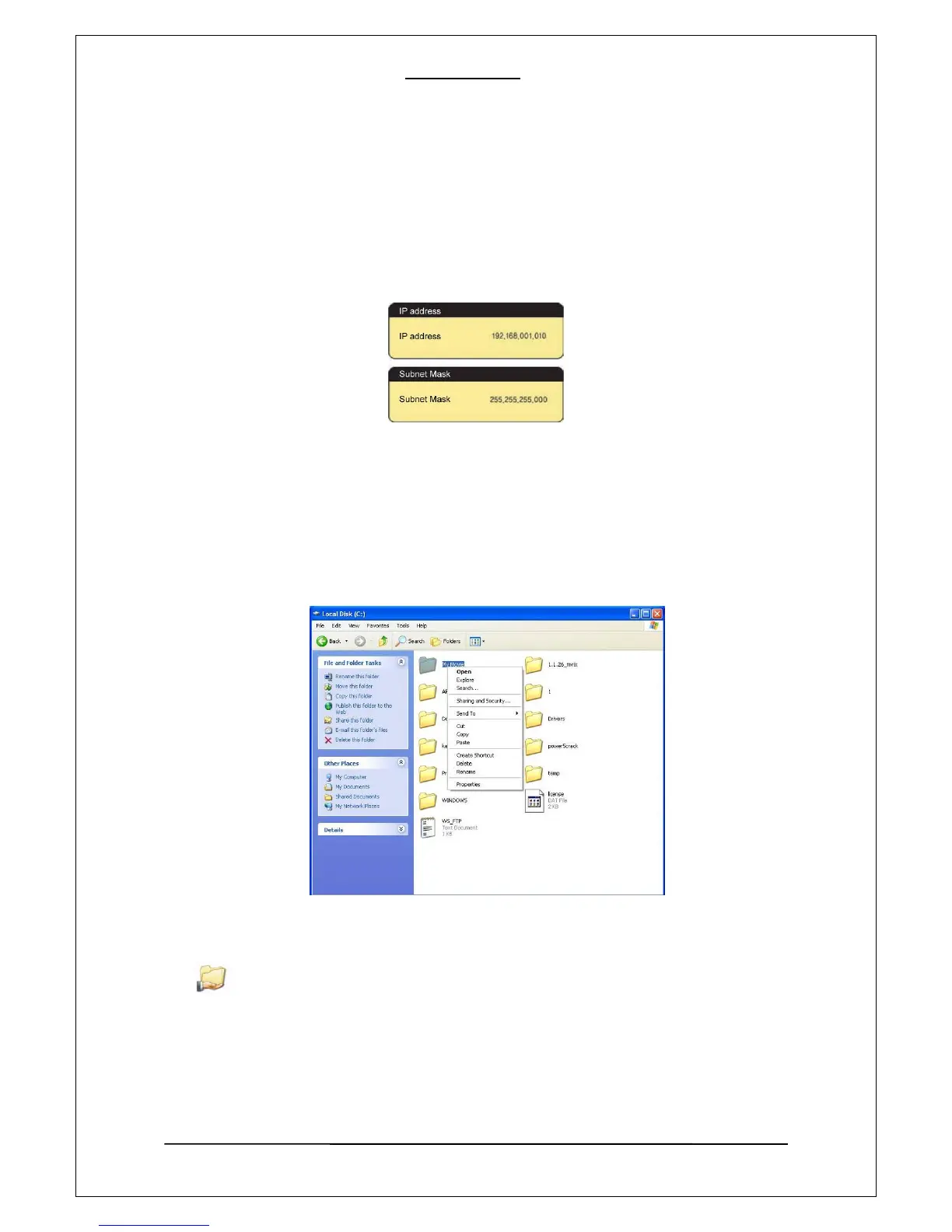
[10]. Configure PLAYER’s network environment. After pressing “Setup” Button, select items and
set this to manual setup. Then enter your IP address and subnet mask.
For example) IP Address : 192.168.1.10 / Subnet Mask: 255.255.255.0
After finishing the setup , save the setup value by pressing the setup button once again.
3. Data sharing setup for Windows XP
[1]. Select a folder your want to share and select “Sharing and security” menu using the mouse
right button.
[2]. Checking “Sharing this folder on the network” and type “Share Name”.
MY Movie
16


 To Next Page
 Loading...











