FANTEC TV-LHD
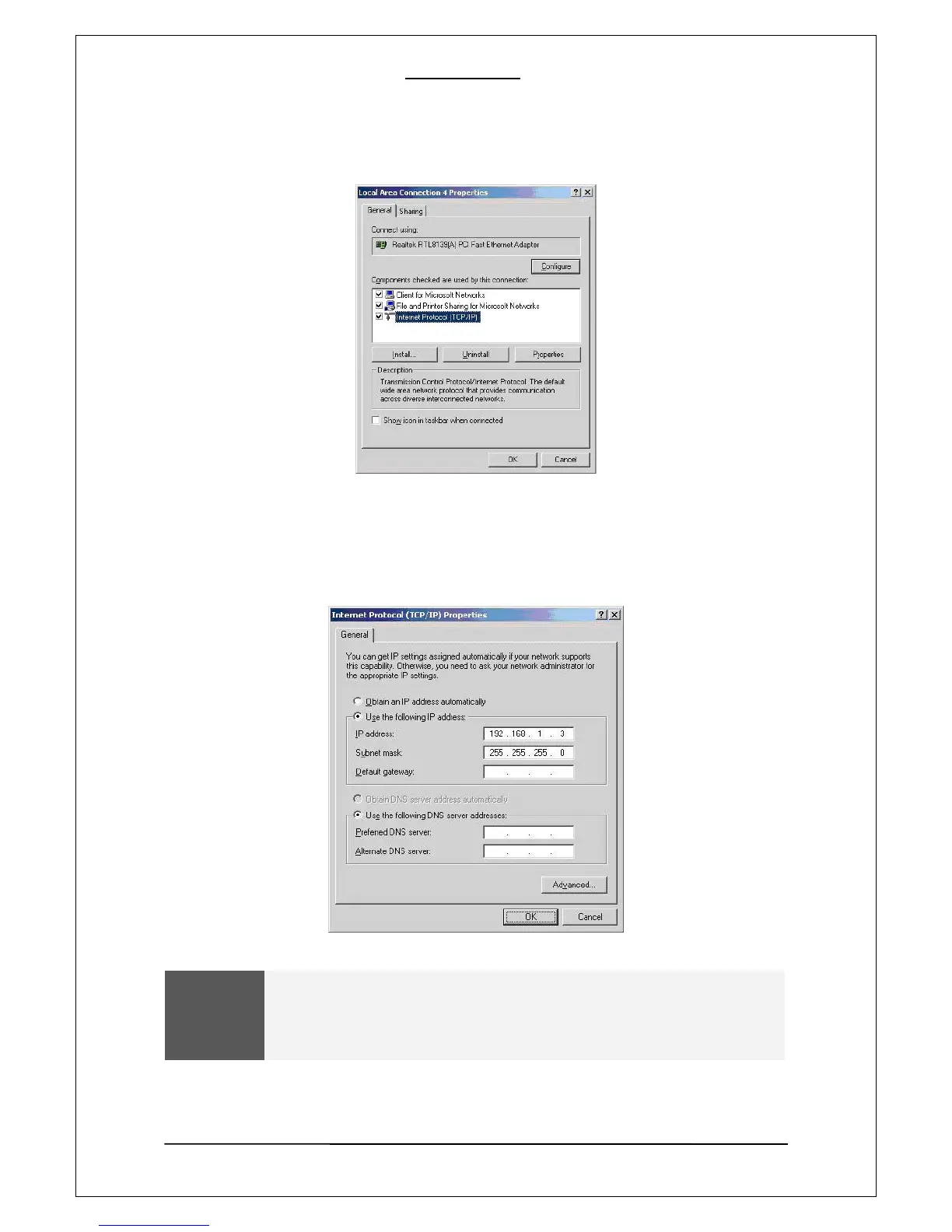
[8]. Among the displayed items, double-click “Internet Protocol(TCP/IP)”.
[9]. After checking “Specify an IP address”, Enter your IP address and subnet mask.
Then click on “OK”.
Ex) IP address :192.168.1.3 / Subnet Mask: 255.255.255.0
WARNING
If your PC already has “Obtain IP address automatically” enabled and the IP is
automatically assigned from an internet router or DHCP server, you may not
need this setup.
If you want a manual IP setup, please obtain an available IP address and subnet
mask from the router or network administrator.
15


 To Next Page
 Loading...











