FANTEC TV-LHD
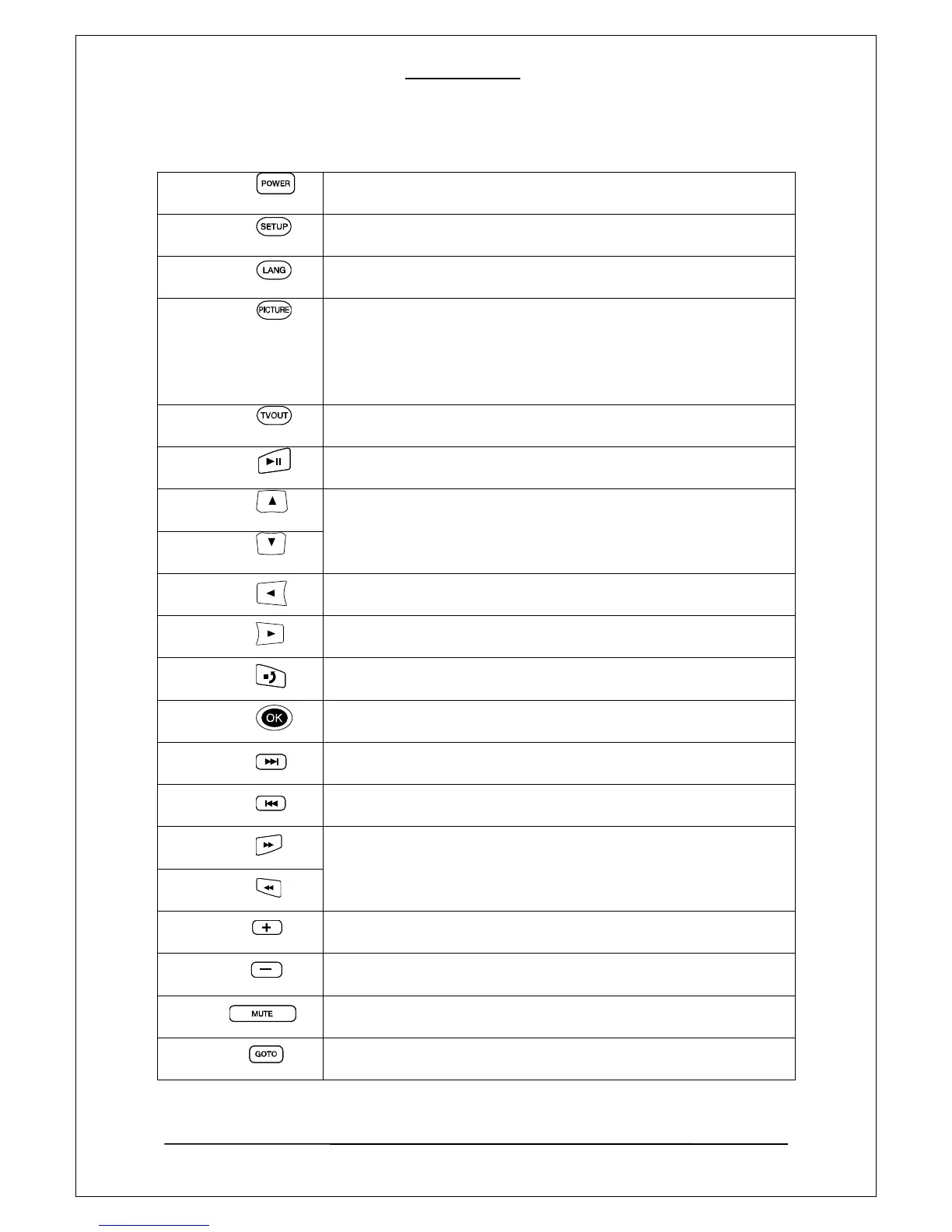
Power
Turn on or Turn off power
Setup
Press this button, to enter Setup menu, or finishing setting up.
Lang
Press this button, to selet the OSD language.
Picture
Adjusts the brightness, contrast, and color. It selects a picture property
according to the following order. (Brightness -> Contrast -> Color)
Change the value of each property by using the left and right arrow
button.
TV out
You can change different TV output mode. HDMI or A/V out.
Play
Start Playback or pause.
UP
Move up and down between different options or items.
DOWN
Left
Move back the main option or move left in setup mode.
right
Move right in setting up mode, to choose the right mode.
Stop
Stop the currently played file or go back to upper menu (Return)
Ok
Confirm your selection or setting.
>>|
Skip forward to next track or media file.
|<<
Skip backward to previous track or media file.
>>
Forward or backward search of the current movie.
(Each click doubles up the search speed: 2, 4, 8, 16 and 32 fold).
<<
+
Volume up.
-
Volume down.
Mute
Press this button to disable or enable audio output.
Goto
Jump to the desired position of movie during playback.
22



 To Next Page