Need help?
Do you have a question about the Fanvil X4G and is the answer not in the manual?
Identifies and describes the main physical keys and their functions on the phone.
Initiate calls via handset, speakerphone, or headset.
Activate/deactivate hands-free mode using speaker key.
Connect and use the headset via the DSS key.
Conclude a call using the 'End Call' soft key or handset.
Redial previously dialed numbers using the redial button or call history.
Toggle mute on/off during a call using the dedicated mute key.
Temporarily suspend an active call using a designated soft key.
Reactivate a held call using the resume soft key.
Transfer calls to another extension using the XFER soft key.
Complete a transfer after the receiving party answers.
Merge current calls or participants into a single call.
Separate participants in a conference call into individual calls.
Configure speed dial contacts via the phonebook menu.
Initiate calls to speed dial contacts by holding a number.
Navigate menus to access and play stored voice messages.
View call history and redial or save contacts from the log.
Manage contacts, groups, and speed dial entries in the phone book.
Remove contacts from the phone book using the 'Delete' soft key.
Configure ring type and volume for headset or phone.
Set volume levels for handset, handsfree, and headset.
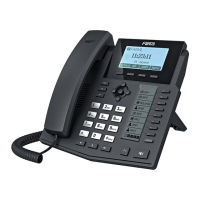
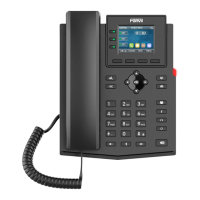
The Fanvil X4G is a VoIP phone designed for business communication, offering a comprehensive set of features for efficient call management. Its intuitive layout and various functionalities make it suitable for a range of professional environments.
The Fanvil X4G serves as a primary communication device, enabling users to make, receive, and manage calls over an internet protocol network. It supports multiple lines, allowing for flexible handling of concurrent calls. The phone integrates essential telephony functions such as call holding, transferring, redialing, and muting, alongside advanced features like speed dial and voicemail access. Its design prioritizes ease of use, with clearly labeled keys and a user-friendly interface. The device is equipped with a handset for private conversations, a speakerphone for hands-free operation, and support for a headset for extended comfort and mobility during calls.
To place a call, simply lift the handset, dial the desired number or extension using the numeric keypad, and then press the "Send" soft key. For hands-free calling, press the "Speaker" key before or during a call; pressing it a second time will revert the call to the handset. If using a headset, activate it by pressing the dedicated DSS key located to the right of the keypad. Answering an incoming call is typically done by lifting the handset or pressing the "Speaker" key for hands-free mode.
To end an active call, press the "End Call" soft key. If you are using the handset, placing it back in the cradle will also terminate the call.
The phone features a dedicated "Redial" button, located directly beneath the DSS pane, which allows users to quickly redial the previously dialed number. When pressed, a list of previous numbers will appear, and users can navigate this list using the arrow keys and confirm their selection with a soft key.
During a call, the "Mute" key, situated beneath the "0" key, can be pressed to mute your microphone, preventing the other party from hearing you. To unmute, simply press the "Mute" key again.
To place an active call on hold, press the designated "Hold" soft key. When you are ready to resume the conversation, press the "Resume" soft key.
The Fanvil X4G supports both blind and attended call transfers.
The phone allows for conference calls, enabling multiple parties to join a single conversation. To initiate a conference, while on an active call, press the "Conference" key, dial the number of the party you wish to add, and once they answer, press the "Conference" key again to merge all parties into a single call. The manual also implies the ability to split calls, though specific instructions for splitting are not detailed, it generally involves managing individual participants within a conference.
The Fanvil X4G allows for precise control over various audio volumes.
The phone is designed for straightforward operation and basic user-level maintenance through its menu system, focusing on call management and audio settings rather than complex hardware maintenance.
 General
| Mounting | Desk/Wall |
|---|---|
| Handset type | Wired handset |
| Product type | IP Phone |
| Product color | Black |
| Wall mountable | Yes |
| Cables included | LAN (RJ-45) |
| Number of handles included | 1 pc(s) |
| Speakerphone | - |
| Voice codecs | AMR, AMR-WB, G.711a, G.711u, G.722, G.726, G.729ab, iLBC |
| Certification | CE, FCC |
| Lines quantity | 4 lines |
| Call log entries | 600 |
| Phonebook capacity | 500 entries |
| Operating temperature (T-T) | 0 - 40 °C |
| Operating relative humidity (H-H) | 10 - 95 % |
| Display diagonal | 2.8 \ |
| Display resolution | 320 x 240 pixels |
| Dual-Tone Multi-Frequency (DTMF) modes | In-band, Out-of band, SIP info |
| Volume control | Digital |
| Keypad number of keys | 38 |
| Number of function keys | 6 |
| Power consumption (typical) | 2.5 W |
| RJ-9 ports quantity | 2 |
| Networking standards | IEEE 802.3af |
| Ethernet LAN data rates | 10, 100, 1000 Mbit/s |
| Ethernet LAN interface type | Gigabit Ethernet |
| Supported network protocols | DHCP, PPPoE, L2TP, OpenVPN, SIP2.0 UDP/TCP/TLS, RTP/RTCP/SRTP, STUN, DHCP, PPPoE, 802.1x, L2TP, SNTP, FTP/TFTP, HTTP/HTTPS, TR069 |
 Weight and Dimensions
| Depth | 169 mm |
|---|---|
| Width | 196 mm |
| Height | 173 mm |
| Package width | 270 mm |
| Package height | 65 mm |


 To Next Page