EasyManua.ls Logo

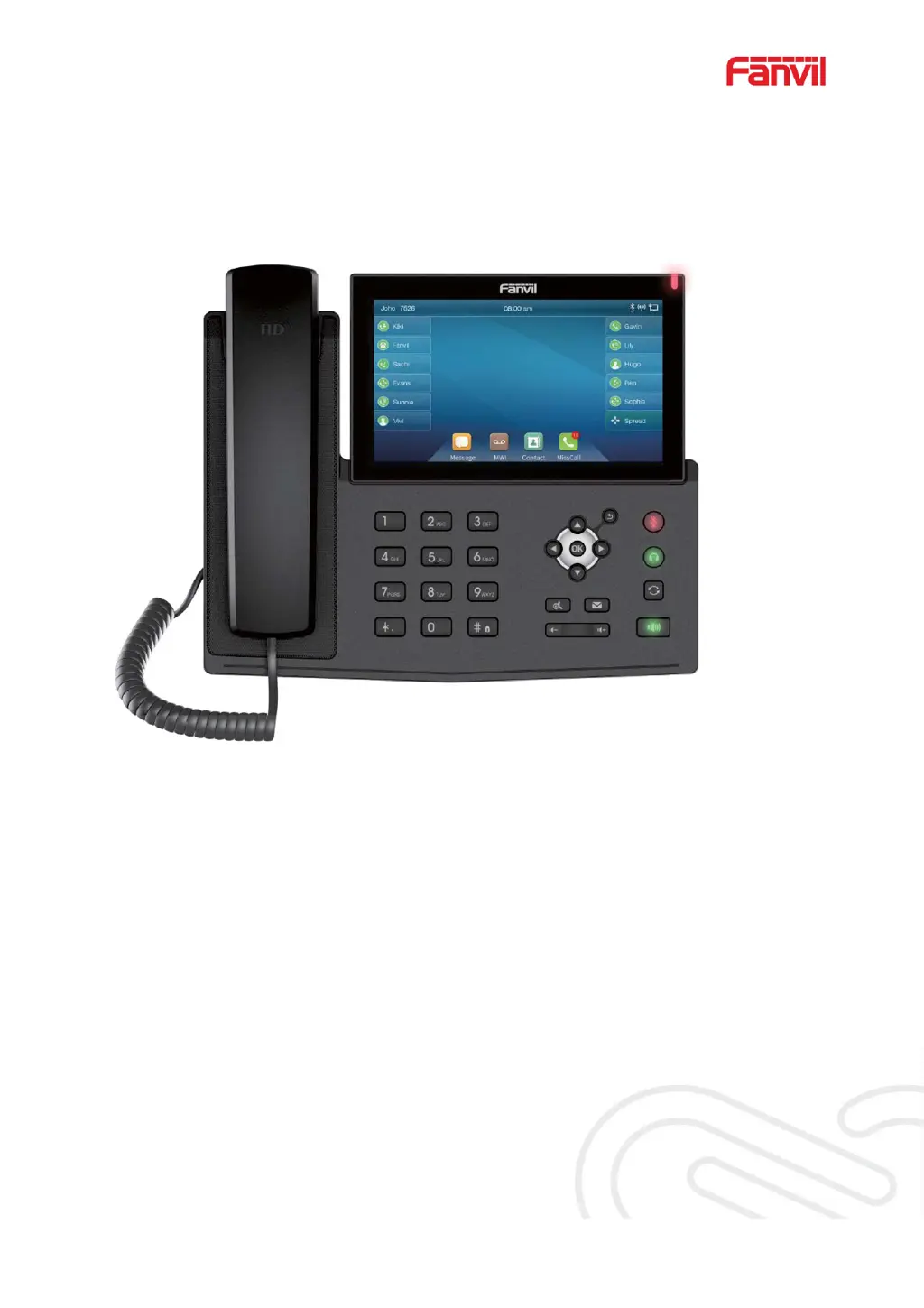
Fanvil X7C - User Manual

Fanvil X7C
162 pages
Print Icon
To Next Page IconTo Next Page
Loading...
Software Version: 1.0.2
Release Date˖2019/02/25
User Manual
X7&X7C

Table of Contents

Other manuals for Fanvil X7C

Questions and Answers

  • K
    Kenneth JohnsonJul 29, 2025
    What to do if my Fanvil X7C IP Phone cannot register to a service provider?
    • M
      Matthew TurnerJul 29, 2025
      If your Fanvil IP Phone isn't registering to a service provider, ensure the Ethernet cable is connected to the [Network] port, not the [PC] port. Also, verify that the device has an IP address (check system information; if it displays “Negotiating…”, the device lacks an IP address, indicating a network configuration issue). If the network connection is fine, check your line configurations. If all configurations are correct, contact your service provider for support.
  • D
    Derek CooperAug 3, 2025
    Why is the audio chopping on my Fanvil X7C IP Phone in hands-free mode?
    • M
      Michael WashingtonAug 3, 2025
      If you are experiencing audio issues during hands-free speaker mode with your Fanvil IP Phone, it might be due to excessive volume creating feedback between the speaker and the microphone. Try reducing the speaker volume to resolve the issue.
  • C
    Colleen MarshallAug 10, 2025
    Why is the headphone audio poor or low volume on my Fanvil IP Phone?
    • M
      Mark LongAug 10, 2025
      If you are experiencing poor audio or low volume when using headphones with your Fanvil IP Phone, it could be due to different headphone wire sequences. Use the headphone provided by Fanvil, or consult Fanvil about the wire sequence if you want to use a third-party headphone. Also, check the network conditions, as network bandwidth and delay may not be suitable for audio calls.
  • K
    Krystal StanleyAug 15, 2025
    How to troubleshoot no audio or poor audio in the handset of Fanvil IP Phone?
    • A
      Alexis WoodAug 15, 2025
      If you're experiencing no audio or poor audio through the handset of your Fanvil IP Phone, first, check if the handset is connected to the correct Handset port and not the Headphone port. Then, verify the network conditions, as the network bandwidth and delay may not be suitable for audio calls.
  • J
    Jonathan ColonAug 22, 2025
    What to do if my Fanvil IP Phone could not boot up?
    • N
      Nicole JohnsonAug 22, 2025
      If your Fanvil IP Phone isn't booting up, ensure you're using a standard power adapter provided by Fanvil or a PoE switch that meets the specification requirements, and verify it's well-connected to the power source. If you see “POST MODE” on the screen, contact local technical support to restore the phone system.

Summary

Safety Instructions

Overview and Installation

User Interface and Basic Operations

Making and Answering Calls

Covers dialing, answering, and basic call handling.

Advanced Call Management

Call Transfer Methods

Details methods for transferring calls (blind, attended, semi-attended).

Network and Advanced Configuration

Line and SIP Configuration

Configuring SIP line settings on the phone.

Firmware Upgrade Process

Instructions for updating the phone's firmware.

Network Connectivity and Services

SIP Line Configuration Details

Line configuration settings for SIP accounts.

Troubleshooting and Support

Common Trouble Cases and Solutions

List of common problems and their solutions.

Fanvil X7C Specifications

General IconGeneral
Handset typeWired handset
Product typeIP Phone
Product colorBlack
Video callYes
Ethernet LAN data rates1000 Mbit/s
Ethernet LAN interface typeGigabit Ethernet
USB 2.0 ports quantity1
Ethernet LAN (RJ-45) ports2
DialingTone/Pulse
Lines quantity20 lines
Phonebook capacity- entries
Number of VoIP accounts-
Keypad number of keys12
Display resolution- pixels
Display resolution (numeric)5 pixels
Ringer typeMP3
Number of handles included1 pc(s)

Related product manuals