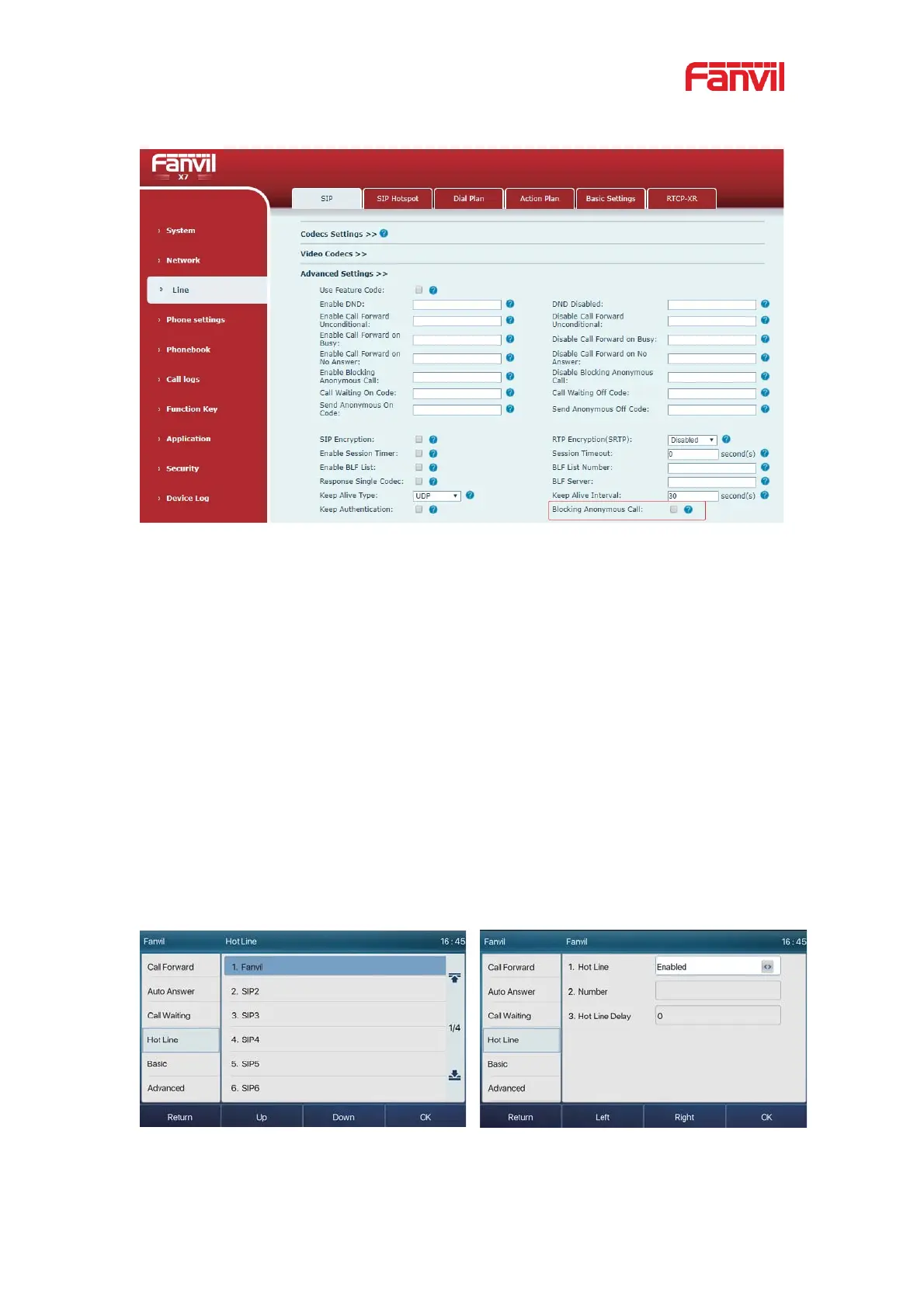
Picture 59 - Page Settings blocking anonymous call
8.18 Hotline
The device supports hotline dialing. After setting up the hotline dialing, directly pick up
the handset, hands-free, earphone, etc., and the phone will automatically call according
to the hotline delay time.
z In the phone [Menu] >> [Features] >> [Hotline], click to enter and all SIP lines
will be displayed.
z Then set the hotline for each SIP line, which is off by default.
z Open the hotline, set the hotline number, set the delay time of the hotline.
Picture 60 - Phone hotline setting interface


 To Next Page