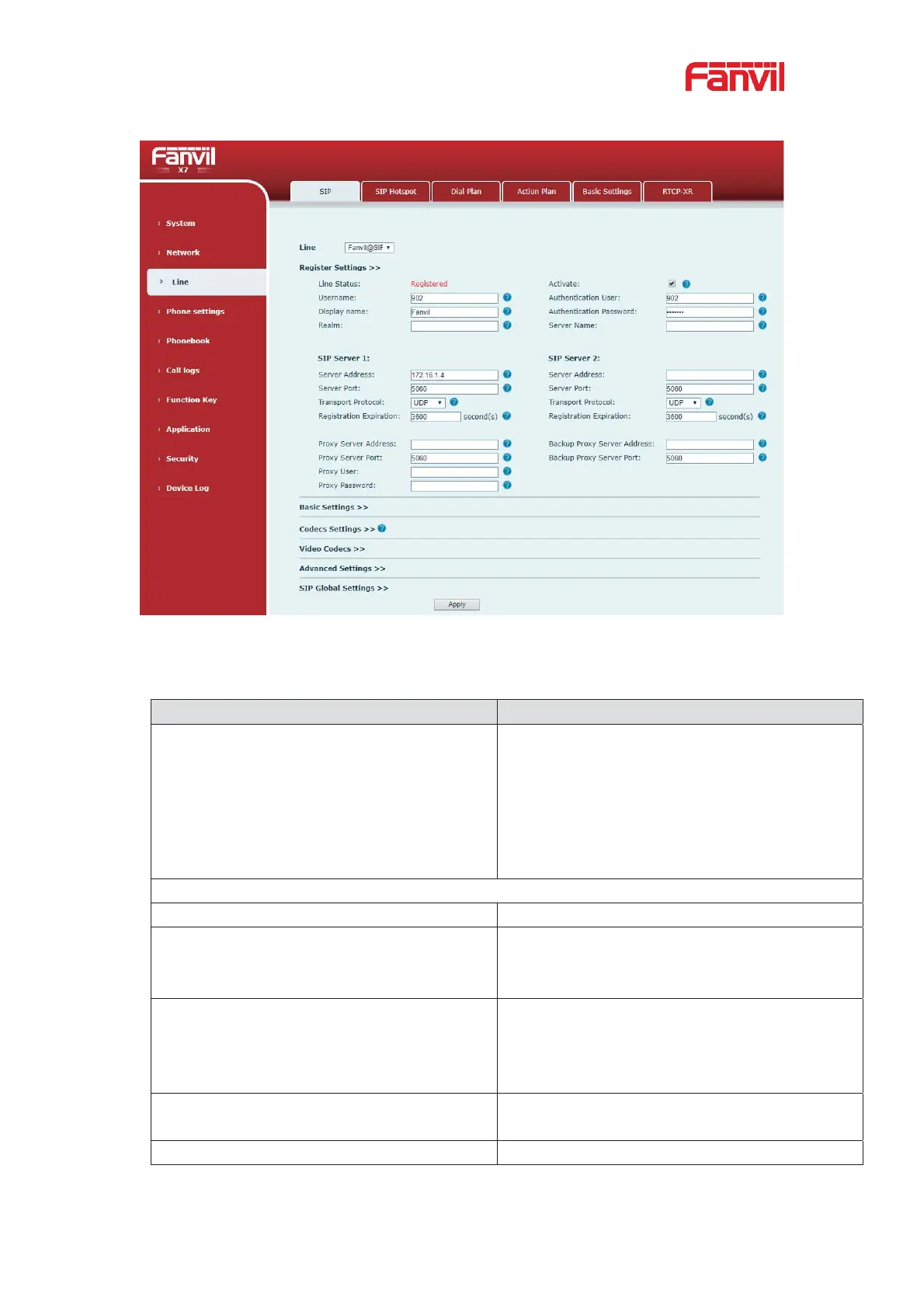
To set a SIP hotspot, register at least one SIP account.
Picture 84 - Register SIP account
Table 14 - SIP hotspot Parameters
If your phone is set to “SIP hotspot server”,
Device Table will display as Client Device Table
which connected to your phone.
If your phone is set to “SIP
hotspot client”,
will display as Server Device Table
which you can connect to.
Set it to be Enable to enable the feature.
Choose hotspot, phone will be a “SIP hotspot
server”; Choose Client, phone will be a “SIP
hotspot Client”
Type
Either the Multicast or Broadcast is ok. If you
want to limit the broadcast packets, you’d better
use broadcast. But, if client choose broadcast,
the SIP hotspot phone must be broadcast.
The address of broadcast, hotspot server and
hotspot client must be same.
Type the Remote port number.


 To Next Page