You can set your time manually
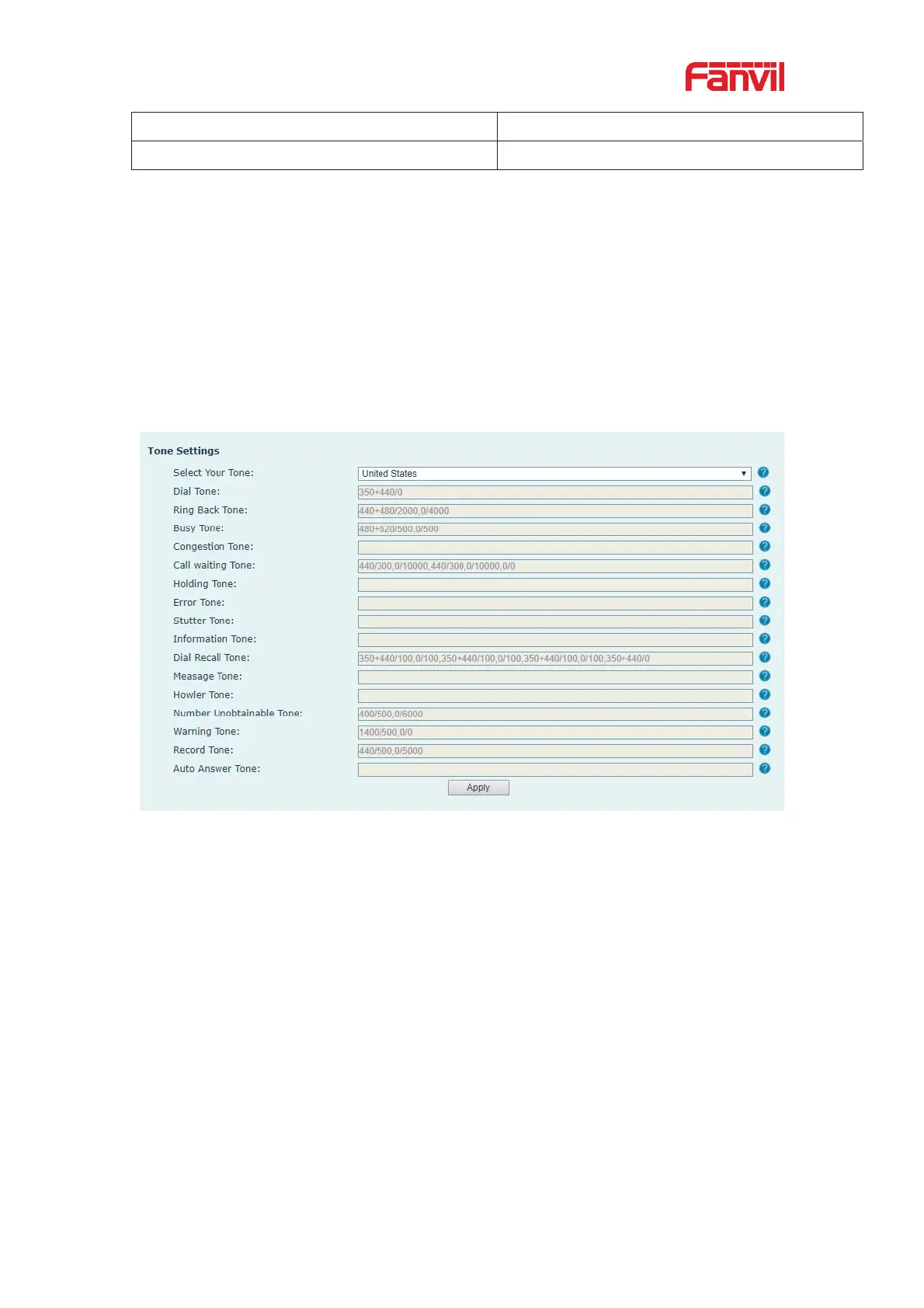
12.15 Phone settings >> Tone
This page allows users to configure a phone prompt.
You can either select the country area or customize the area. If the area is selected, it will
bring out the following information directly. If you choose to customize the area, you can
modify the button tone, call back tone and other information.
Picture 137 - Tone settings on the web
12.16 Phone settings >> Advanced
User can configure the advanced configuration settings in this page.
z Screen Configuration.
Enable Energy Saving
Backlight Time
Screen Saver
z LCD Menu Password Settings.
The password is 123 by default.
z Keyboard Lock Settings.
z Configure Greeting Words


 To Next Page