Picture 54 - WEB pick up setting
8.17 Anonymous Call
8.17.1 Anonymous Call
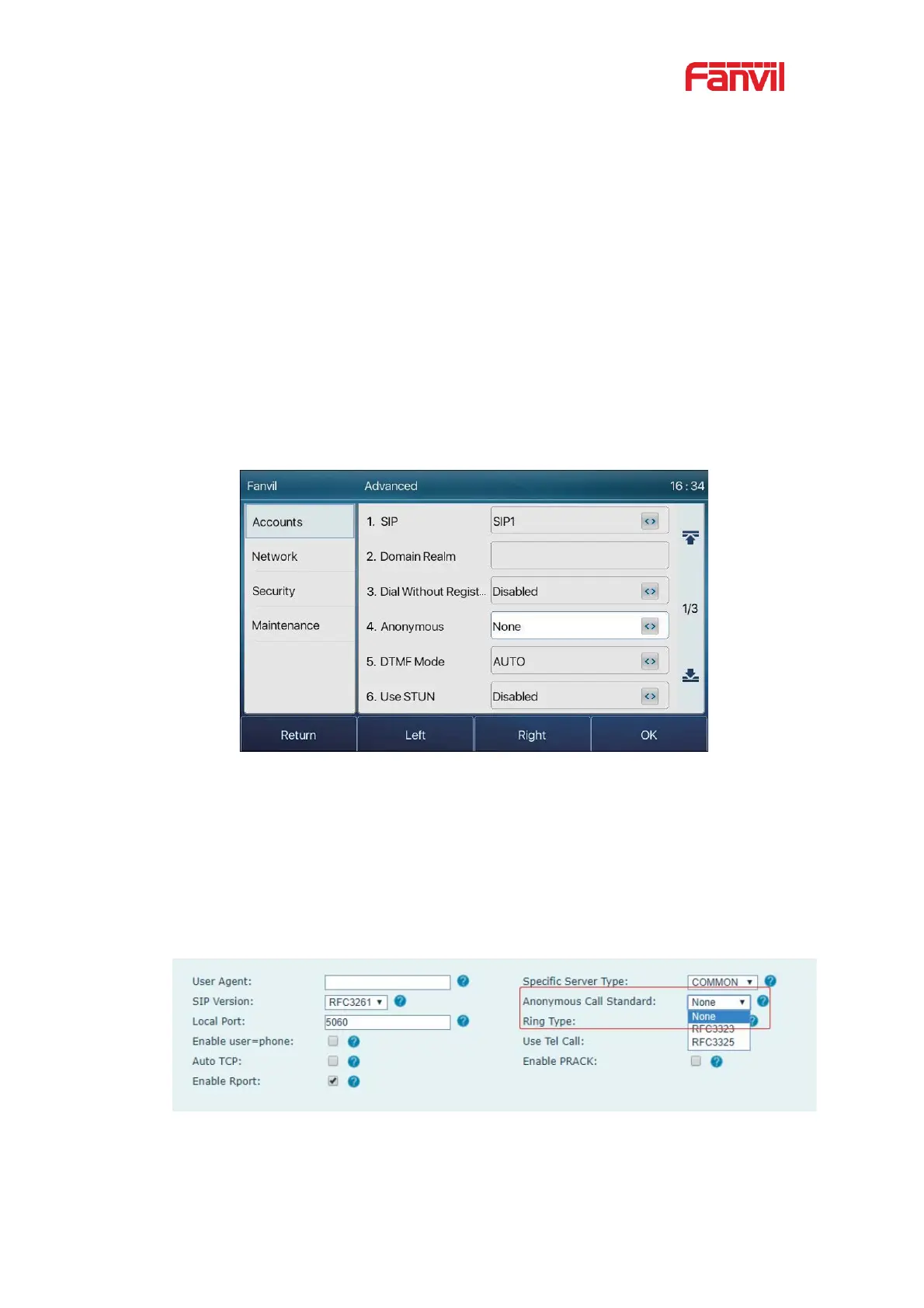
The phone can set up anonymous calls to hide the calling number and the calling name.
z You can see anonymity in the context of [Menu] >> [Advanced Settings] >>
[Accounts] >> [Advanced].
z The default is none, which is off, and RFC3323 and RFC3325 are optional.
z Select any one to open the anonymous call.
Picture 55 - Enable anonymous call
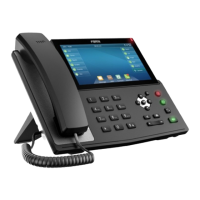
z On the web page [Line] >> [SIP] >> [Advanced Settings] can also open
anonymous calls.
z Setting to enable anonymous calls also corresponds to the SIP line. That is, the
setting under the SIP1 page can only take effect on the SIP1 line.
Picture 56 - Enable Anonymous web page call
The following is a transcript of an anonymous call received by the phone.



 To Next Page