EasyManua.ls Logo

Faraday RSE-300 - User Manual

Faraday RSE-300
53 pages
Print Icon
To Next Page IconTo Next Page
Loading...
Faraday, LLC / 805 South Maumee Street / Tecumseh, Michigan 49286
Phone 517-423-2111 Fax 517-423-2320
Copyright 2000, Faraday, LLC, All Rights Reserved
P/N 315-099082FA-2
RSE-300
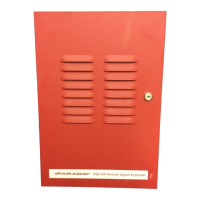
REMOTE SIGNAL EXPANDER
Owner’s Manual
15073
P/N 447179
Issue 1 Rev. A
3/01
firealarmresources.com

Questions and Answers

Summary

Control Unit Limitations

Installation and Warranty Information

Warranty Information

Details Faraday's limited warranty to the original purchaser and service requirements.

Owners Manual Scope

Explains the manual's scope and directs users to installers for further information.

Preface and Standards

Referenced Standards

Lists NFPA and other standards relevant to fire alarm systems.

Product Descriptions and Features

General Design Features

Details the inputs, outputs, and supervision capabilities of the 15073 unit.

Notification Appliance Circuit Outputs

Describes the four NAC outputs, their configuration options (Style Y/Z), and current ratings.

Auxiliary Power and Regulatory Standards

Auxiliary Power Output

Explains the auxiliary output's configuration options, rating, and delay features.

Trouble Relay Functionality

Details the Form C trouble relay and the conditions that cause it to de-energize.

Regulatory Standards Compliance

Lists FCC and UL standards the 15073 meets, including electromagnetic emissions.

General Specifications and Ratings

Environmental Specifications

Specifies operating temperature and relative humidity limits for the unit.

Primary Supply Specifications

Details the primary input voltage and maximum input current for the unit.

Secondary and Trouble Power Supply Specs

Lists battery requirements, charge voltage/current, and input current.

Input Circuits Specifications

Describes input circuit voltage range and maximum input current.

Notification Appliance Circuits Specifications

Details NAC circuit configurations, standby current, alarm voltage/current, and ripple.

Auxiliary Power Output Specifications

Specifies auxiliary output current, voltage, and ripple.

Trouble Relay Specifications

Provides contact rating and type for the trouble relay.

Installation Procedures and Cautions

Installation Cautions

Important warnings regarding circuit board handling, power disconnection, and overloading.

Parts Supplied

Lists the items included with the 15073 Remote Signal Expander.

Control Unit Mounting Guidelines

Provides guidelines for mounting the unit in an accessible location and on different surfaces.

Wire Routing Guidelines

Wiring Separation Requirements

Instructions for separating high voltage/non-power limited wiring from power limited wiring.

Preventing Induced Noise in Wiring

Advice on isolating input wiring and avoiding multi-conductor cables to prevent operational issues.

Terminal Descriptions and Electrical Ratings

Wiring the 15073 Unit

PC Board Layout Diagram

Diagram showing the layout of components and terminals on the 15073 PC board.

AC Wiring Connections

Battery Connection and Wiring

Battery Installation Diagram

Illustrates the physical installation of batteries within or external to the unit.

Battery Wiring Diagram

Shows the terminal connections for the 24V battery set.

Style Y (Class B) Wiring

Style Y (Class B) Output Notification Circuits

Details wiring for Style Y outputs, including EOL resistor placement.

Style Y (Class B) Supervised Input Circuits

Explains supervised input wiring for Style Y configuration.

Style Z (Class A) Wiring

Style Z (Class A) Output Notification Circuits

Details wiring for Style Z outputs, noting internal EOL and looping.

Style Z (Class A) Supervised Input Circuits

Explains supervised input wiring for Style Z configuration, emphasizing wire types.

Auxiliary Power Supply Output Wiring

Trouble Relay Wiring

Trouble Relay Connection Example

Illustrates connecting the trouble relay contacts for fault monitoring.

Connecting to Control Units

Compatible Faraday Control Units

Lists Faraday control units compatible with the 15073 and their part numbers.

Connection to 12100 Fire Alarm Control Unit

Diagram showing how to wire the 15073 to the 12100 Fire Alarm Control Unit.

Control Unit Connection Diagrams

Connection to 12400 Fire Alarm Control Unit

Diagram illustrating the wiring between the 15073 and the 12400 Fire Alarm Control Unit.

Connection to 12500 Fire Alarm Control Unit

Diagram showing the wiring for the 15073 with the 12500 Fire Alarm Control Unit.

More Control Unit Connections

Connection to 13200 Fire Alarm Control Unit

Wiring diagram for connecting the 15073 to the 13200 Fire Alarm Control Unit.

Connection to 13400 Fire Alarm Control Unit

Wiring diagram for connecting the 15073 to the 13400 Fire Alarm Control Unit.

Additional Control Unit Wiring

Connection to 15220;15240(A) Fire Alarm Control Unit

Wiring diagram for connecting the 15073 to the 15220/15240(A) Fire Alarm Control Unit.

Connection to 16400 Fire Alarm Control Unit

Wiring diagram for connecting the 15073 to the 16400 Fire Alarm Control Unit.

Control Unit Wiring Examples

Connection to 16401 Fire Alarm Control Unit

Wiring diagram for connecting the 15073 to the 16401 Fire Alarm Control Unit.

Connection to 16450 Fire Alarm Control Unit

Wiring diagram for connecting the 15073 to the 16450 Fire Alarm Control Unit.

Final Control Unit Connections

Connection to MPC-2000 Fire Alarm Control Unit

Wiring diagram for connecting the 15073 to the MPC-2000 Fire Alarm Control Unit.

Connection to 9159 Control Module (System Sensor M500 CH)

Wiring diagram for connecting the 15073 to the System Sensor M500CH.

Sample Applications

Notification Appliance Power Applications

Illustrates configurations for activating notification appliances using inputs.

Figure 4-1. Input 1 Activates All Four Outputs

Diagram showing Input 1 controlling all outputs, with Input 2 unused.

Figure 4-2. Input 1 Activates Outputs, Input 2 Silences Sync Horns

Diagram showing Input 1 activating outputs and Input 2 silencing Sync Horns.

More Notification Appliance Applications

Figure 4-3. Input 1 Activates Outputs 1-3, Input 2 Activates Output 4

Diagram showing Input 1 controlling Outputs 1-3 and Input 2 controlling Output 4.

Figure 4-4. Input 1 Activates Outputs 1-2, Input 2 Activates Outputs 3-4

Diagram showing Input 1 controlling Outputs 1-2 and Input 2 controlling Outputs 3-4.

Class A Notification Appliance Applications

Figure 4-5. Input 1 Activates Class A Outputs 1-2 & 3-4

Diagram showing Input 1 controlling Class A outputs 1-2 and 3-4, Input 2 unused.

Figure 4-6. Input 1 Activates Class A Outputs 1-2;3-4, Input 2 Silences Sync Horns

Diagram showing Input 1 controlling Class A outputs 1-2/3-4 and Input 2 silencing Sync Horns.

Figure 4-7. Input 1 Activates Class A Output 1-2, Input 2 Activates Class A Output 3-4

Diagram showing Input 1 controlling Class A output 1-2 and Input 2 controlling Class A output 3-4.

Activating Multiple 15073 Units

Figure 4-8. Activating Multiple 15073 Units via NAC

Diagram showing a single NAC activating multiple 15073 units.

Slave Operation with Sync Control Module

Figure 4-9. Slave Operation with Sync Control Module

Diagram showing NACs activating two 15073s in slave mode with a sync control module.

Slave Operation with Dual Sync Control Module

Figure 4-10. Slave Operation with Dual Sync Control Module

Diagram showing NACs activating multiple 15073s in slave mode with a dual sync control module.

Door Holder Applications

Figure 4-11. Door Holder Wiring Example

Wiring example showing how to use the auxiliary power for door holders.

Programming and DIP Switch Settings

DIP Switch Settings Overview

Explains the 10-position DIP switch functions and factory settings.

Input;Output Configuration Settings

Auxiliary Output Setting

Input Control of NACs Configuration

Slave Operation

Describes slave operation where outputs follow input patterns.

Master Temporal Operation

Describes master temporal operation for outputs.

Master Sync Strobe;Horn Operation

Describes master sync strobe/horn operation for outputs.

AC Power Fault Reporting Delay

Jumper Settings Configuration

NAC 1-2 Configuration Jumpers (J4, J5)

Settings for configuring NACs 1 and 2 as Class B or Class A.

NAC 3-4 Configuration Jumpers (J7, J8)

Settings for configuring NACs 3 and 4 as Class B or Class A.

Ground Detection Configuration Jumper (J9)

Jumper setting to enable or disable ground detection.

Battery Charger Configuration Jumper (J10)

Jumper setting to enable or disable the battery charger.

Reference Data and Wire Guides

Resistance of Solid Copper Wire

Table showing resistance values for different AWG sizes of copper wire.

Notification Appliance Circuit Wire Selection Guide

Chart to determine maximum wire loop distance based on signal load and wire gauge.

Battery Size Calculations

Standby and Alarm Current Requirements

Table outlining standby and alarm current for control unit and devices.

Standby Hours and AH Calculations

Formulas and tables for calculating required battery capacity based on standby/alarm needs.

Compatible Devices

Notification Appliances

Lists compatible notification appliances with their voltage, current, and strobe ratings.

Accessory Devices and Key

Accessory Devices List

Lists accessory devices compatible with the 15073, their part numbers, and descriptions.

Key for Device Catalog Numbers

Explains abbreviations and notations used in the compatible devices sections.

Devices for Auxiliary Power Outputs

Door Holders

Lists compatible door holder devices for auxiliary power output.

Relays for Auxiliary Power

Lists compatible relay units for auxiliary power output.

Accessory Devices for Auxiliary Power

Lists compatible accessory devices for auxiliary power output.

Four-Wire Smoke and Heat Detectors

Troubleshooting and LED Indicators

LED Indicators

Explains the meaning and function of each LED on the 15073 unit.

Improper Operation Checks

Checks to perform if the unit is not operating as expected, including DIP/jumper settings.

Trouble Conditions and Causes

Power LED Not Lit Troubleshooting

Troubleshooting steps for when the POWER LED (DS8) is not lit.

Battery Trouble LED Lit Troubleshooting

Troubleshooting steps for when the BATTERY LED (DS7) is lit.

Ground Fault LED Lit Troubleshooting

Troubleshooting steps for when the GROUND LED (DS6) is lit.

Auxiliary Power Supply LED Lit Troubleshooting

Troubleshooting steps for when the AUX. P.S. LED (DS5) is lit.

NAC Trouble LEDs Lit Troubleshooting

Troubleshooting steps for when NAC trouble LEDs (DS1-DS4) are lit.

Glossary of Terms

Faraday RSE-300 Specifications

General IconGeneral
BrandFaraday
ModelRSE-300
CategoryExtender
LanguageEnglish