7
(MT11 - Gb2012)
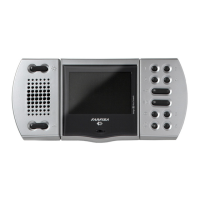
Characteristics
1
Image brightness adjustment .
2
Loudspeaker. It allows to hear the conver-
sation and to receive the calls from the
external door station, from other intercom-
municating equipments or from local door
station.
3
Call and communication volume adjust-
ment
.
4
Microphone. It allows to talk with the door
station or with other intercommunicating
equipments
5
Green LED. The LED shows:
- a communication in progress when it
lights up continuously;
- an intercommunicating call when it flashes.
6
Control switching ON button . It al-
lows to power ON the video intercom and
monitoring the entrance.
7
Mute button . It allows to:
- enable/disable the audio (microphone)
to the door station during a conversation;
- enable/disable the bell rings if pressed
for less then 2 seconds after receiving a
call or making a control switching ON func-
tion;
- enter/exit the programming mode if
pressed for more than 2 seconds.
8
Red LED. The LED shows:
- temporary disabling of audio when it con-
tinuously lights-up. If audio is enabled again
the LED recover the previous operating
mode;
- bell rings disabling. The LED flashes
when a call is received and during the
conversation with an external door station
or another intercommunicating equipment;
- the videointercom is in programming op-
eration mode when it is continuously lit-up.
9
Audio communication button . It al-
lows to enable the audio communication
with the door station or another intercom
after receiving a call or a control switching
ON operation (
). The audio communi-
cation is end pressing again the button or if
the communication time expires.
10
Buttons 3,4,5 and 6 are available for supple-
mentary services. After positioning prop-
erly the jumper J11 they can be used for:
- intercommunicating calls;
- control switching ON function for multiple
entrance systems;
- as free voltage contacts (max 50mA).
These four buttons, having a shared com-
mon contact (terminal 2C), can be only
used for one of the functions listed above at
time.
11
Lock release button . It allows to oper-
ate the electric lock release either with the
video intercom in ON or OFF state.
12
Buttons 1 and 2 are available for supple-
mentary services. After positioning prop-
erly the jumper J12 they can be used for:
- intercommunicating calls;
- control switching ON function for multiple
entrance systems;
- as free voltage contacts (max 50mA).
These four buttons, having a shared com-
mon contact (terminal 1C), can be only
used for one of the functions listed above at
time.
13
Orange LED. The LED lights-up when at
the terminal L+ is connected a positive
voltage (8÷12Vdc). To signal an open-door
state it is necessary to install to the door a
proper sensor whose contacts must be a
normally closed type (see page 4).
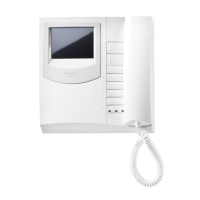
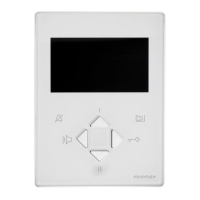
14
3.5" Colour LCD Display.
15
Jumpers for programming buttons 1 to
6.
16
Microphone sensitivity adjustment
MIC.SENS.
17
Colour adjustment .
18
Contrast adjustment .
Adjustment of the microphone ampli-
fier
.
17 18 1915 16
1+1
INTERCOMS *
4+1
VIDEOINTERCOMS
E
C
H
O
S
INTERNAL STATIONS




 To Next Page