Battery Power Shorted Indicator
Shows the battery is overused. Please take
out the battery, re-charge and check the
discharged reason.
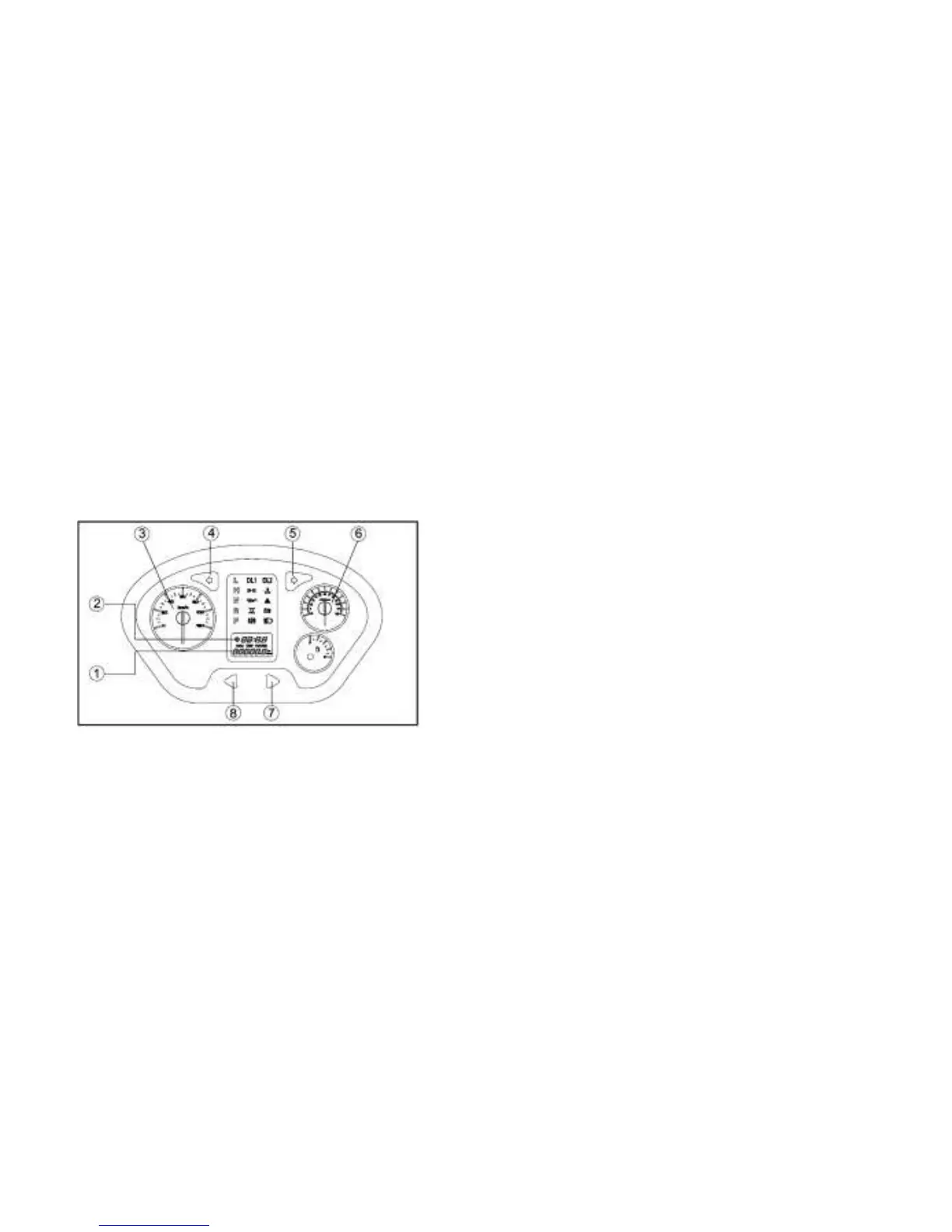
Multi-Function Display Gauge
1.“TRIP/ODO” button 2. Clock/Hour meter
3.Tachometer 4.Left turn indicator
5.Right turn indicator
6.Speedometer 7.Metric/mile button
8.Odometer/Trip meter A / Trip meter B/Clock/Hour button
The multi-function meter unit is equipped
with the following:
Speedometer (which shows the riding
speed)
Odometer (which shows the total distance
traveled)
Two trip meters (which show the distance
traveled since they were last set to zero)
Clock
Hour meter (which shows the total time
the key has been turned to “ON”)
Odometer and Trip Meter Modes
Pushing the “TRIP/ODO” button switches the
display between the odometer mode “ODO”
and the trip meter modes “A” and “B” in the
following order:
ODO→TRIP A→ TRIP B → ODO
To reset a trip meter, select it by pushing the



 To Next Page