EasyManua.ls Logo

FAS-CAM F701 - Page 54

Default Icon
93 pages
Print Icon
To Next Page IconTo Next Page
To Previous Page IconTo Previous Page
Loading...
Power: ON
Recording:
OFF
INDICATOR LIGHT
NAVIGATION
KEY DEFINITION
Confirm
Selection
(OK)
"
"
Move Left
Previous
Menu
Move Right
No Assigned
Feature
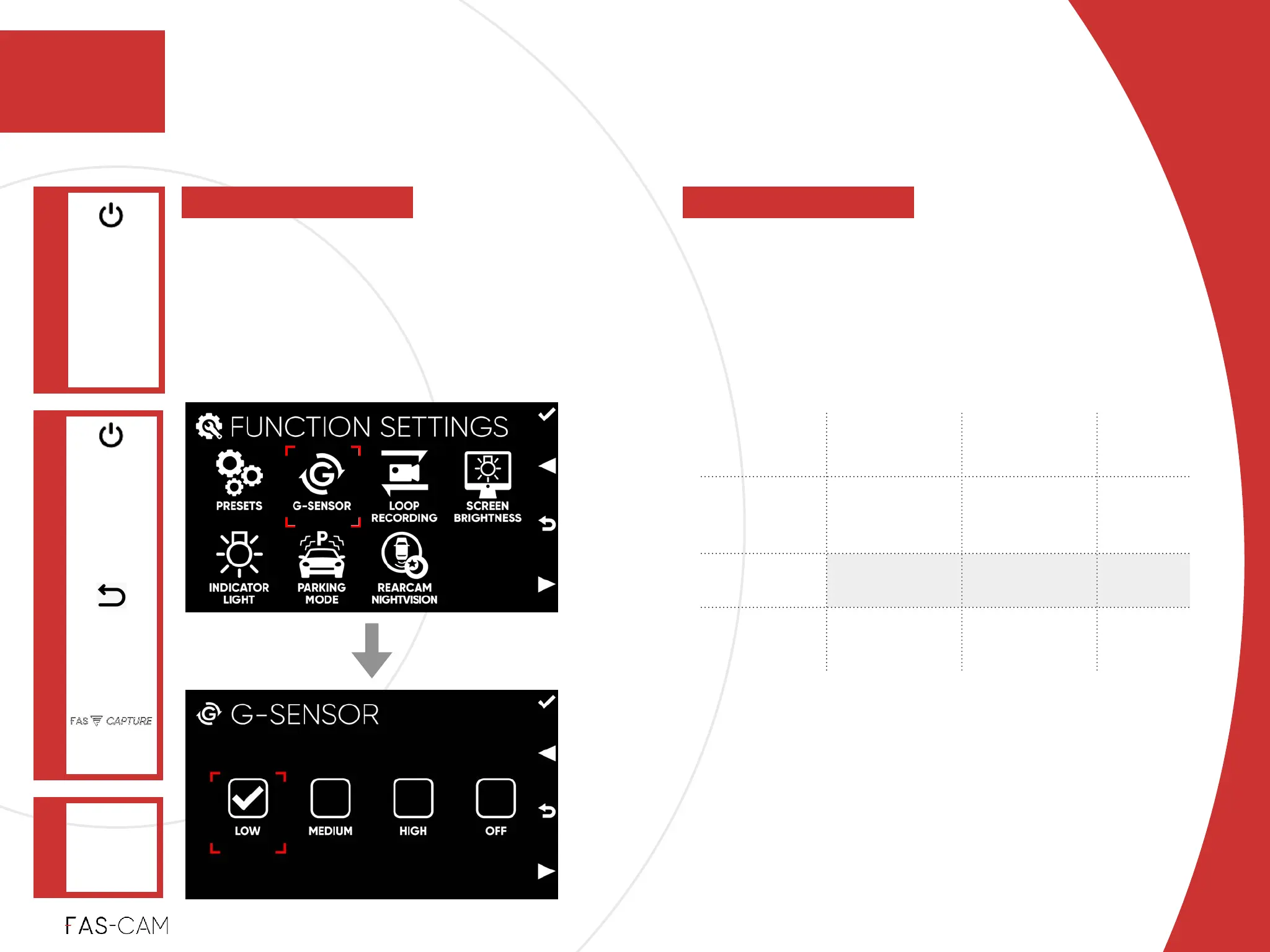
Select a preferred sensitivity level from
“LOW”, “MEDIUM”, “HIGH”, and “OFF”.!
Default Setting!
Depending on Preset Selection
Event
LOW
MEDIUM
HIGH
Light !
Accident /
Crash
Triggered
Triggered
Triggered
Rough Road
NOT Triggered
Triggered
Triggered
Close Door
or Tailgate
NOT Triggered
NOT Triggered
Triggered
To detect a sudden change while driving,
and video footage will be automatically
saved as a PROTECTED non-overwritable
clip. This setting does not aect the
Parking Mode’s G-Sensor.
Settings
7.1.2 G-Sensor
FUNCTION DEFINITION
FUNCTION
SETTINGS
Main Menu
"
7
7. Settings
G-SENSOR
"
FUNCTION OPTIONS
7.1 Function Settings