Fasep 2000 srl Rev. 1.8
Balatron 222/212: User’s Manual 23 January 2020
4-3
4.3 ALU-SE Calibration (USER)
Switch on the wheel balancer.
Press <SET> when SOF X.XX
(software version) is displayed.
ATTENTION select mode
CAL USR
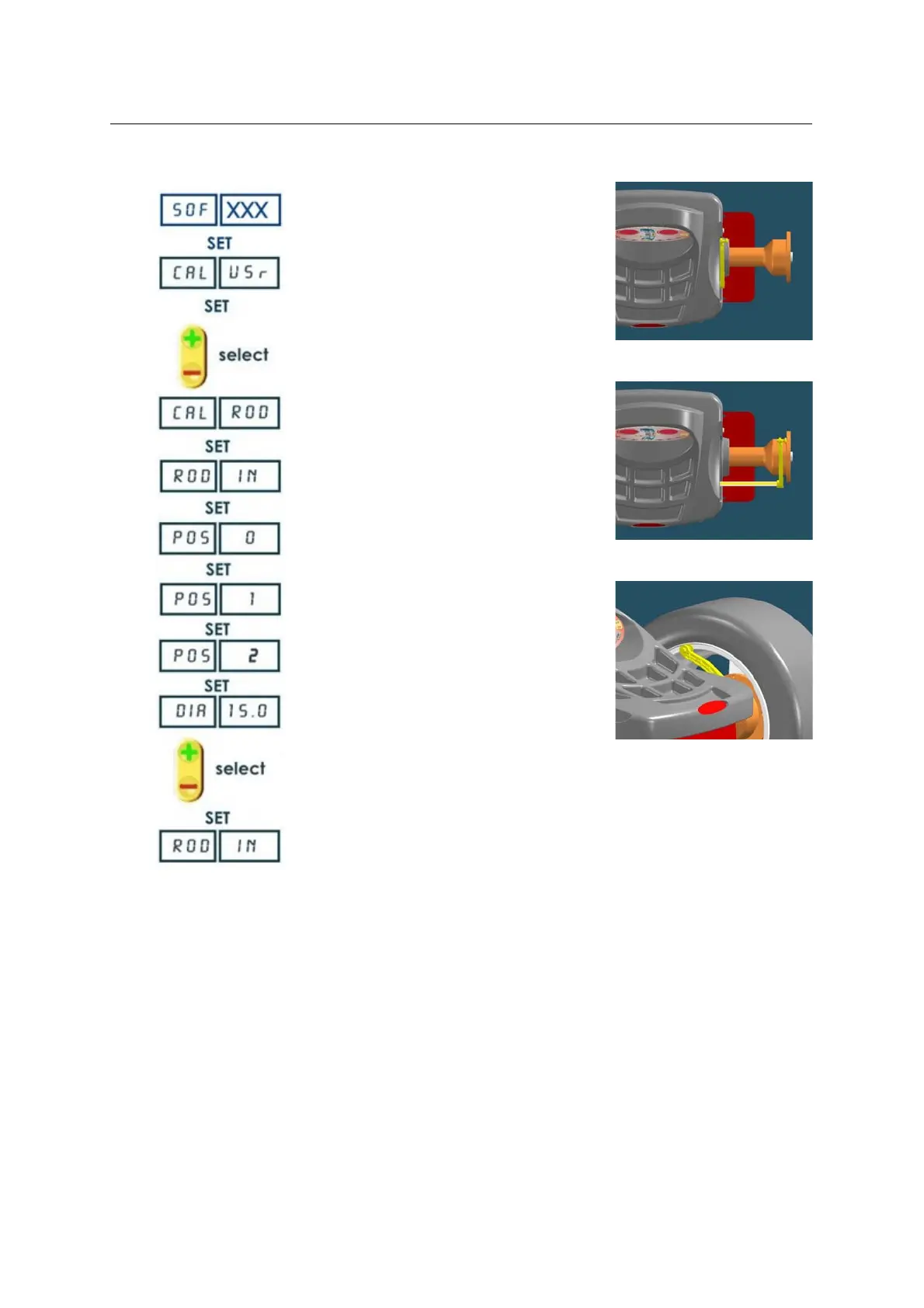
Put the rod in 0 position (Fig. 17)
Put the rod in internal side of flange
(Fig.18)
Put the rod in the internal side of the
rim (Fig.19)
Select the wheel diameter
Press <MODE/ESC> to return to
normal balancing mode.
NOTE technical calibration is only available for qualified personnel
FIG. 18
FIG. 19
FIG. 20



 To Next Page