Fasep 2000 srl Rev. 1.8
Balatron 222/212: User’s Manual 23 January 2020
5-2
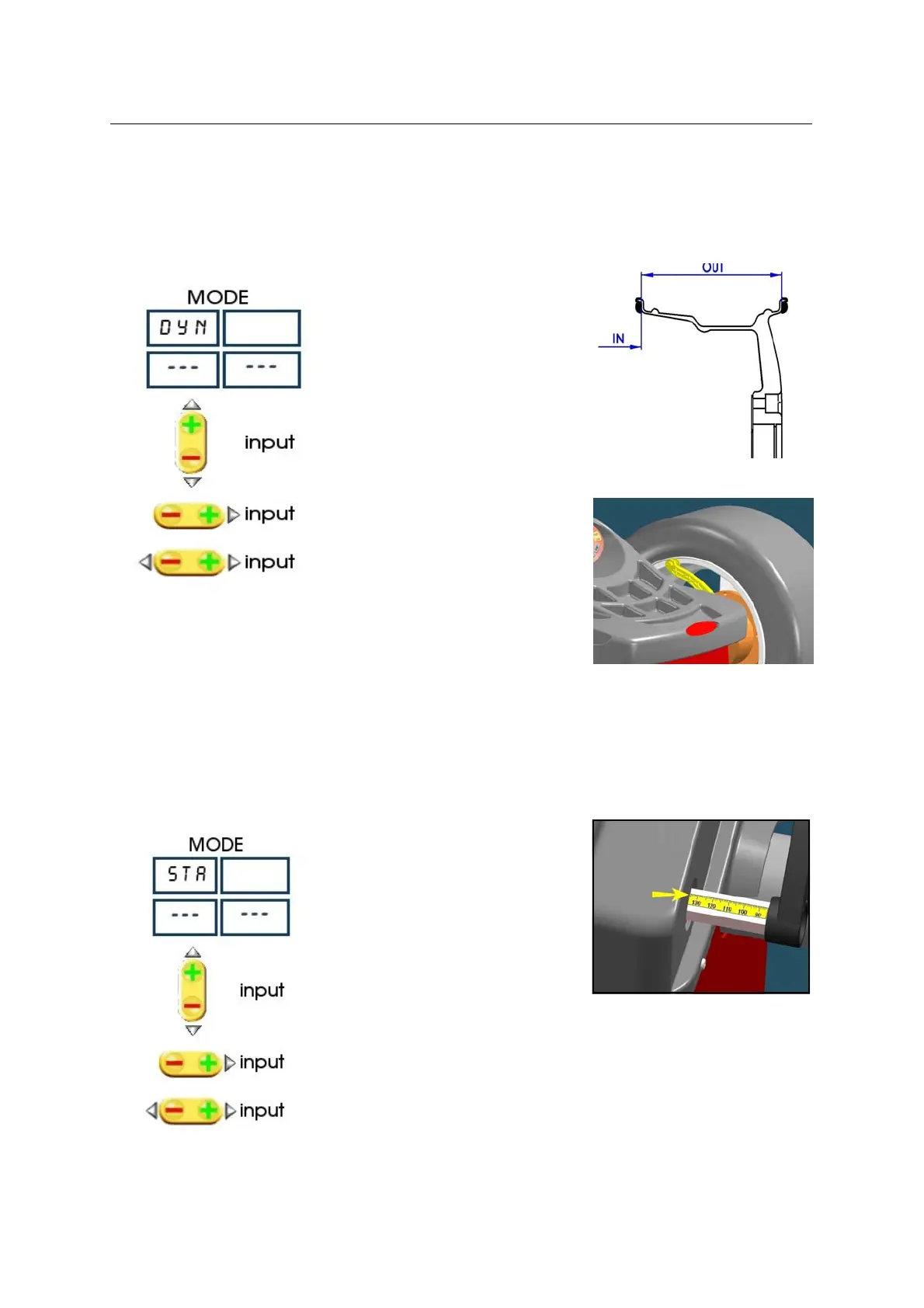
FIG. 24: DYNAMIC
FIG. 25: Rod positioning for distance measurement.
FIG. 27: Reading distance gauge.
5.3 Input of Rim Dimensions
NOTE DOUBLE OPERATOR option (optional for B212): this wheel balancer can be used by 2 operators in the same
time. Everyone can memorizes the dimensions of the wheel to balance with 9 <OPER> button. The machine
memorizes the operating procedure too.
5.3.1 DYNAMIC MODE
Press MODE to select the operating
mode.
Select the wheel diameter.
Select the distance of the wheel.(Fig. 24,
Fig.26)
Select the wheel width.
5.3.2 STATIC MODE
Press MODE to select the operating
mode.
Select the diameter.
Select the distance.
Select the width.



 To Next Page