Fasep 2000 srl Rev. 1.8
Balatron 222/212: User’s Manual 23 January 2020
5-3
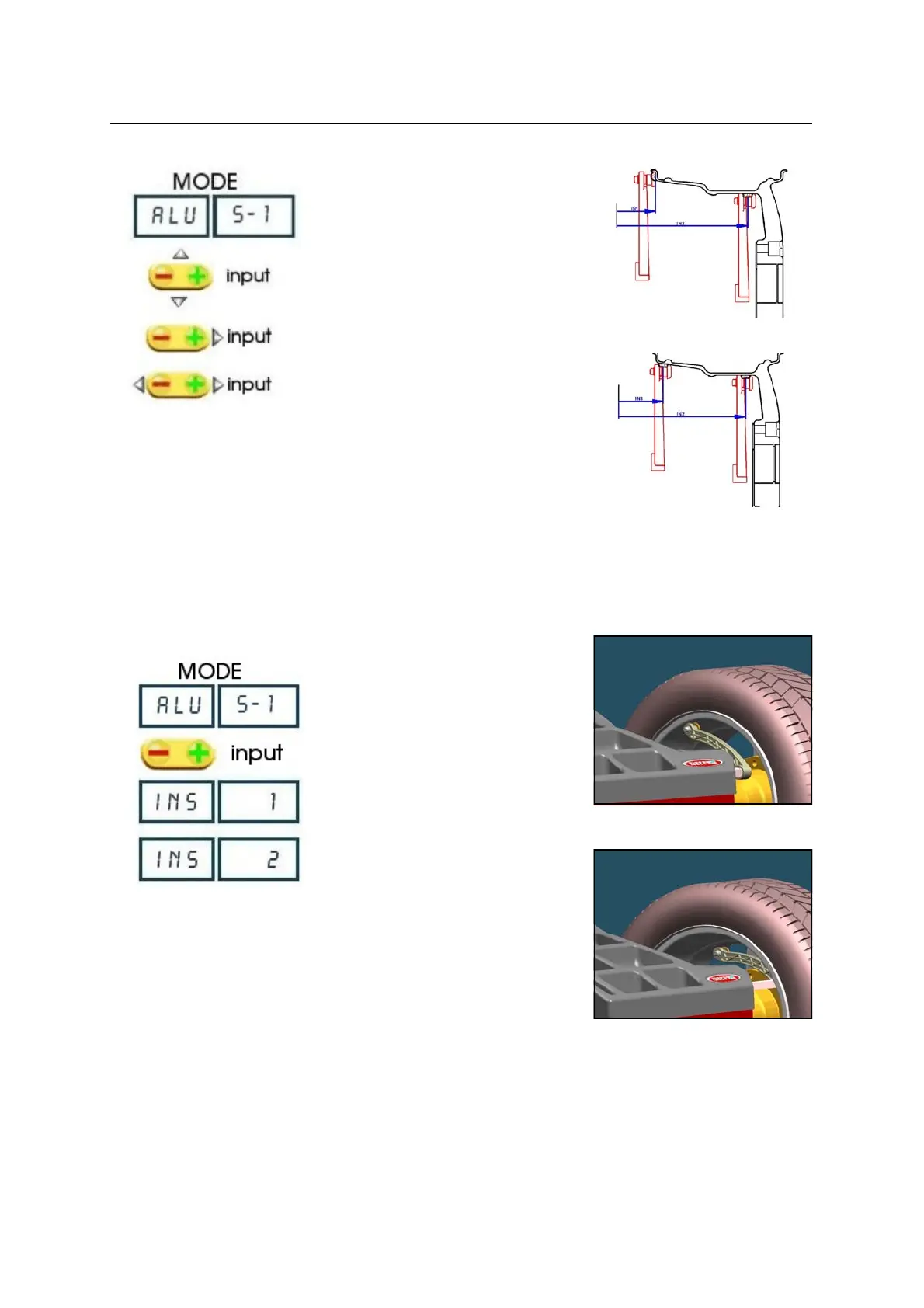
FIG. 28 ALU S-1
Fig. 29: ALU S-2
FIG. 32
FIG. 33
5.3.3 ALU S-1 MODE / ALU S-2 MODE ( Manual input)
Press MODE to select the operating
mode. ( Fig. 23, Fig. 24 ).
Select the wheel diameter.
Insert the internal measure (IN 1) (Fig.
24, Fig.26 ).
Insert the external measure (IN 2)
(Fig.26, Fig.32)
5.3.4 ALU S-1 MODE / ALU S-2 MODE (Automatic input - optional)
Press MODE to select the operating
mode
Insert the internal measure ( Fig. 32 ).
Wait for the BEEP.
Insert the external measure ( Fig. 33 ).
Wait for the BEEP.



 To Next Page