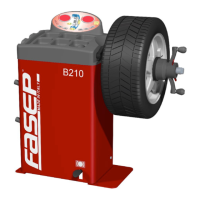
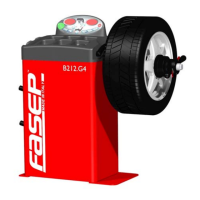
Fasep 2000 srl Rev. 1.8
Balatron 222/212: User’s Manual 23 January 2020
iii
ORIGINAL INSTRUCTIONS
TABLE OF CONTENTS
WARNING ...........................................................................................ii
SYMBOLS AND CONVENTIONS .........................................................................ii
TABLE OF CONTENTS ................................................................................ iii
1 PRESENTATION ............................................................................ 1-1
1.0 Intended Use .......................................................................1-1
1.1 Definitions ......................................................................... 1-1
2 INSTALLATION ............................................................................. 2-2
2.1 Moving the unit......................................................................2-2
2.2 Assembling the unit ..................................................................2-2
2.3 Installation .........................................................................2-2
2.4 Electrical Hookup....................................................................2-2
3 USE THE CONTROL PANEL .................................................................. 3-1
3.1 Meaning of keys at the keyboard ........................................................3-1
3.2 Meaning of Led Indicators .............................................................3-1
4 CALIBRATION ..............................................................................4-1
4.1 How to calibrate the Wheel Balancer (USER) ..............................................4-1
4.2 How to check the calibration of Wheel Balancer (USER) .....................................4-2
4.3 ALU-SE calibration (USER) ............................................................4-3
5 MEASUREMENT AND CORRECTION OF UNBALANCE.............................................5-1
5.1 Placing the wheel rim on the wheel balancer ............................................... 5-1
5.2 How to compensate unbalance of flanges using AFC function (optional for B212) ..................5-1
5.3 Input of Rim Dimensions ..............................................................5-2
5.4 Detecting and correcting unbalance .....................................................5-4
5.5 How to apply the weight using ALU-SE indicator ............................................ 5-4
6 HOW TO OPTIMIZE UNBALANCE OF THE WHEEL ................................................ 6-1
7 HOW TO USE SPLIT WEIGHT FUNCTION .......................................................7-1
8 SPECIAL FUNCTIONS MENU .................................................................. 8-1
8.1 Enter in the special functions menu......................................................8-1
8.2 Diagnostic program of sensors ......................................................... 8-1
8.3 Statistic program ....................................................................8-1
8.4 User Setup .........................................................................8-1
APPENDIX ................................................................................... i
A: Technical Data ................................................................................ i
B: Environmental Data, Safety Features and Requirements ............................................... i
C: Errors and Malfunctions recognized by the Computer .................................................. i



 To Next Page