Fasep 2000 srl Rev. 1.3
Balatron B110, B210: User’s Manual 15 July 2013
5-3
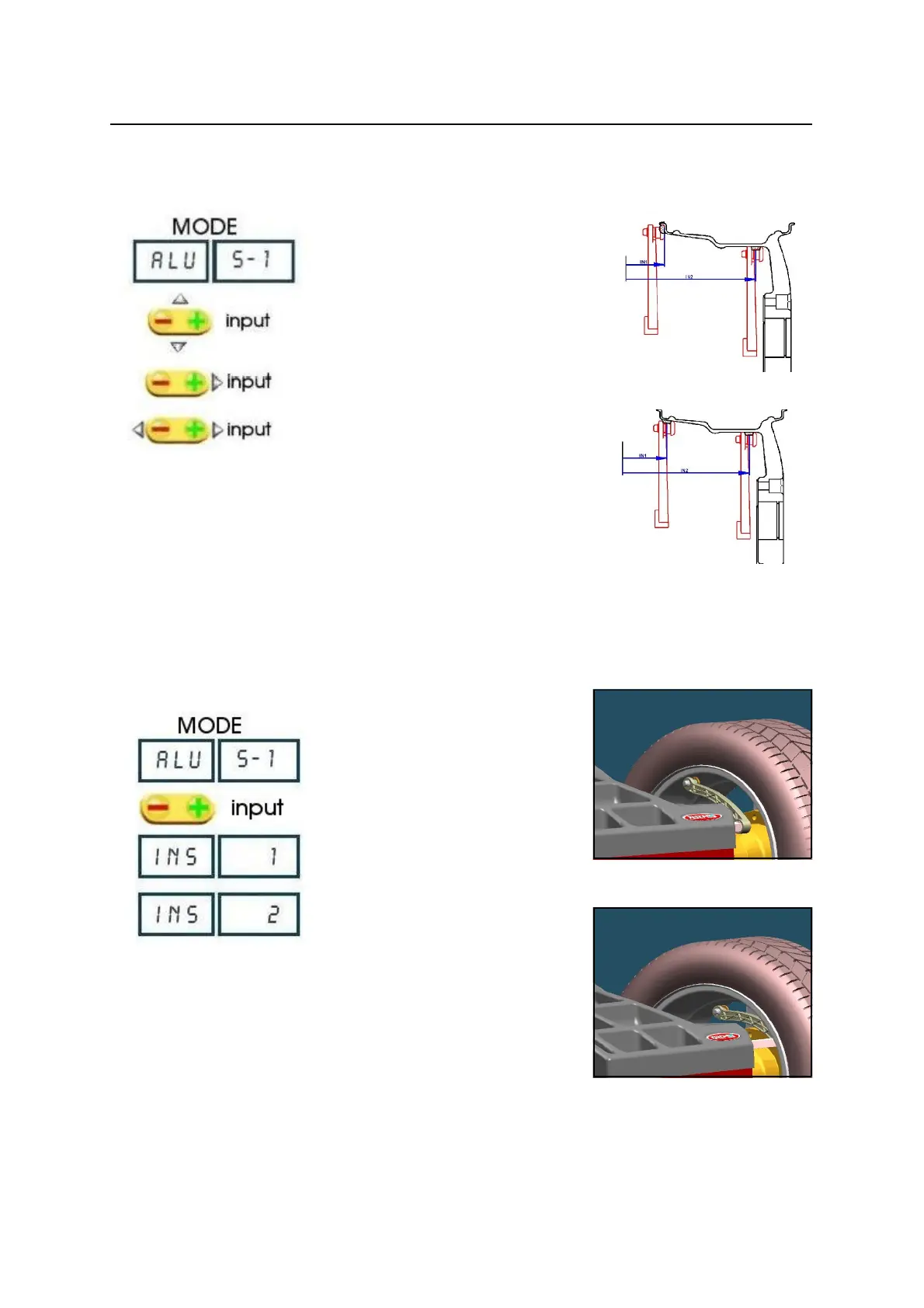
FIG. 27
FIG. 28
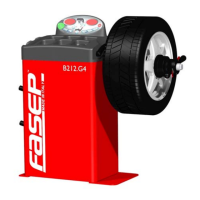
FIG. 30
FIG. 31
5.3.3 ALU S-1 MODE / ALU S-2 MODE ( Manual input)
Press MODE to select the operating
mode.
Select the wheel diameter.
Insert the internal measure (IN 1) (Fig. 27,
Fig.28 ).
Insert the external measure (IN 2) (Fig.27,
Fig.28)
5.3.4 ALU SE-1 MODE / ALU SE-2 MODE (Automatic input - optional)
Press MODE to select the operating mode
Place the rod on the rim (fig. 30)
Wait for the BEEP take-over first measure.
Please the rod as in picture 31.
Wait for the BEEP take-over second
measure.


 To Next Page