Fasep 2000 srl Rev. 1.3
Balatron B110, B210: User’s Manual 15 July 2013
4-2
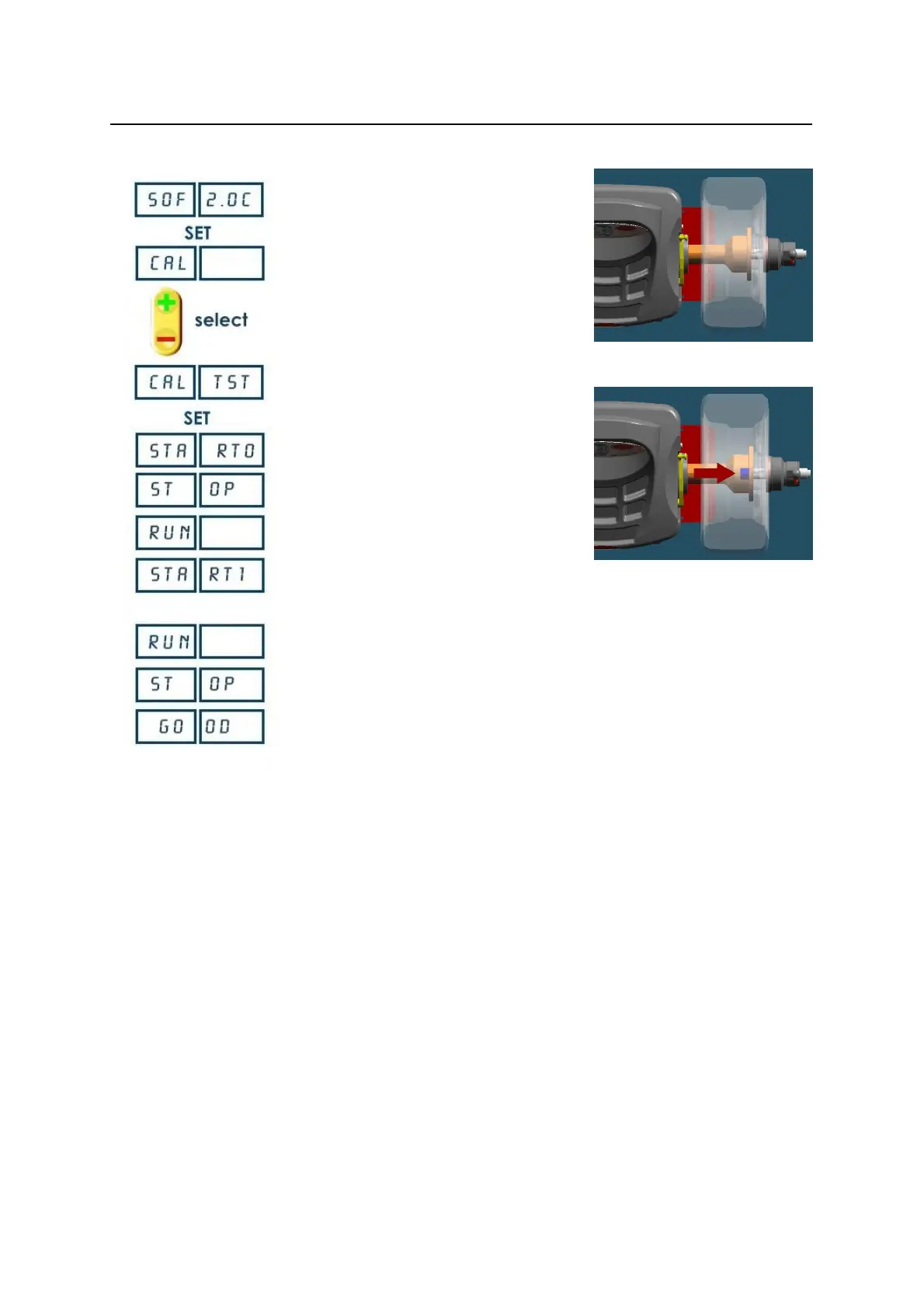
FIG. 12
FIG. 13
4.2 How to check the calibration of Wheel Balancer
Switch on the wheel balancer.
Press <SET> when SOF X.XX (software
version) is displayed.
Press <+/-> to select CAL TEST
Place a wheel on the flange ( Fig. 12).
Press <SET>
Hand spin the wheel
Stop the wheel
Put the calibration weight ( Fig. 13).
Hand spin the wheel
Stop the wheel
Press <MODE/ESC> to return to normal
balancing mode.


 To Next Page