13
Setup by Internet – With this method can setup the network configuration
thru Internet. Most often is used to setup the station mapping or
authorized IP. While use this method, can only setup one Ethernet module
at a time and must specify the IP address of Ethernet module to be edited.
Considering the security, can set password to prevent the unintended
access. Please refer section 5.3.4 for detail explanation.
5.3.2 Configuration thru Local Area Network
Step 1. Use the network cable to connect the Ethernet module and Hub.
Step 2. Connect the PC to network and execute the software -
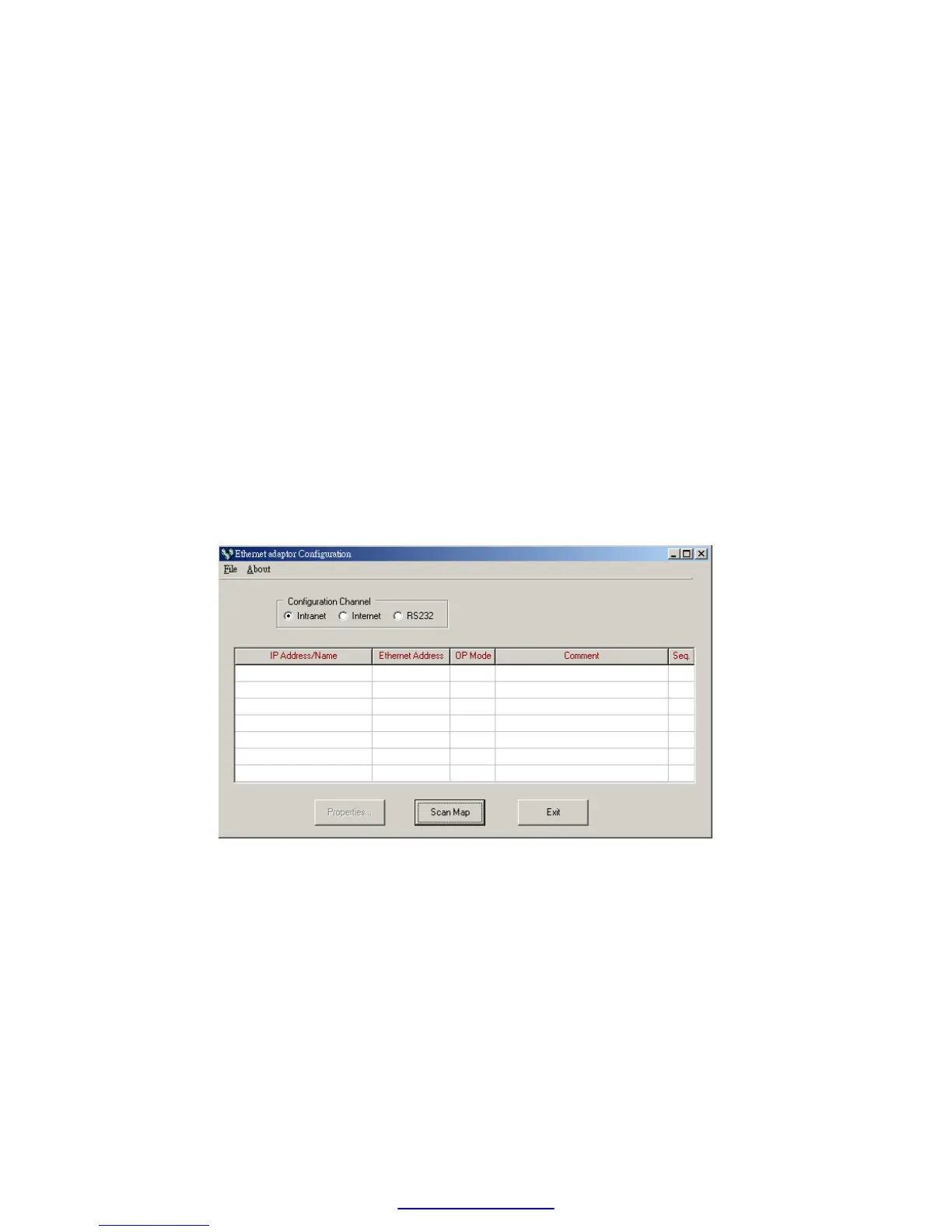
Ether_cfg.exe. Use the mouse click the ’Intranet’ option in the ’Configuration
Channel’ group box, then the screen changes to
Click the ’Scan Map’ button then start the scanning of Ethernet module.
All the modules detected will be shown in the table. The remaining
procedures will be left until section 5.3.4.
5.3.3 Configuration thru Internet
Step 1. Connect the Ethernet module and Hub with twisted Ethernet
cable.
Step 2. Connect the PC to network and execute the network configuration



 To Next Page