16
enable the remote configuration to prevent the leakage of security hole.
Please leave this option un-checked if remote configuration is not
necessary.
Import-Export button: Can use the Export function to save entire setup
data of Ethernet module to file or use the Import function to retrieve the
setup data stored in file to ease the editing job of configuration.
The contents enclose in the box at below can be skipped for the beginner
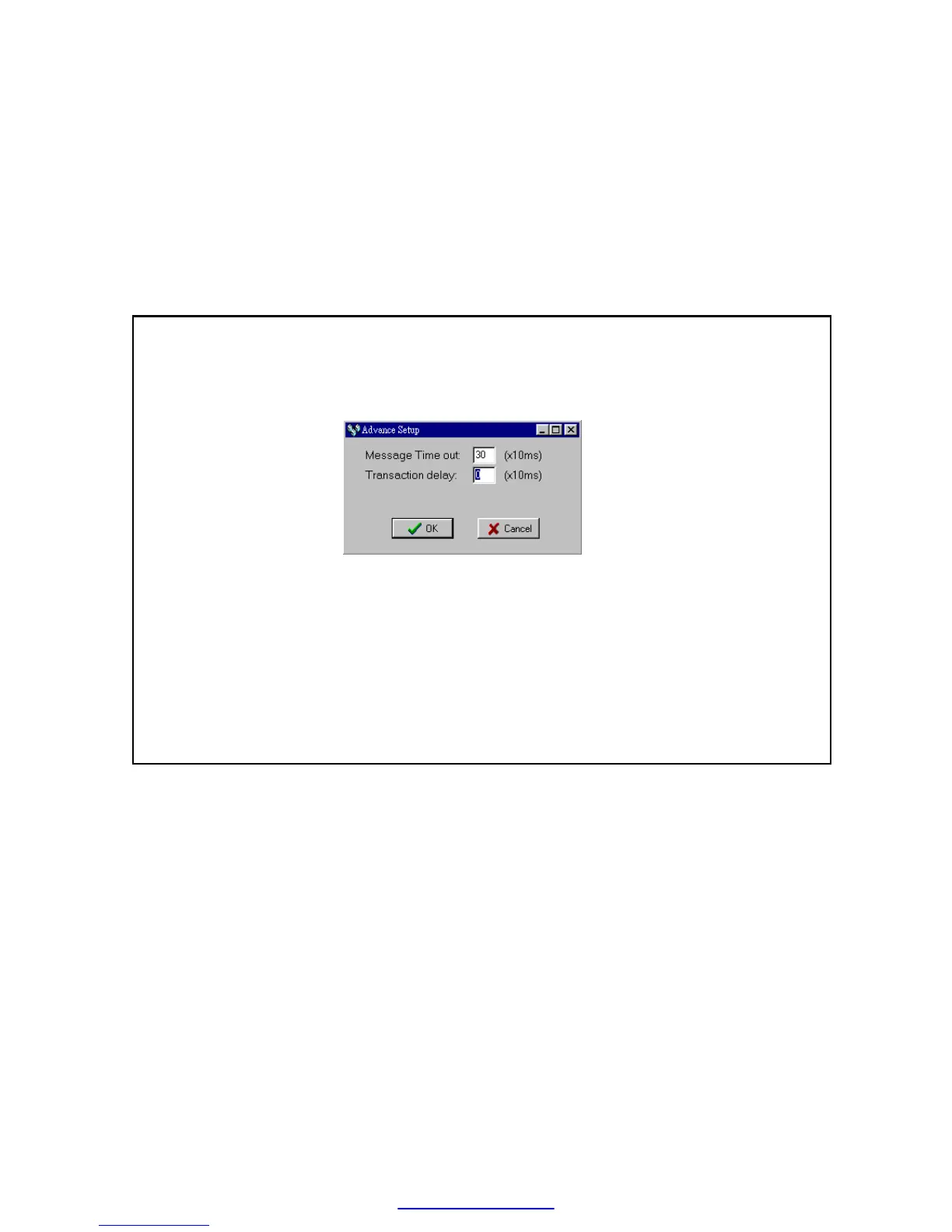
Advanced Setup: This setting can only need to be performed when at
server mode, click ’Advance Setup’ button to start setup and the screen
will be shown
Message Time Out: The time-out time for PLC, the default setting is
300ms. Ethernet module will wait for the same amount time of this field
before the PLC can reply the command message.
Transaction delay: The minimal delay time for Ethernet module to send
the next command message after it receives a reply message from PLC.
The default setting is 0ms. This setting is used for the applications that
connect multiple PLCs with diverse scan time by RS485.
5.3.5 Security Setup
For security of Ethernet module operation, besides the disable/enable
control of remote configuration, also provides following measures to work
with
Password Protection- Continues from last screen, click the ’Password’
tab to set the password. The screen changes to



 To Next Page