14
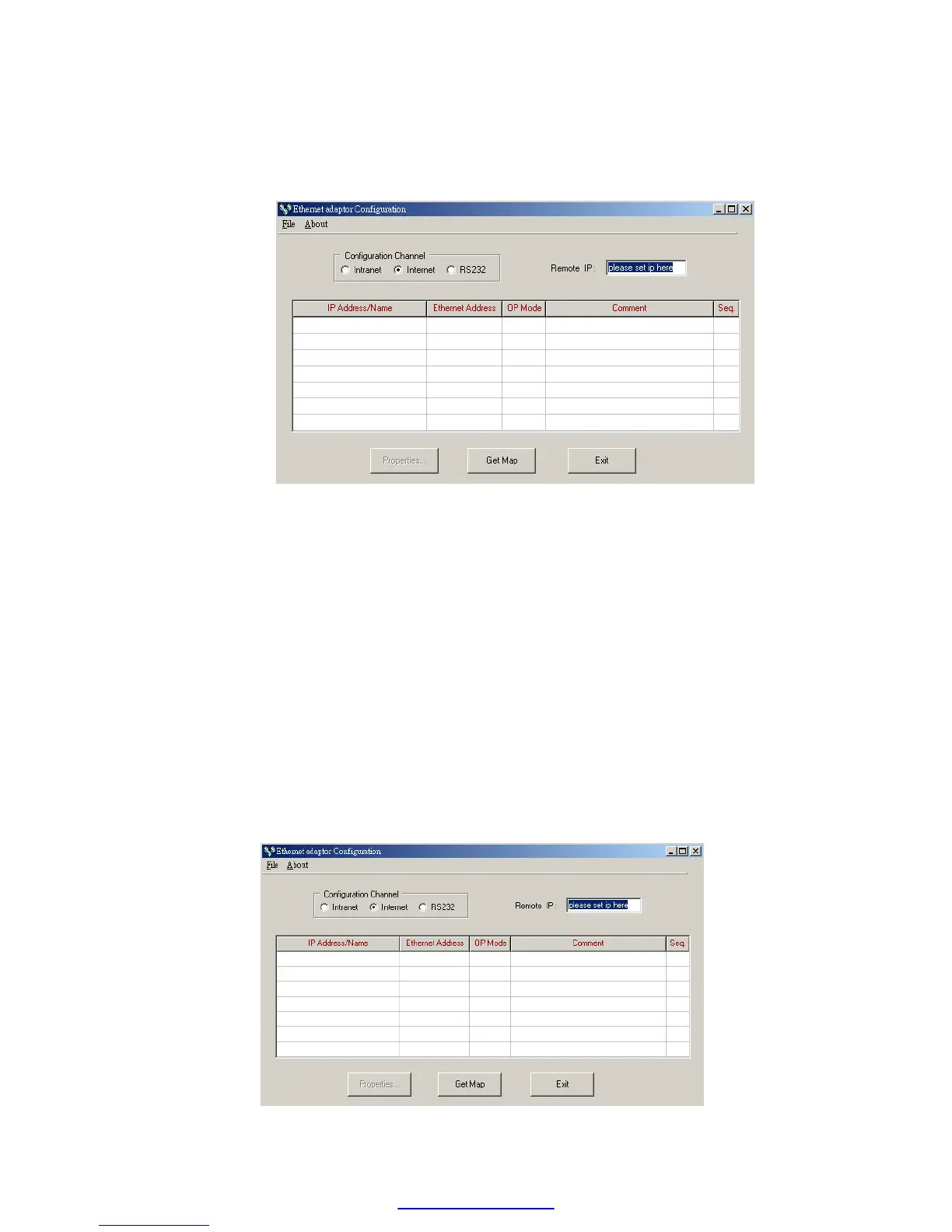
software - ether_cfg.exe. Use the mouse point to the ’Internet’ option
buttons within the ’Configuration Channel’ group box and click it then
the screen will be shown as below
At this time can input the remote IP address of the Ethernet module
desired for configuration. After click the ‘Get Map’ button, it will start to
connect Ethernet module. When the connection is established will show
the information regard the connected Ethernet module in the table at the
middle of window.
5.3.4 Common Data Setup
Whenever the connection is established, it will show the information
regard the connected Ethernet module in the table at the middle of
window, no matter what the connection method is selected.



 To Next Page