2-8
2.6 Jumpers
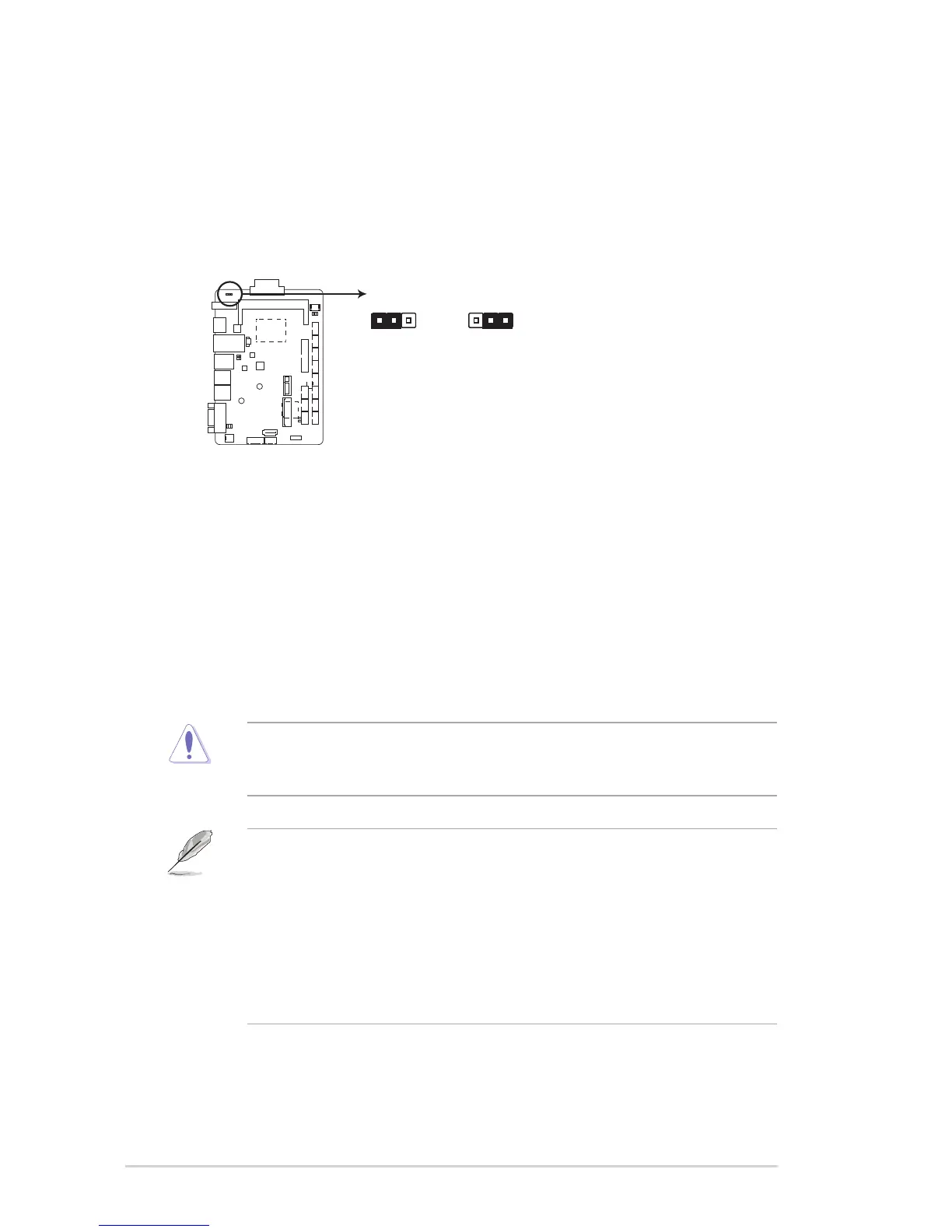
1. Clear RTC RAM (3-pin CLRTC1)
ThisjumperallowsyoutocleartheRealTimeClock(RTC)RAMinCMOS.
YoucancleartheCMOSmemoryofsystemsetupparametersbyerasing
theCMOSRTCRAMdata.TheonboardbuttoncellbatterypowerstheRAM
datainCMOS,whichincludesystemsetupinformationsuchassystem
passwords.
To erase the RTC RAM:
1. Turn OFF the computer and unplug the power cord.
2. Movethejumpercapfrompins1-2(default)topins2-3.Keepthecapon
pins2-3forabout5~10seconds,thenmovethecapbacktopins1-2.
3. Plug the power cord and turn ON the computer.
4. Holddownthe<Del>keyduringthebootprocessandenterBIOSsetup
to reenter data.
CAUTION!ExceptwhenclearingtheRTCRAM,neverremovethecapon
CLRTCjumperdefaultposition.Removingthecapwillcausesystemboot
failure!
NOTES:
• Ifthestepsabovedonothelp,removetheonboardbatteryandmovethe
jumperagaintocleartheCMOSRTCRAMdata.AfterclearingtheCMOS,
reinstall the battery.
• YoudonotneedtocleartheRTCwhenthesystemhangsdueto
overclocking.Forsystemfailureduetooverclocking,usetheCPU
ParameterRecall(C.P.R)feature.Shutdownandrebootthesystemsothe
BIOScanautomaticallyresetparametersettingstodefaultvalues.
FAY-003



 To Next Page