37X INSTALLATION & OPERATION MANUAL
372/373 MODEL
21
10.2 Home Menu
The home menu (Figure 10.1) shows the status of all barrels, allows control of all barrels and is the launching point to the
submenus. Press the green button while a barrel is highlighted to perform actions to that barrel such as defrost or turn
on/off. Pressing the green arrow will also allow access to the submenus. Messages may appear on the home screen from
time to time depending on the current activity or error. For a complete listing of these messages, please see the “Home
Menu Messages” section of this manual.
10.3 Pop-Up Menu
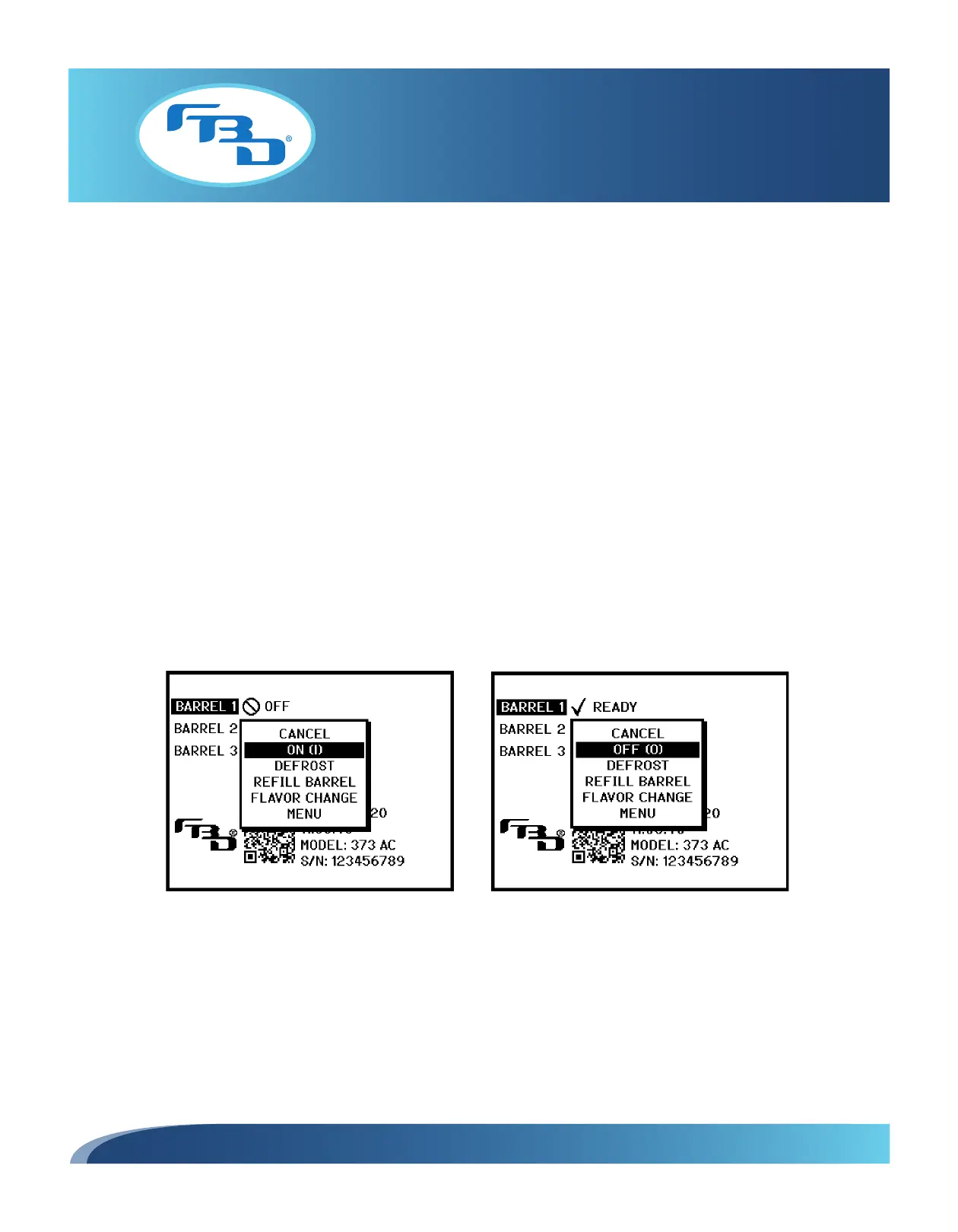
The pop-up menu (Figures 10.2 and 10.3) allows the user to do the following:
• Start or stop the highlighted barrel.
• Defrost the highlighted barrel.
• Refill the highlighted barrel (use only when partially empty). Do not use this option to fill empty barrels, use the
MAINTENANCE MENU instead.
• Perform a flavor change on the highlighted barrel.
• Proceed to the submenus.
The pop-up menu is accessed by pressing the green button when the home screen is displayed.
Figure 10.2 Figure 10.3



 To Next Page