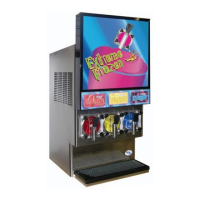
37X INSTALLATION & OPERATION MANUAL
372/373 MODELS
47
10.3 Diagnostic Fault Codes
The following codes are faults that can be displayed after running a diagnostic sequence.
Error #581, 582, 583: Beater Motor Not Turning On
Error #591, 592, 593: Gas Solenoid Not Opening
Error #601, 602, 603: Solution Solenoid Not Opening
1
Remove the control board and check for blown motor fuses (Motor 1: F3 & F4, Motor 2: F5 & F6,
Motor 3: F7 & F8).
A motor or capacitor malfunction may be caused by a blown fuse.
2 If fuses are OK, reinstall control board.
3 Disconnect wiring harness from suspect beater motor.
4
Manually turn on beater motor using the SERVICE MENU and ensure there is line voltage on pins 1
& 3 of supply harness (outside pins).
5
If correct voltage is present, substitute a “known to be good” capacitor and try to operate motor
again. If no voltage is present (when activated through the menu), then replace the beater motor
power harness.
6 If motor fails to start with working capacitor, then replace both motor and capacitor.
1 Disconnect the electrical harness from the gas solenoid for the barrel in question.
2
Manually activate the solenoid and check to make sure there is 12 VDC at the connection (the
voltage will read ~2 VDC when not powered). If no voltage, then replace the control board.
3
If correct voltage is present, replace the solenoid. Be sure to turn o the gas supply before
disconnecting the gas line from the solenoid.
4
If solenoid is functioning properly, then a leak may be present in the product delivery system.
Check the relief valve, dispensing valve, rear seal and tubing in the product tray for leaks.
5 If no leaks are found, then the tank pressure transducer may be defective.
1 Disconnect the electrical harness from the suspect solution solenoid.
2
Manually activate the solenoid and check for 24 VAC at the connection (the voltage will read ~19
VAC when not powered). If no voltage, then replace the control board.
3 If correct voltage is present, remove the solution module and replace the solenoid.



 To Next Page