LCD DISPLAY MESSAGES
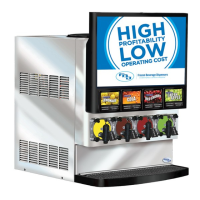
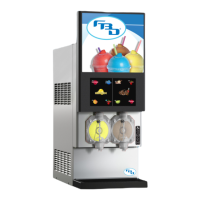
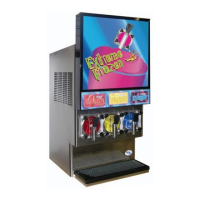
FBD553D FROZEN BEVERAGE DISPENSER
MESSAGE DESCRIPTION
Sleeping Unit in “Sleep” mode. Unit is shut down.
Cmpr StDly This delay is before compressor starts. The time period varies from 1 to 30 seconds.
Cmpr Start This is displayed when compressor starts freezing or defrosting.
Cmpr Run This is displayed only on Left Side, when compressor is running on either side.
DEFWait This side is waiting to defrost.
DEFBeater If “DEF” is pressed and if the beater has not been running, then this is displayed for a maximum
time delay of two (2) minutes.
DEF Cmp Wt Time delay prior to opening the Defrost Solenoid.
Defrosting This is displayed when side is DEFROSTING.
DEFSuspnd This is displayed when a side has been interrupted by the other side freezing. After the other side
has frozen down, then defrost is resumed.
Run Off This is displayed when freeze is off or when the side is turned off.
Run HotGasW This is displayed on the opposite side when a side has defrosted and is waiting to refreeze or when
one side is defrosting and the other side is in Run Thaw Mode.
Run Cmp Wt This is displayed, prior to starting a freeze down; this is a time delay before the Refrigeration
Solenoid opens.
Run Frz Wt This is displayed after the freeze down has finished.
Run Freeze This is displayed when a side is freezing down.
Run Thaw W This is displayed after the Thaw percent has been reached.
Run Thaw This is displayed when a side is Thawing before refreezing.
Run Beater If “Run” is pressed and if the beater has not been running then this is displayed for a maximum
time delay of two (2) minutes.
Fill Off The unit will not fill with product when this is displayed.
L Fill Hld This is displayed during first freeze and defrost only. The pressure in the chamber has not dropped
below the fill pressure.
Fill Hold This is displayed during normal operations when the pressure in the chamber has not dropped
below the fill pressure.
Fl Pre CO2 This is displayed prior to filling the chamber with solution. This only allows CO
2 into the chamber
for a specified time period.
Fl CO2 SOL This is displayed prior to filling the chamber with solution. This only allows CO2 and solution to fill
the chamber until four (4) PSI is reached in the chamber.
L Filling This is displayed during first freeze and defrost only. The unit is filling the chamber.
Filling This is displayed during normal operations when the chamber is filling.
32


 To Next Page