PC
Feiyu ON
7. Firmware Upgrade
Micro USB
Please visit the official website www.feiyu-tech.com to download the relevant software for upgrading, including USB driver,
firmware upgrade software and product firmware, and install the relevant software, decompress the firmware files . Firmware
upgrade according to the firmware upgrade instructions.
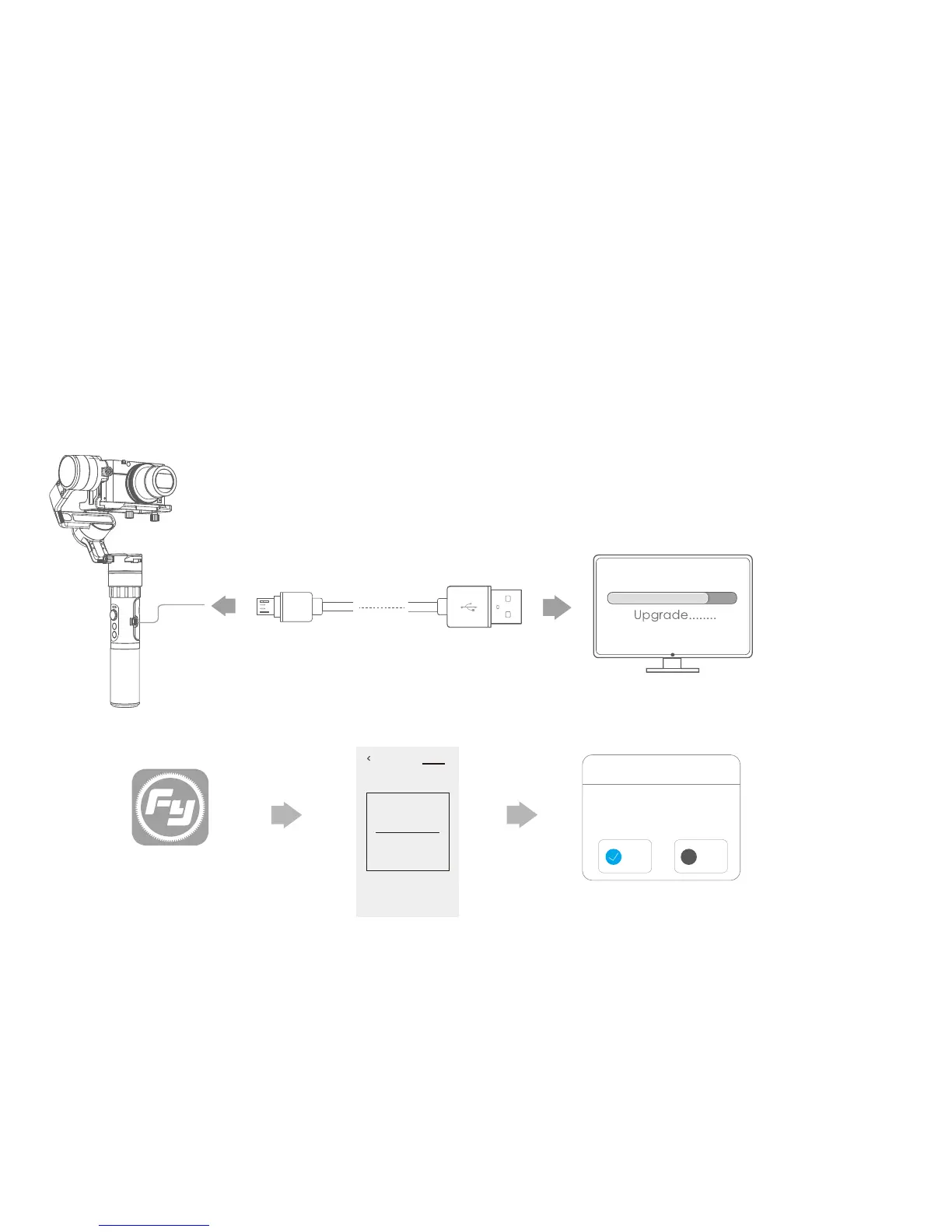
Option 1: Connect the gimbal with PC via micro USB cable, and then upgrade the firmware.(1)
(2)
USB interface
new firmware is available,
do you want to upgrade?
×
Firmware upgrade
Yes
No
Settings Updata
The current used version 1.7.2,
new firmware is available,
do you want to upgrade?
Download
and install it.
Later
Option 2: Connect the gimbal with smartphone via bluetooth, and then upgrade the firmware.
12















 To Next Page