Attach camera or smartphone
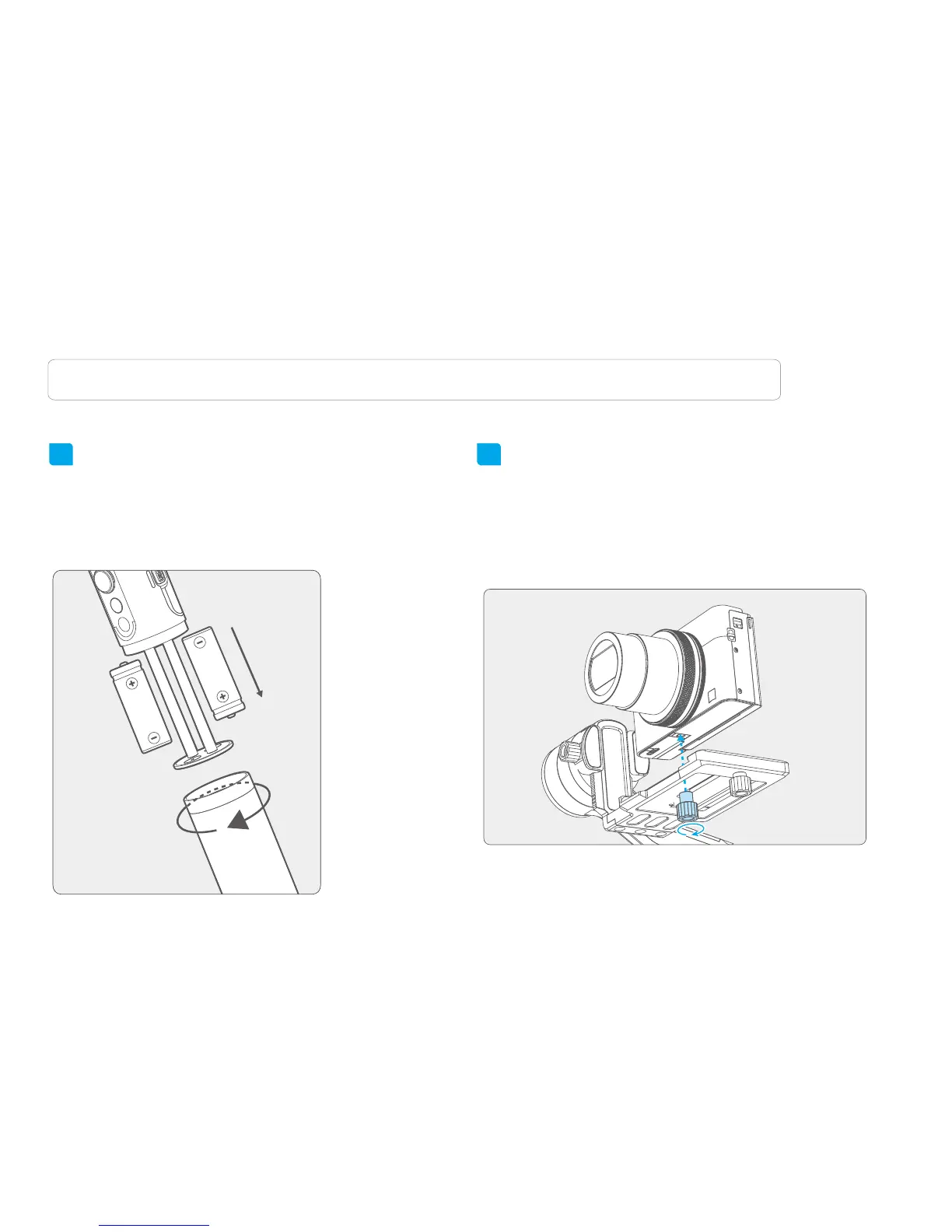
Place the camera correctly on the quick-release
clamp and use the camera thumb screw to
secure the camera through the middle chute at
the bottom of quick-release clamp.
21
2. User Guide
Attention: Please read the following instructions before powering on the gimbal.
Insert the batteries
Remove the handle, insert 2 pcs 18650
batteries and tighten the handle.
Prior to use, please be sure to fully charge the
batteries.
Take the mirrorless camera for example
3















 To Next Page