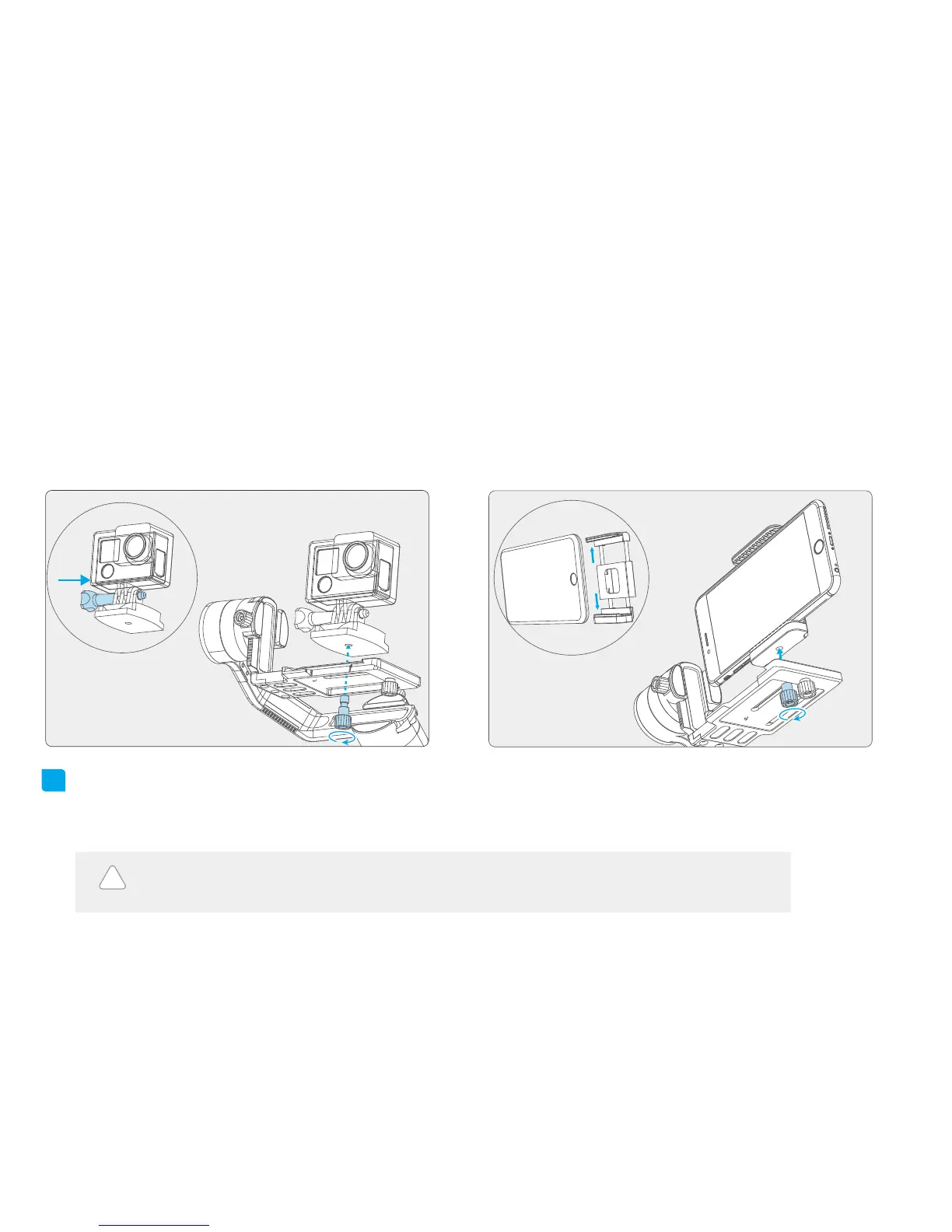
First use the smartphone adapter (optional) to install the
phone, and place them correctly on the quick-release clamp,
use the camera thumb screw to secure the phone through
the middle chute at the bottom of quick-release clamp.
Install the Gopro HERO 4 camera on a device with a
1 / 4-20 inch threaded hole (equipped by user) and
place them correctly on the quick-release clamp. Use
the camera thumb screw to secure the camera through
the middle chute at the bottom of quick-release clamp.
3
Take the Gopro HERO 4 camera for example Take the smartphone for example
Balance Adjustment
!
Turn on the gimbal after adjusting the center of gravity balance of the three axis.(refer to chapter
"9. Balance Adjustment"for more details)
Note: center of gravity imbalance can lead to poor performance or even failure
of the gimbal to operate at all.
4















 To Next Page