45
!
$
#
%
"
BL
BM
BN
BO
BP
Edgebander
G 330 / G 360 / G 380
9 Using the controls
9.1 General information
Using the controls
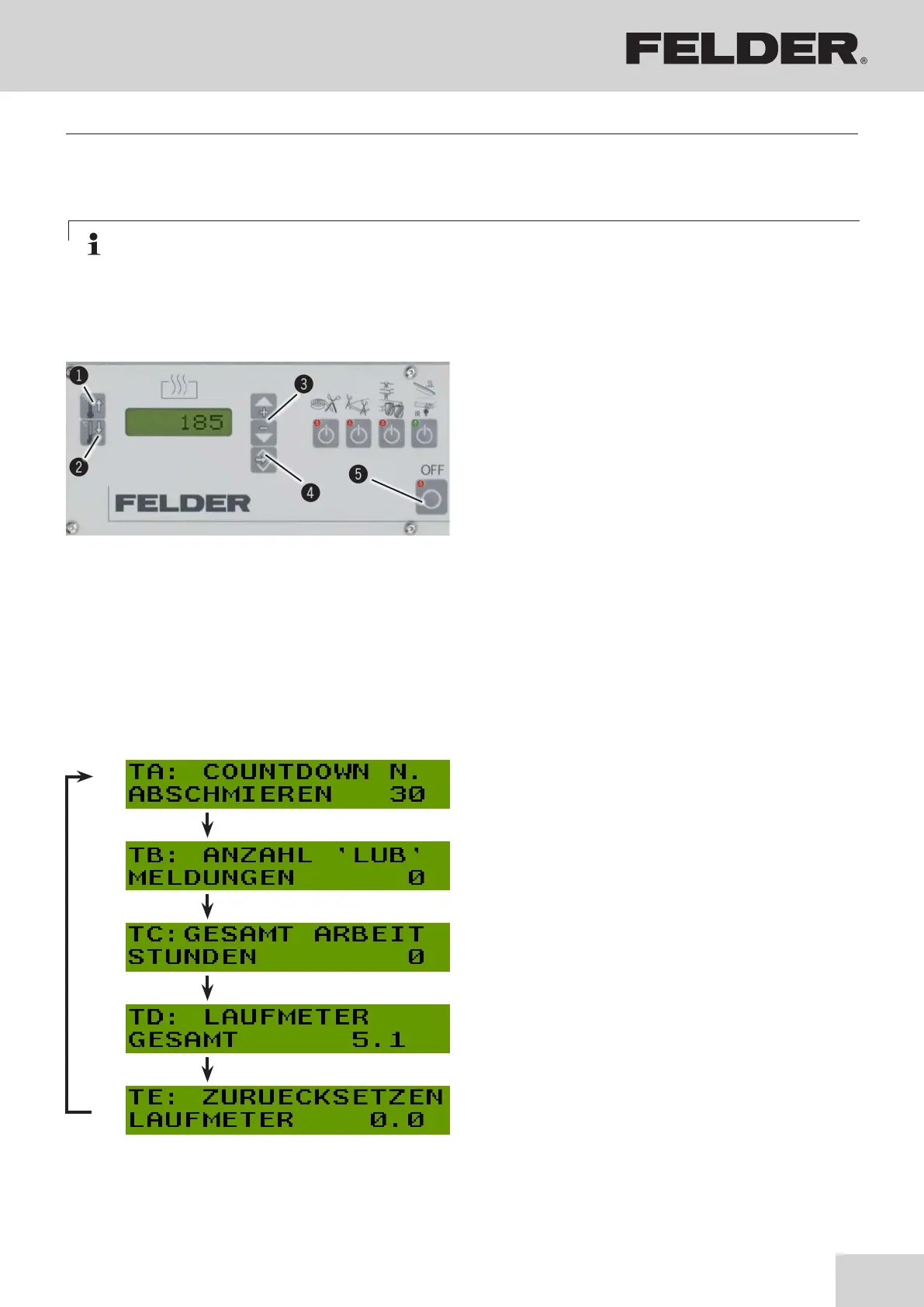
Fig. 9-1: Electrical control panel
The five touch-sensitive membrane keys on the front panel
are used to program and operate the display.
Depending on the operating mode, the keys may have
additional functions
! Operating temperature (SP1)
" Stand-by temperature (SP2)
# Arrow keys
$ >OK< Enter key
% OFF key
The values selected by you are stored in a non-volatile
memory.
9.2 Display machine information / Setup
Note: The following value appears in the display >LUB<:
See chapter entitled: Cleaning and lubrication --> Maintenance/Service
1. Press operating temperature (SP1), confirm with
>OK< Enter key and press and hold operating tem-
perature (SP1) again (approx. 10 sec).
2. The following value appears in the display:>TA:
COUNTDOWN<
Use the arrow keys to scroll through parameters:
3. Save changes with >OK< key and exit menu.
BLDisplay of the maintenance intervals (Countdown)
The setting is carried out by FELDER employees on
delivery.
The following value appears in the display >LUB<:
Reset meter:
OFF key - press and hold (approx. 10 seconds)
BMThe setting is carried out by FELDER employees on
delivery.
BNOperating hour meter:
Meter (total material used)
BOOdometer for total metres of material used:
Meter (total material used)
BPOdometer for total metres of material used: Meter
resettable
Reset meter:
Operating temperature (SP1) - press and hold (ap-
prox. 10 seconds)



 To Next Page