10
. . . . . . . . . . . . . . . . . . . . . . . . . . . . . . . . . . . . . . . . . . . . . . . . . . . . . . . . . . . . . . . . . . . . . .
/
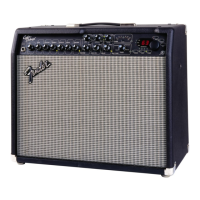
This section guides you from the first power-up through to normal Play Mode access.
Making Connections
With the POWER switch in the OFF position, plug the supplied IEC
power cord into the rear panel socket of the Cyber-Twin, and the other
end into a grounded, AC electrical power outlet in accordance with the
frequency and voltage ratings as listed on the rear panel of the unit,
(See “Important Safety Instructions” on page 1).
Turn the TRIM and MASTER VOLUME knobs down to 1.
Plug in the four-button footswitch (included) into the FOOTSWITCH
jack on the rear panel of the Cyber-Twin using the supplied cord.
Plug in the one-button footswitch (included) into the REVERB/FX
BYPASS jack on the rear panel.
Plug in your guitar to the INPUT jack on the front panel of the
Cyber-Twin.
Switch ON the POWER to the Cyber-Twin and the red jewel on the front
panel will illuminate.
Set the TRIM and MASTER knobs to desired levels.
[
[[
[
There may be automatic
movement of the 8 motorized knobs
anytime the POWER is switched
ON.
It is O.K. to interrupt the motorized rotation of any knob in motion.
Upon sensing resistance, the knob will yield control to allow for manual
knob positioning.
[
[[
[
You will instantly hear
adjustments made before the
motorized knobs “catch up.”
The motorized knobs are put into motion by sources such as preset
selections made “locally” from the amp and sources such as expression
pedal actions and MIDI commands made by remote. The MASTER
VOLUME knob is the exception; although motorized, automatic control is
restricted to remote sources, and then only to a maximum level set by you.
This gives you manual control over the global level’s upper limit.
The TRIM knob is the single non-motorized knob from the group on the
front panel’s left side. It uses four LED’s to indicate it’s level setting.



 To Next Page
 Loading...