18
$%& '!
. . . . . . . . . . . . . . . . . . . . . . . . . . . . . . . . . . . . . . . . . . . . . . . . . . . . . . . .
!
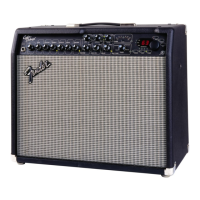
The Cyber-Twin appears and acts like a traditional guitar
amp on the left side. On the right side, more advanced
functions are accessed. Now, take a look at how the
Cyber-Twin communicates with you to become the most
flexible guitar amp on the planet.
The Display screen
The Display screen shows menu items with options, prompts for your
input, or information about the current amp design.
The DATA WHEEL
The DATA WHEEL is closely linked to what appears on the display, and
usually controls the current screen. The DATA WHEEL selects things
such as amp design presets and their parameters.
The Modes
The Cyber-Twin is organized into 6 Modes of operation.
Here’s an overview of what you can do in each Mode:
Example Screens
PLAY
Mode –
*
Play guitar
*
Activate any preset
*
Adjust parameter
settings
*
Save new amp designs
*
Play on a MIDI network
[
PLAY Mode is the default Mode after power-up.
[
The EXIT key always returns the amp to PLAY Mode.
)
Preset Edit AMP Mode –
*
Select and Edit AMP components, includ-
ing Reverb.
)
Preset Edit FX Mode –
*
Select and Edit FX.
)
UTILITY Mode –
*
Manage global system
*
Implement MIDI.
)
TUNER Mode –
*
Tune-up your guitar.
)
DEMO Mode –
*
Play along with an interactive demonstration with
automated amp design changes.
*
:+((/
'$ 7 $





 To Next Page

