. . . . . . . . . . . . . . . . . . . . . . . . . . . . . . . . . . . . . . . . . . . . . . . . . . . . . . . . . . . . . . . . . . .
(
45
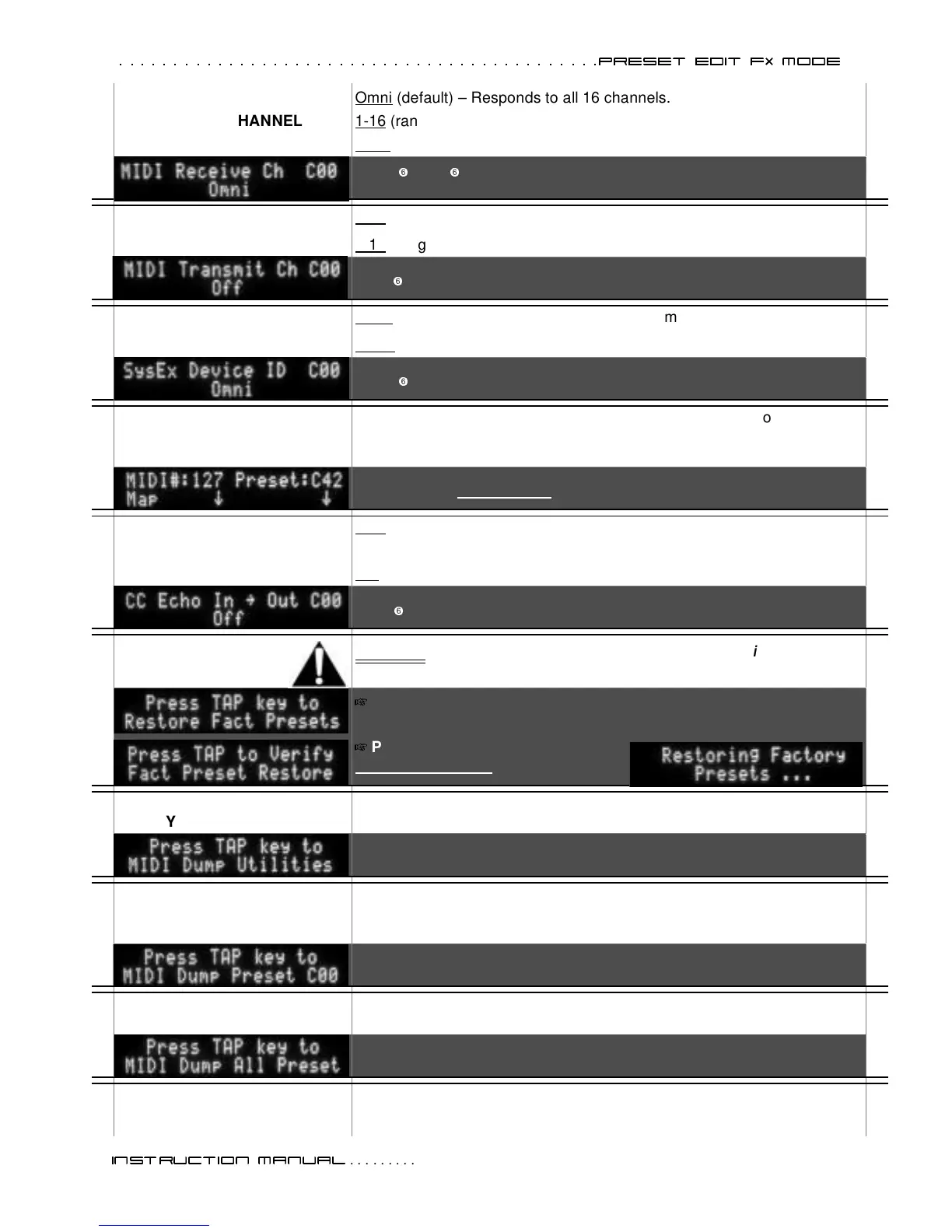
MIDI RECEIVE CHANNEL
Omni (default) – Responds to all 16 channels.
1-16
(range) – Responds to a single channel.
OFF
– Disables receive channel.
Omni
I
1–16
I
OFF
MIDI TRANSMIT CHANNEL
OFF (default) – Disables transmit channel.
1-16
(range) – Transmits on a single channel.
1–16
I
OFF
MIDI SYSTEM EXCLUSIVE
ID NUMBER
Omni (default) – Responds to all Sys Ex commands.
17-32
(range) – Responds only to Sys Ex commands for one ID.
Omni
I
17– 32
MIDI PRESET MAPPING
Any MIDI #___ = Any Preset #___— Redirect each MIDI program change
number to any preset number. Use the FX LEVEL the FX VAL2 knobs to
select values (down arrows on screen point to the FX knobs).
MIDI# 1 – 127 redirected to preset# P00-P84, C00-C84, A00-A34
MIDI CONTINUOUS
CONTROLLER ECHO
OFF (default) – Stops the echo loop of incoming continuous controller data
from mixing with the outgoing data.
ON
– Allows continuous controller data to repeatedly echo.
OFF
I
ON
FACTORY PRESET
RESTORE
WARNING: ALL of your presets are erased with this function. (P
LAYER
’
S
L
OUNGE
presets) are overwritten with F
ENDER
C
USTOM
S
HOP
presets.
Press the TAP key once to initiate this operation.
(Press the EXIT key to cancel.)
Press the TAP key a second time
to reset all presets
to factory.
MIDI DUMP –
UTILITY SETTINGS
This function will dump all UTILITY parameter settings.
Press the TAP key once.
MIDI DUMP – ANY PRESET
This function will dump the selected preset from the Cyber-Twin to a MIDI
device. The items sent in the dump include all the parameter values for
this preset.
Select a preset with the DATA WHEEL to dump.
Press the TAP once to dump.
MIDI DUMP – ALL PRESETS
This function will dump ALL presets from the
Cyber-Twin
to a MIDI device.
The items sent in the dump include all the parameter values for every preset.
Press TAP key once.
Column continues with the DEMO
Mode menu, on page 44.
6





 To Next Page