Page 10
LOFT DUOX EXTRA TELEPHONE SETTINGS
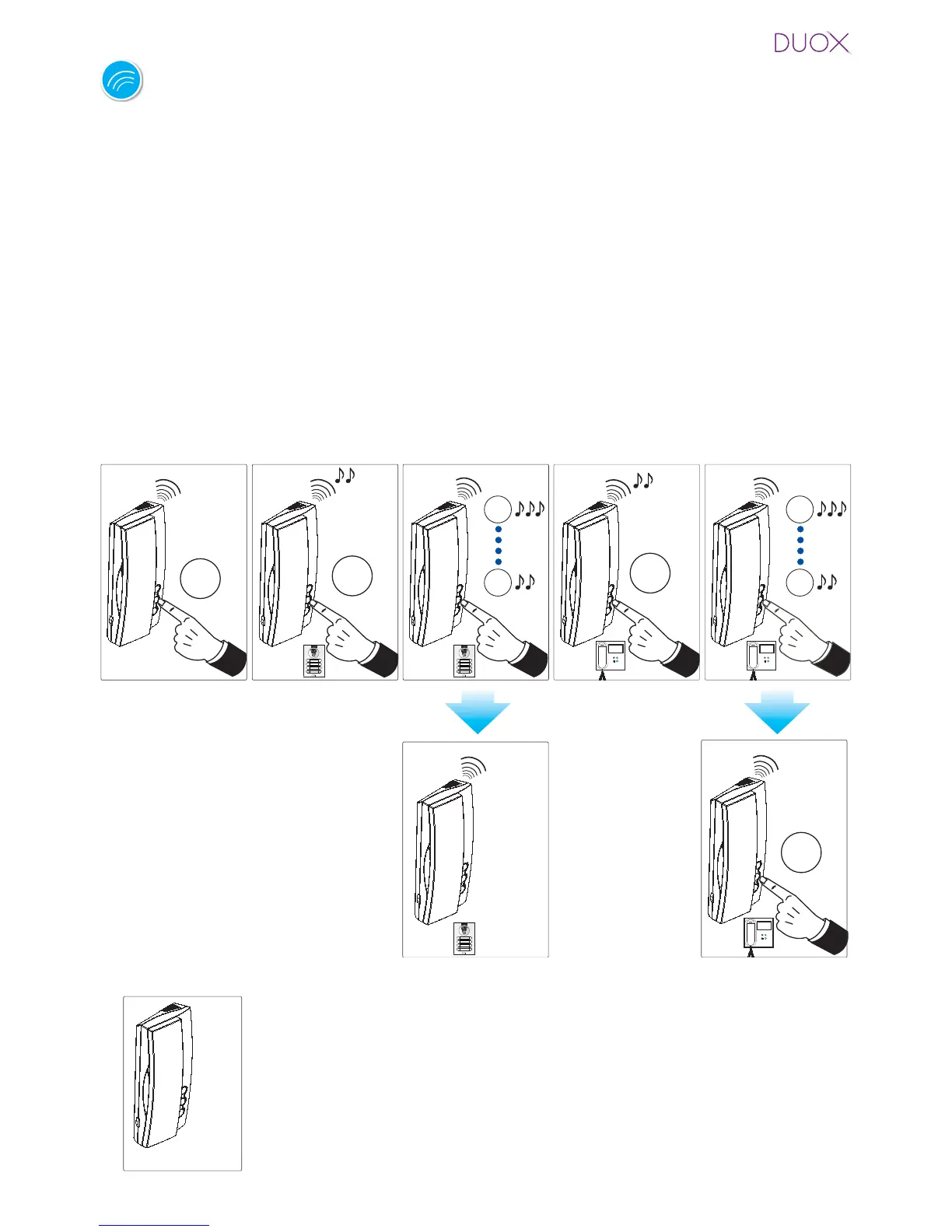
Ringtone Selection.
The telephone allows you to select different ringtones for calls from the entry panels and
calls made from reception.
Accessing „Ringtone Selection“ Mode
We can select from 5 ringtones.
1. From panel: With the telephone in standby and hung-up, press the F2 button (you will
hear a beep), if maintained pressed for 5 seconds you will hear the current melody. Every
time you perform a new short pulsation in F2, you pass on to the next melody. Upon
arriving at the 5th melody, it returns to the 1st one.
2. From reception (guard unit): With the telephone in the ringtone selection menu from
the panel, if you maintain the F2 button pressed for 5 seconds you will hear the current
ringtone from the reception. Every time you perform a new short press of F2, you pass
on to the next ringtone. Upon arriving at the 5th ringtone, it returns to the 1st one.
- You can also exit the reception ringtone menu after inactivity for
10 seconds (storing the last ringtone played). The exit is confi rmed with a single
beep.
Exit
Exit
10"
¸
- You can also exit the reception
ringtone menu from the panel, after
inactivity for 10 seconds (storing
the last ringtone played). The exit is
confi rmed with a single beep.
- If you maintain
the F2 button
pressed for 5
seconds you
will exit the re-
ception ringtone
menu, returning
to standby and
storing the se-
lected ringtone.
The exit is confirmed with a double
beep.
Notes:















 To Next Page