Page 9
b) Programming the phones address via the doorbell
Note: Only if the phone has not been previously programmed, that is, if no address has been saved.
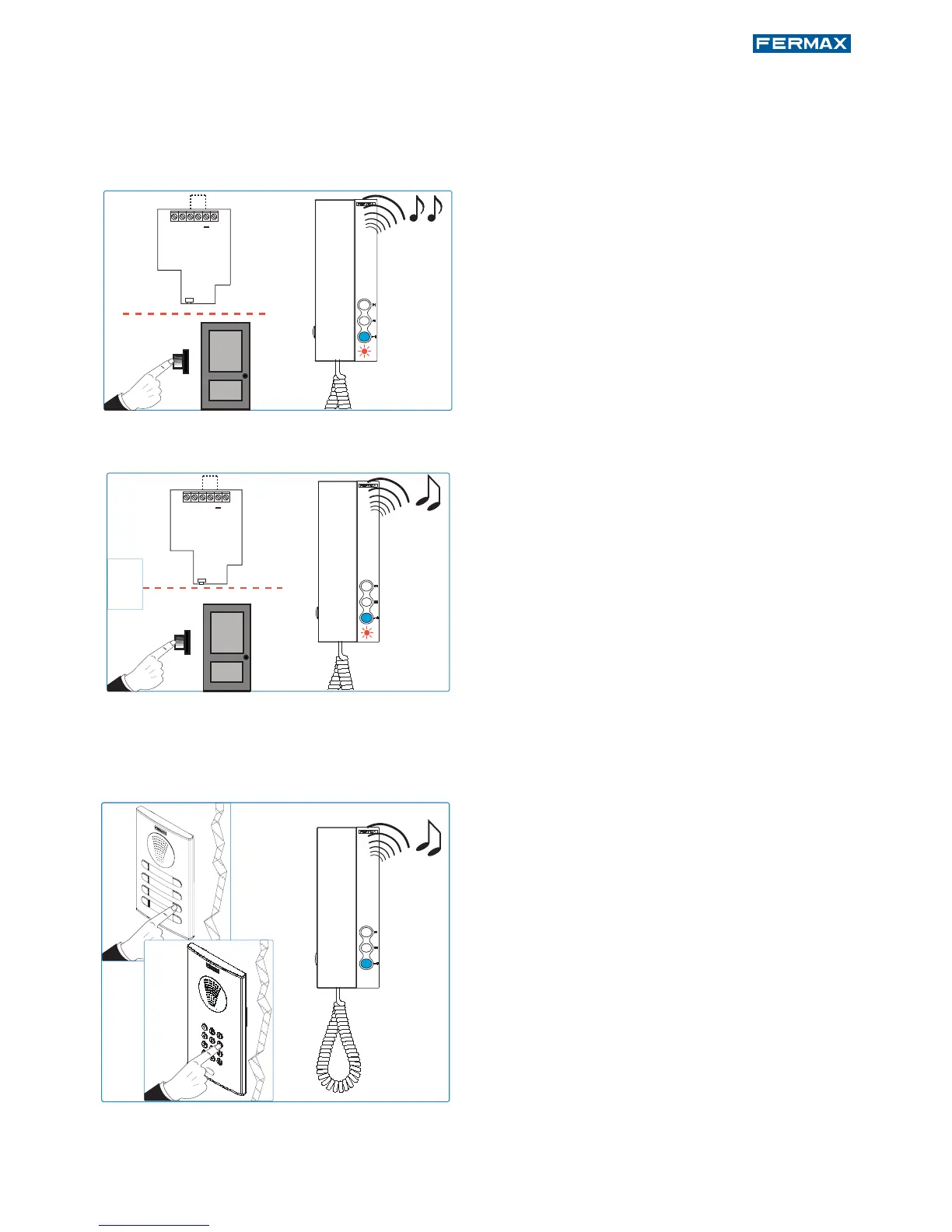
Telephone not yet programmed, red LED blinks.
With the telephone connected and hung-up:
1. Press the door bell or short terminals “T”
and “-”.
Upon performing this operation you hear a
doorbell.
Note: Optional: pick up the telephone to establish
communication with the entry panel and you can
inform the operator which residence s/he´s in.
2. After 5 seconds short or maintaining the
door bell pressed, the entering program-
ming tone sounds.
After this moment you can stop shorting or
pressing the door bell. While in this mode:
3. Press the button/residential call code from
the panel. A confi rmation tone will sound
on the telephone. The telephone is pro-
grammed, (red led off)
Note: - The time from which you hear the confi rma-
tion beep for entering in telephone programming,
and the call is made from the panel to program
the phone´s address, must be less than 2 and half
minutes.
Doorbell
Doorbell















 To Next Page