2
1
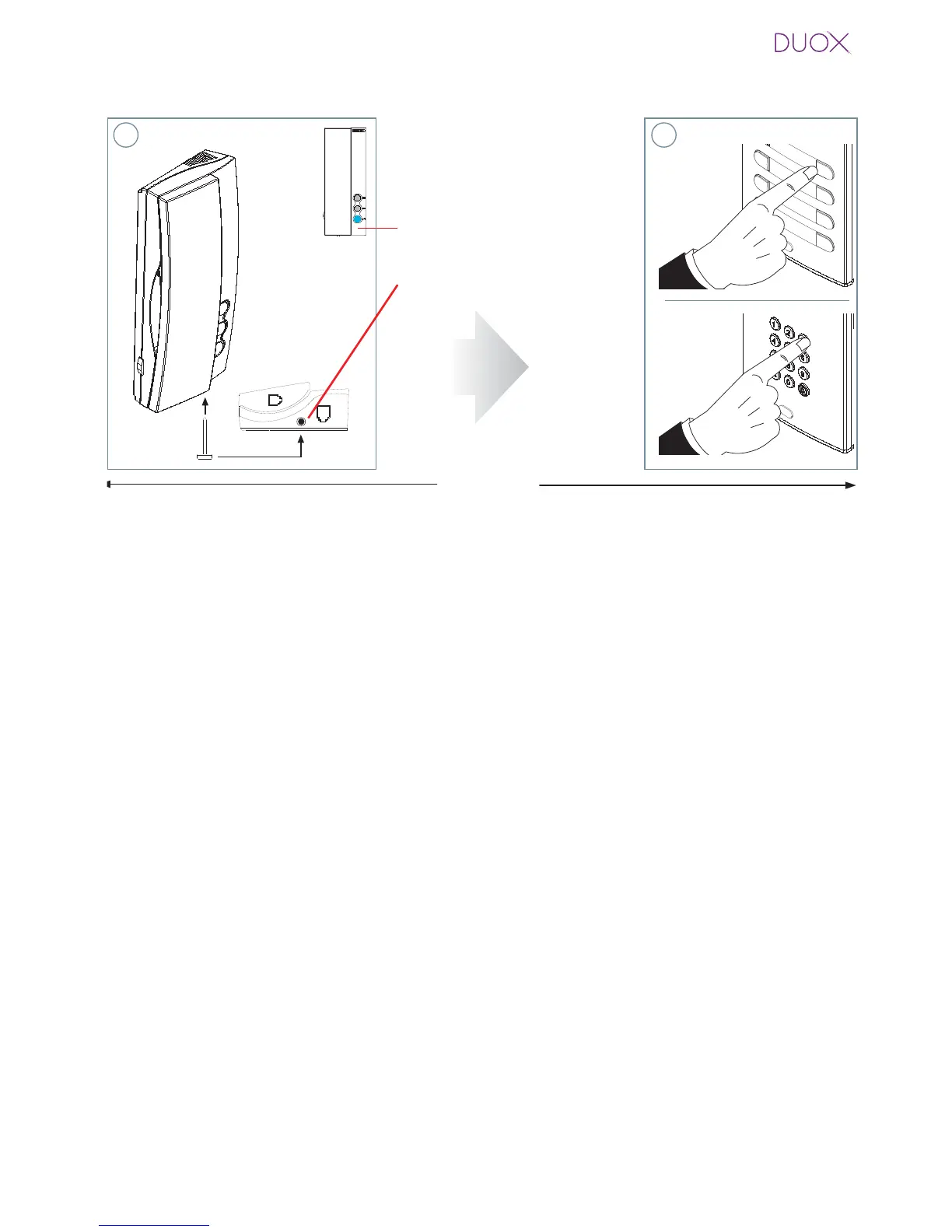
1. With the telephone connected and hung-up, press the programming button (you will hear
a beep). Upon releasing it, you will hear the entrance into programming.
*If the telephone receiver is picked-up, communication is established with the entry panel and you can
indicate in which room the operator is. You can also open the door. If the telephone is picked-up,
hang-up before performing point 2 of programming.
2. Press the call-to-residence button. A programming confi rmation is produced.
* If the new programmed address coincides with the old one, no programming confi rmation tone
sounds, but the ringtone from the panel is heard.
Notes:
- The telephone will not function until it has been programmed.
- You can check that the telephone does not have a programmed address because the led blinks.
- You can also check that the telephone does not have a programmed address by picking up the
receiver and hanging it up again, upon hanging it up you hear a beep.
- Programming must always be done via the panel activated as MASTER. The panel’s default is to be
programmed as SLAVE. Remember that it must be programmed as MASTER before programming
the telephone. An entry panel is confi gured as a MASTER via the SW1 amplifi er button. If the SW1
button is pressed 3 times quickly, it is activated as a MASTER panel and a confi rmation tone sounds
(beep-beep). You can also confi gure it via a code on the keypad. For more information see the DUOX
Panel Settings at www.fermax.com.
- The panel deactivates itself from master mode following the same activation procedure: 3 quick
presses of the SW1 button. A deactivation tone sounds (beep-bop). You can also confi gure it via a
code on the keypad. For more information see the DUOX Panel Settings at www.fermax.com.
- If there is a guard unit, it must be in night mode.















 To Next Page