9
MAN U
MP 3
SO N G
3
21
5
4
6
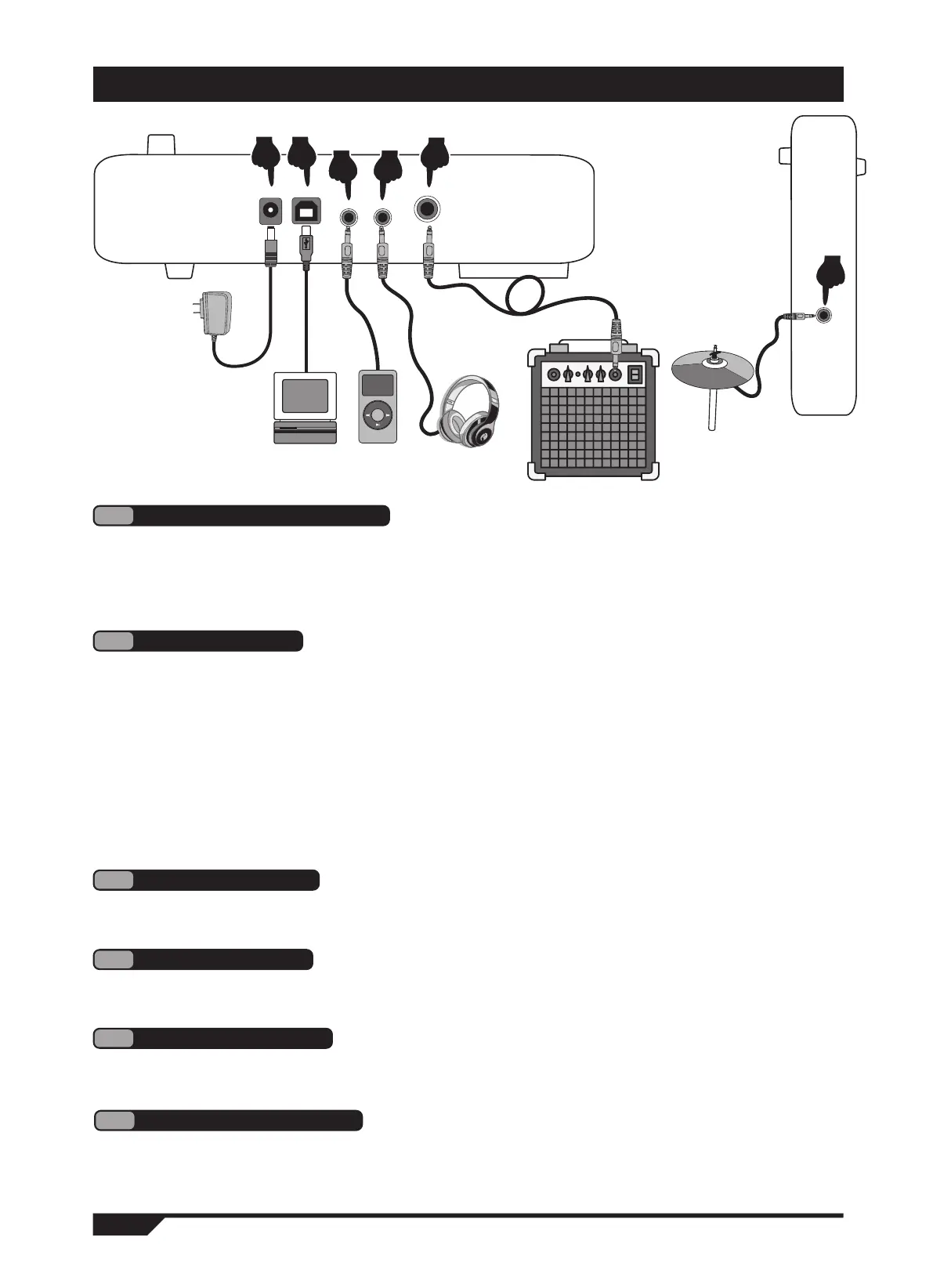
ILLUSTRATION OF MODULE SOCKET
1
Power cord connection
Connecting headphones allows you to monitor changes in detail while playing, and does
not disturb others when playing without a speaker connected. (Figure 4)
4
Headphone port
Audio output port can be connected to external active speakers (need special drum
speakers), and large audio equipment. (Figure 5)
5
This port allows you to add a cymbal for easy expansion. (Figure 6)
6
Increase cymbal port
The audio input port allows you to connect an external audio source to the drum host
box for playback (e.g. MP3. linear audio signal input for cell phones, etc.). (Figure 3)
3
Audio input port
2
USB MIDI port
1. Access the power cord as shown in the diagram, plug one end into the power port of the
sound module. Plug the other end into a 100-240V household power outlet (Figure 1)
2. When the product is not used for a long time, please unplug the power cord and store
it properly.
Using the MIDI USB interface of the electronic drum can be connected to music devices
with MIDI for interaction.
1. Learn or operate functions such as playing, composing, and storing through software
pre-installed on your computer or tablet. (Figure 2)
2. When connected to a computer or tablet, the audio output on the device needs to be
connected to the audio input port of the drum host box in order to synchronize the
sound effects on th
e device. (Figure 5)
Translated with www.DeepL.com/Translator (free version)
Audio output port
In front of the module


 To Next Page