10
OPERATION GUIDE
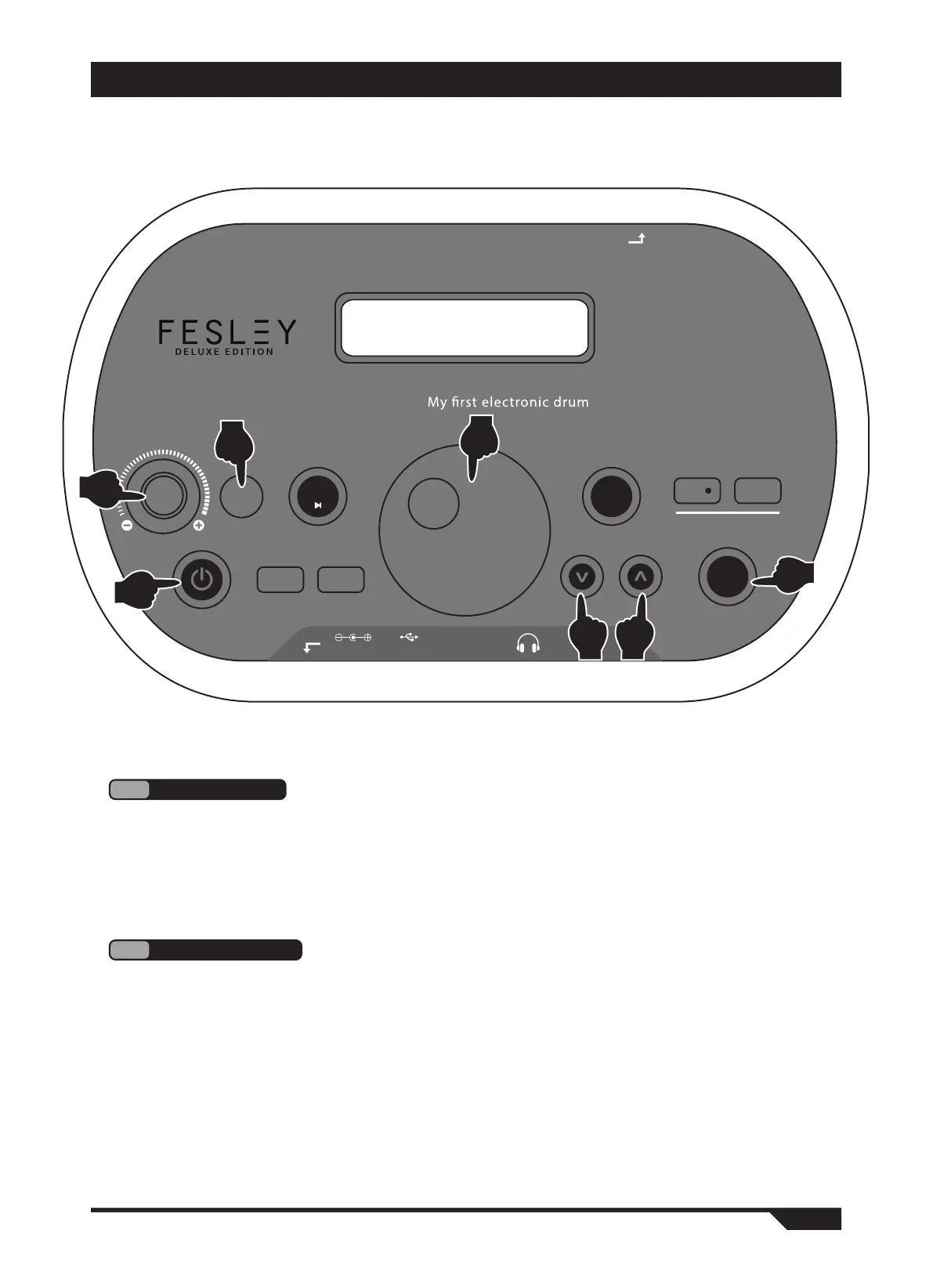
Use the "volume" wheel to adjust the total volume. Please adjust the volume to a
satisfactory position. (Figure 2)
2
Master volume
1
Power on
1. Press the "power" switch to enter the playing state. (Figure 1)
2. Please turn off the power when not in use for a while.
●This product processor chip is complex, similar to the computer system, sometimes there
is no response, please turn off the power switch and then turn it on to normal work.
Recording system
DOWN
UP
VOLUME
REC
R.PLAY
MENU
SAVE.
RESET
TONE
PLAY
POWER
Metronome and music
Electronic drum
control box
CRASH2
DC9V AUDIO IN AUDIO OUTUSB
METRO
SONG
1
2
4 4
5
3
6


 To Next Page